In this tutorial, you'll learn how to save time and stay organized by using MProfit’s Save Configuration feature.
This lets you store custom report settings, so you can instantly load your preferred filters and layouts whenever you need them.
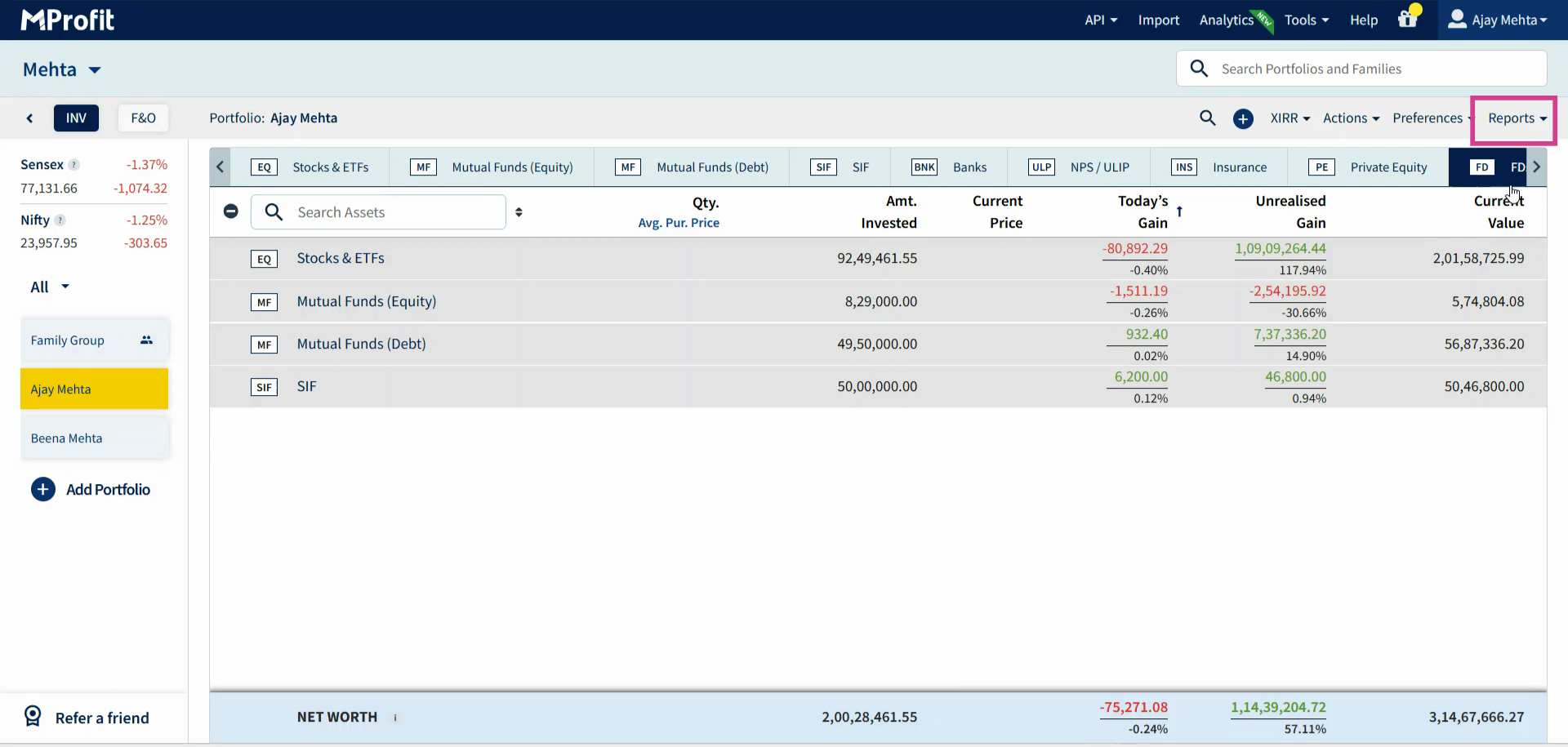
Step 1: Go to the Reports section.
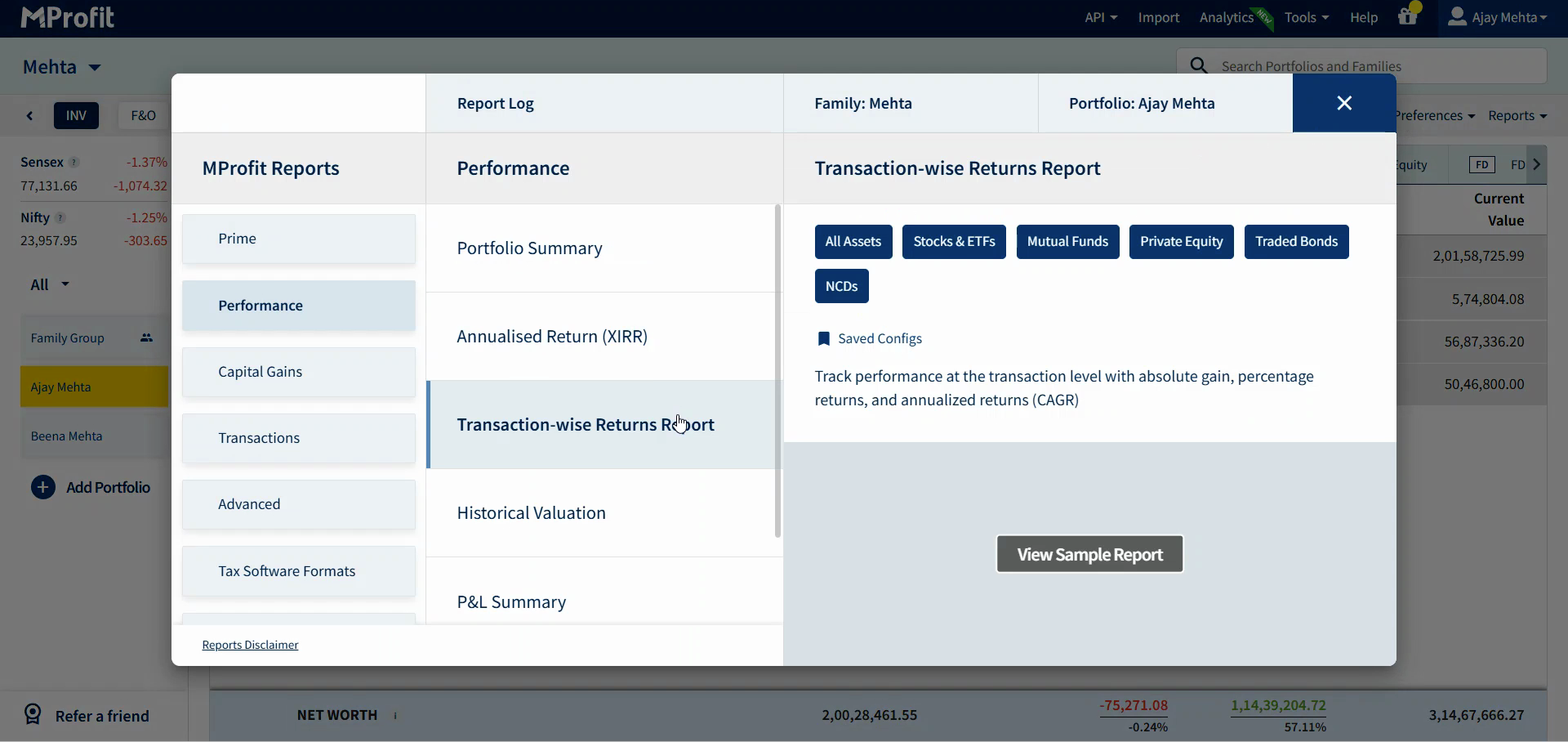
Step 2: Select the report you want to customize. In this case let's consider the Transaction Wise Returns Report.
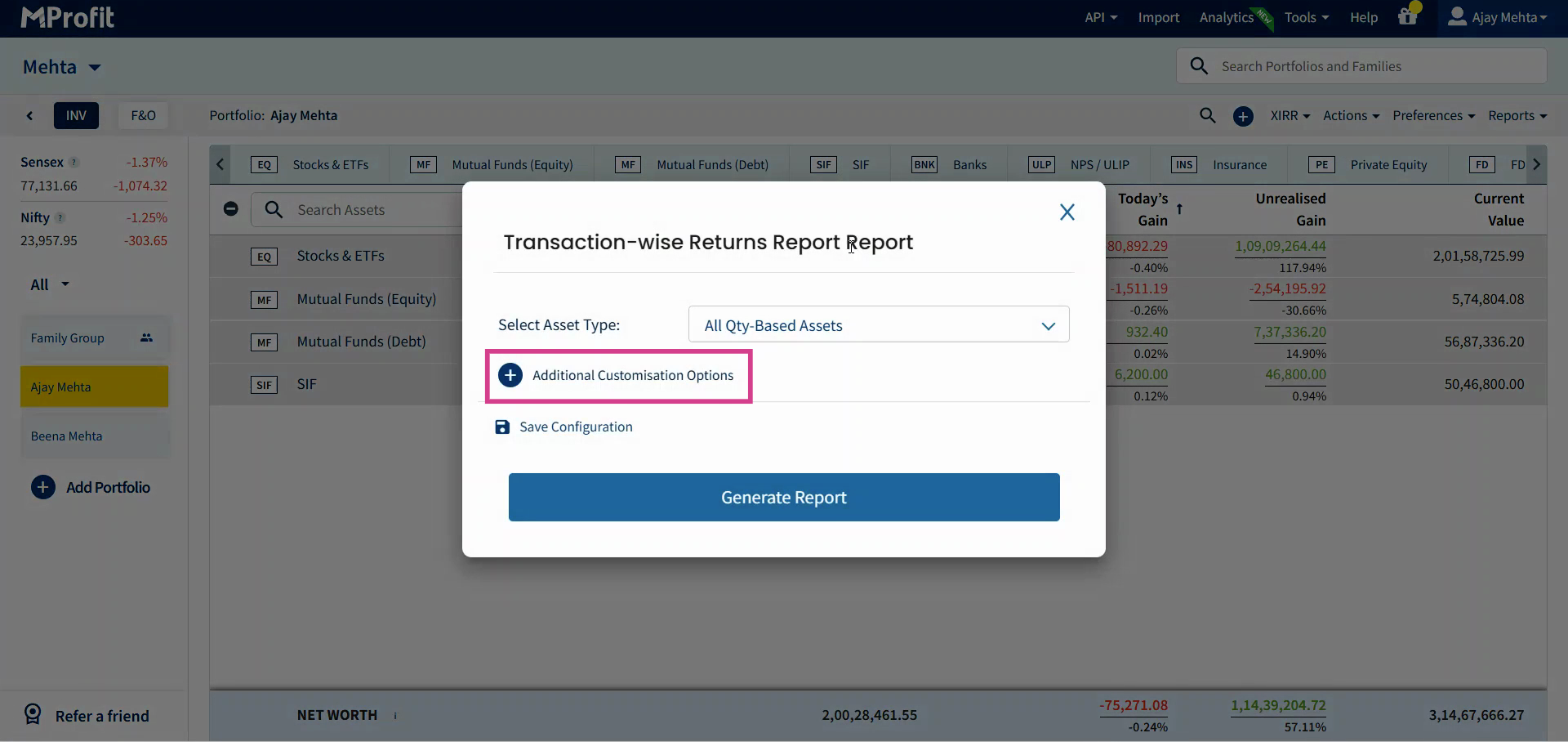
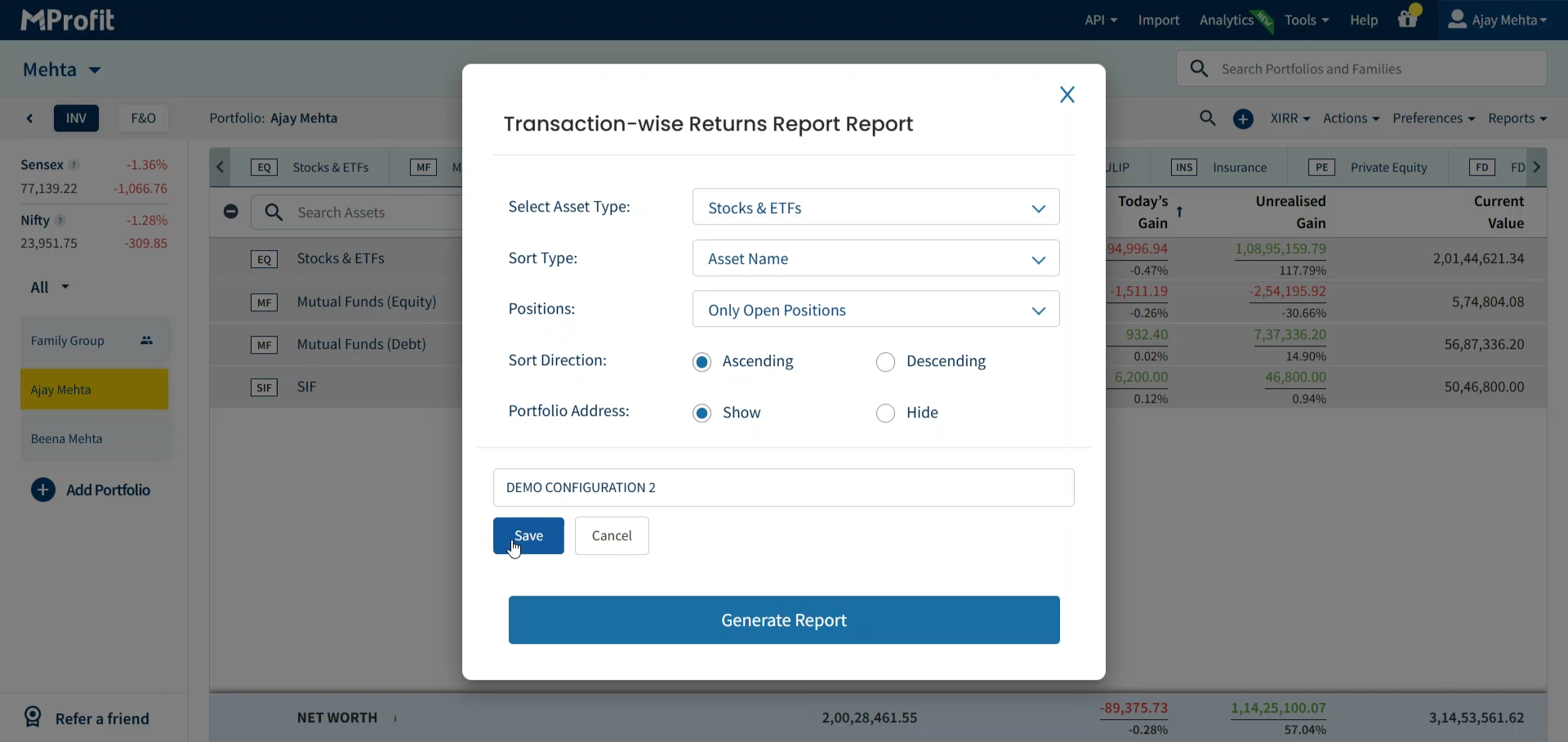
Step 3: Adjust your report filters and customisation options - change things like asset type, sort type, sort direction, or portfolio address.
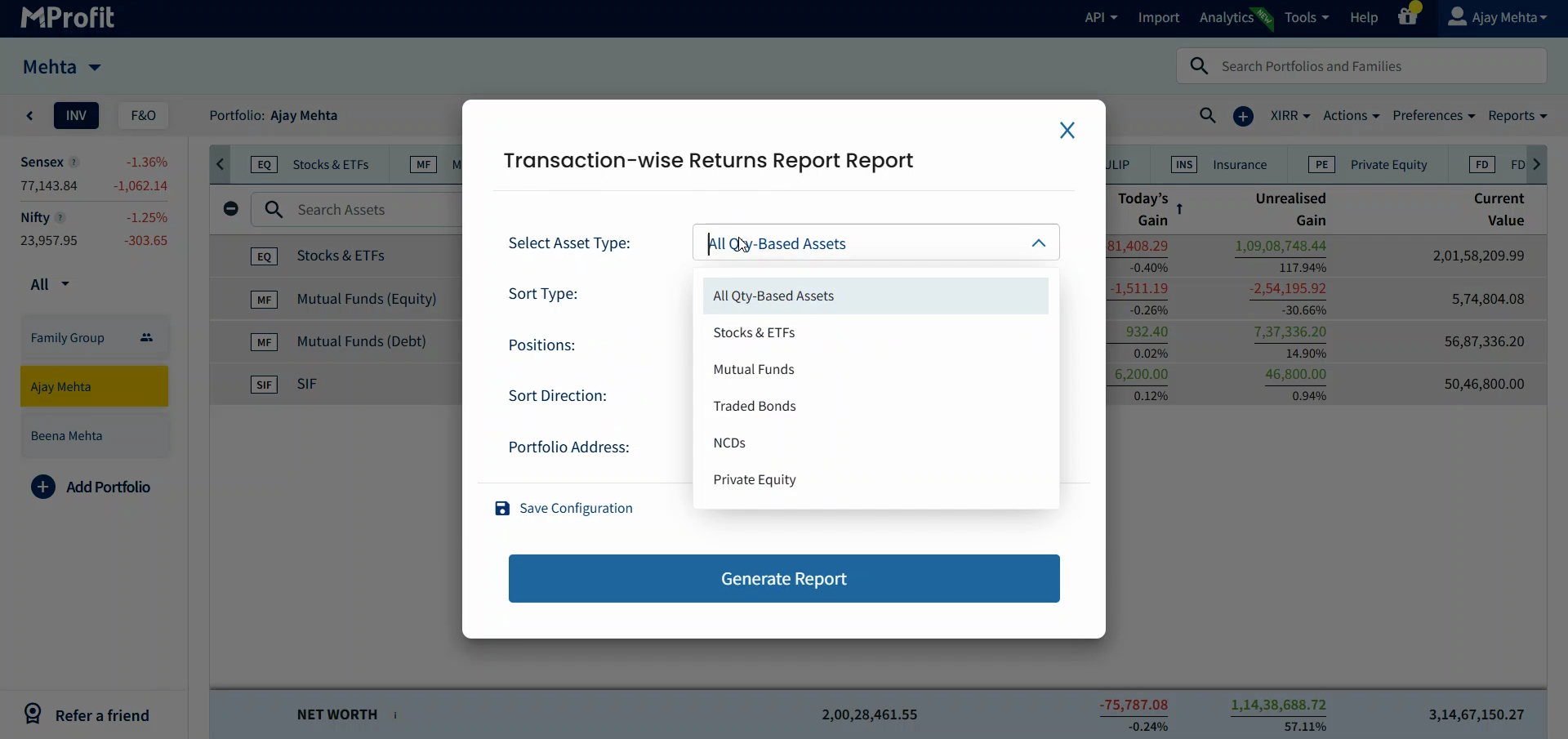
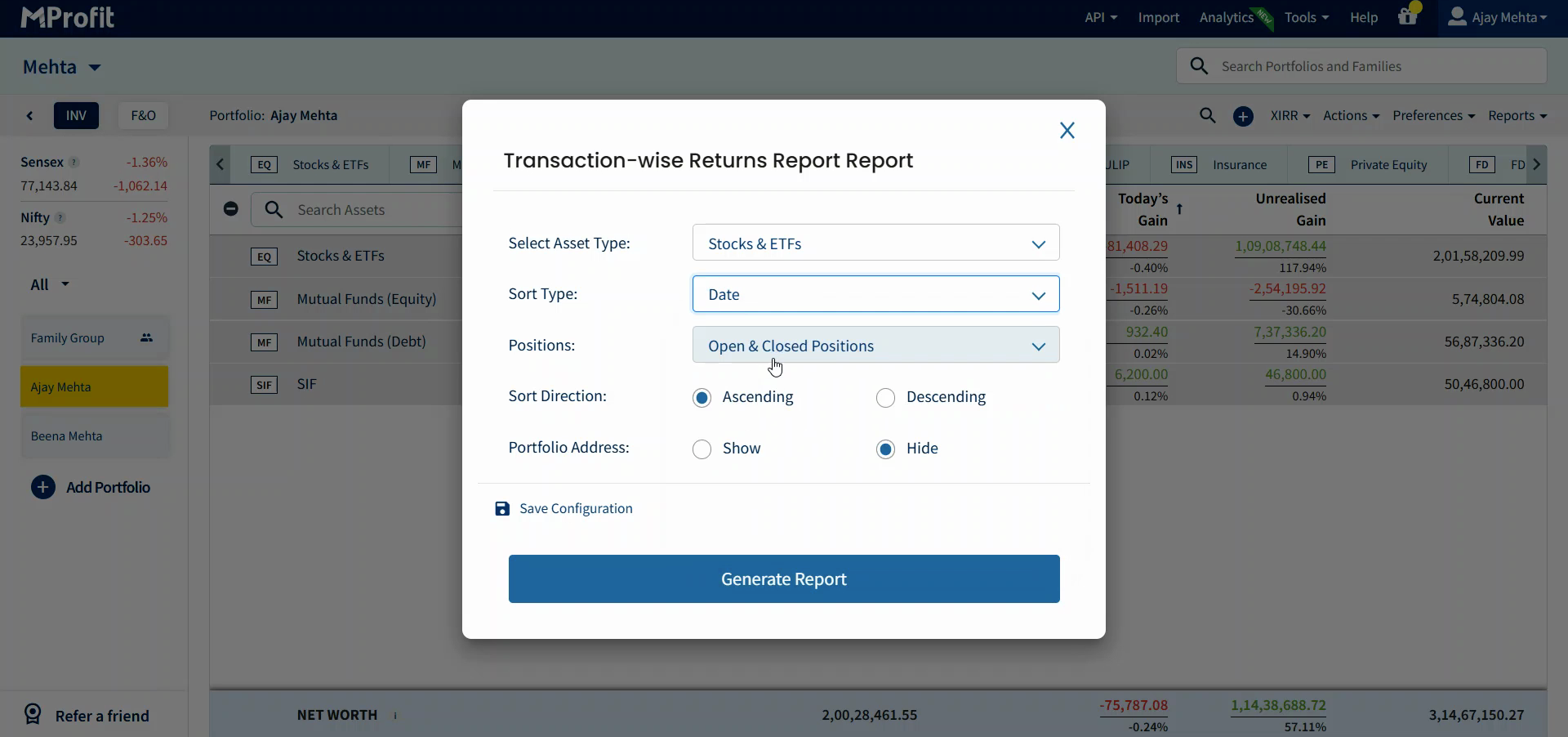
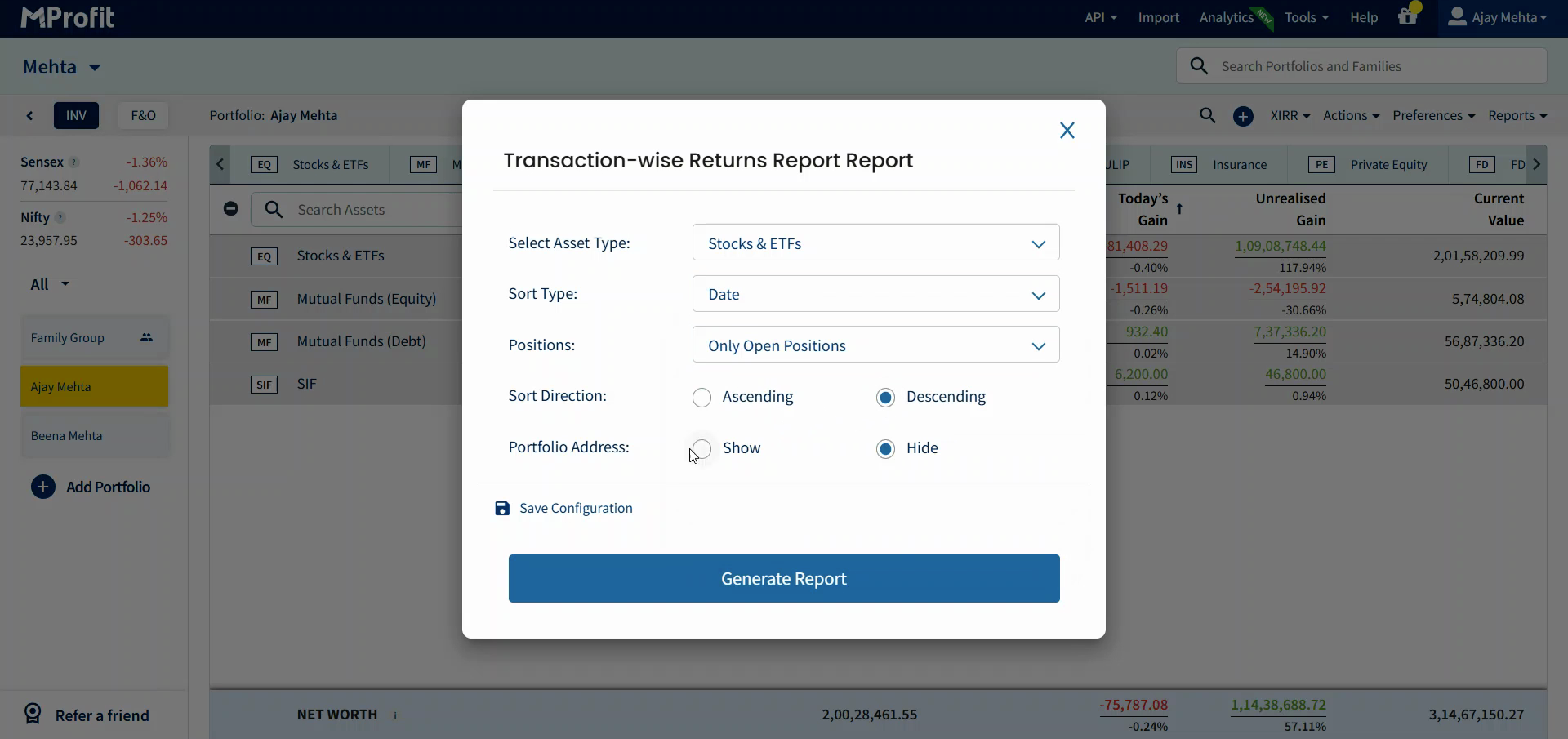
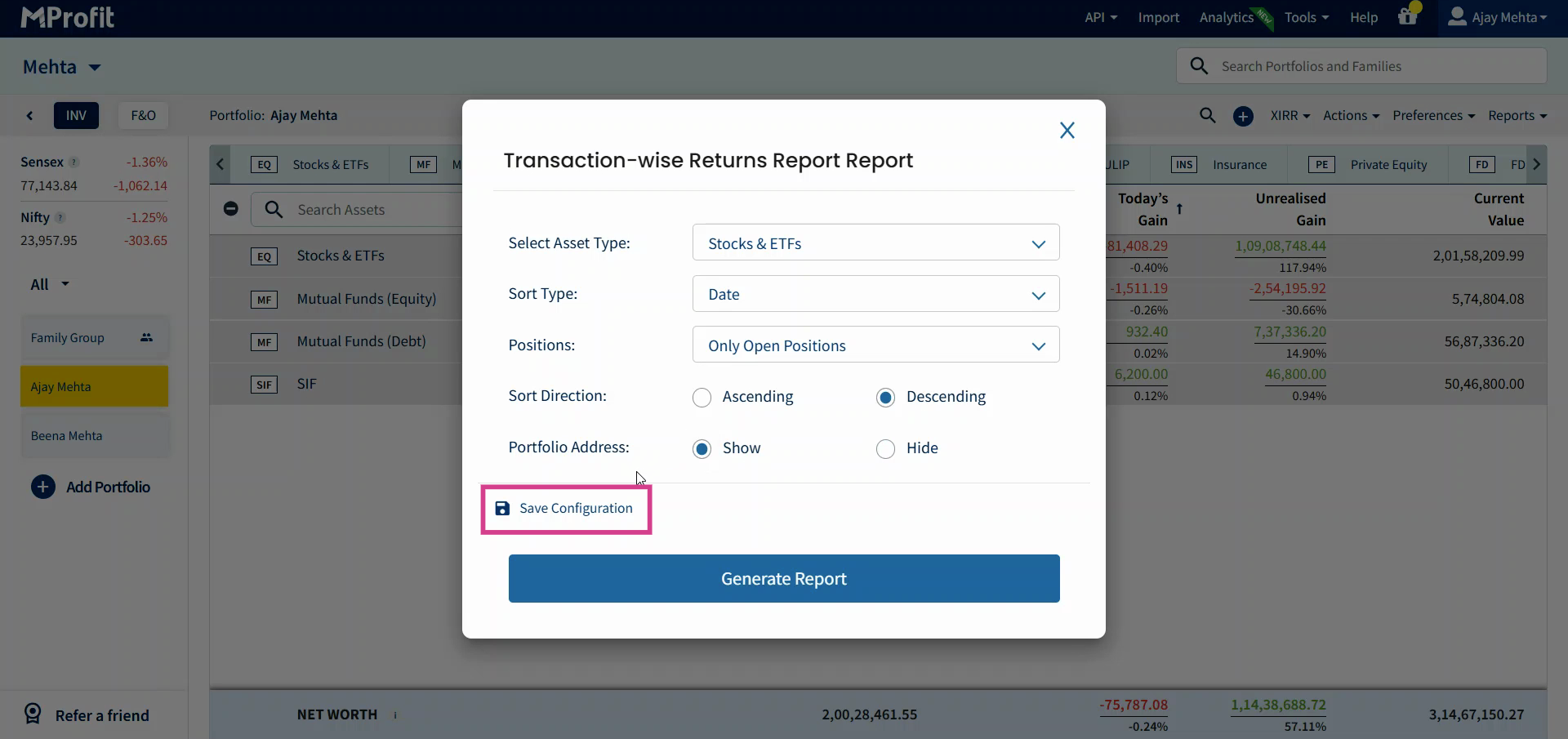
Step 4: Click Save Configuration to capture your current settings.
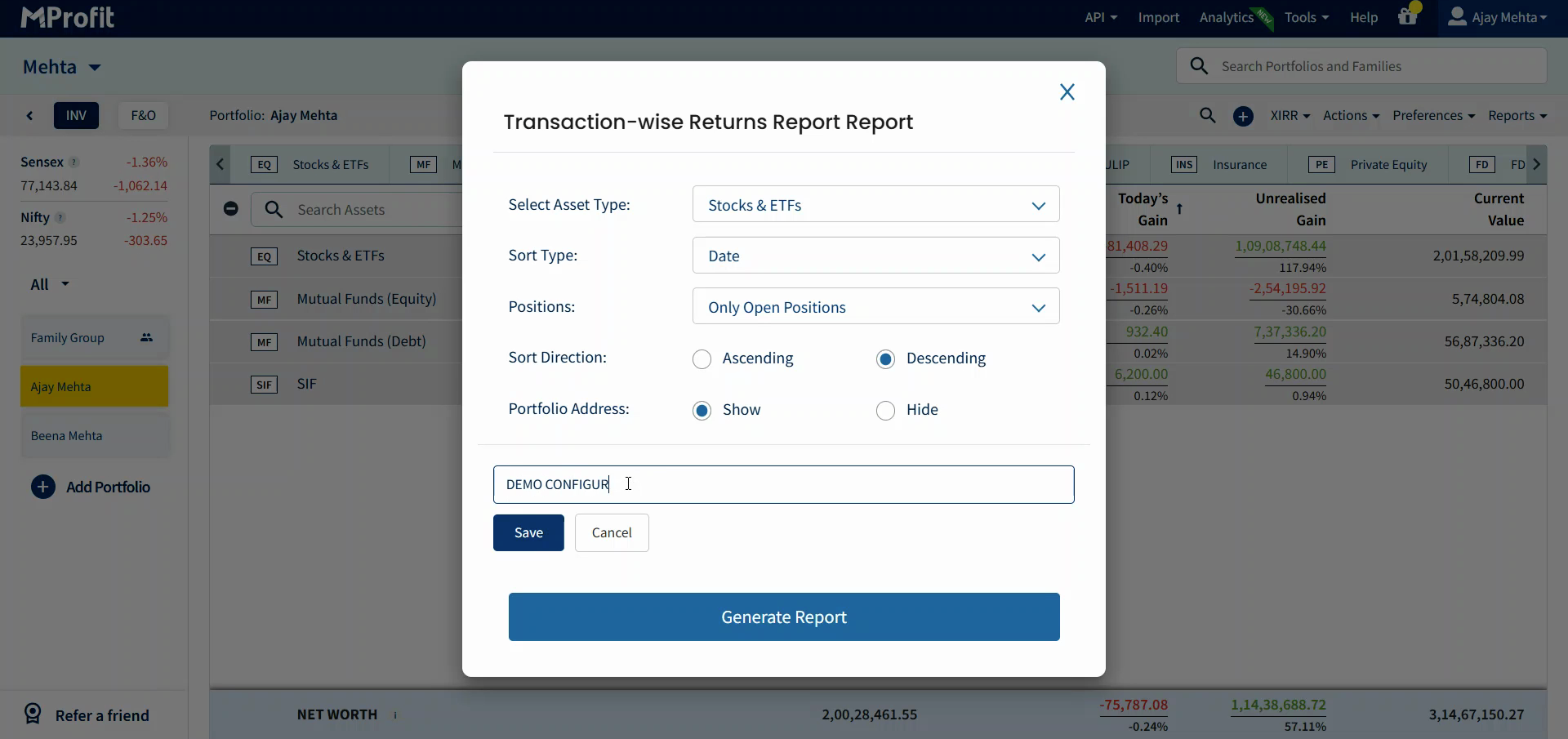
Step 5: Enter a name for your configuration so you can find it later, then click Save.
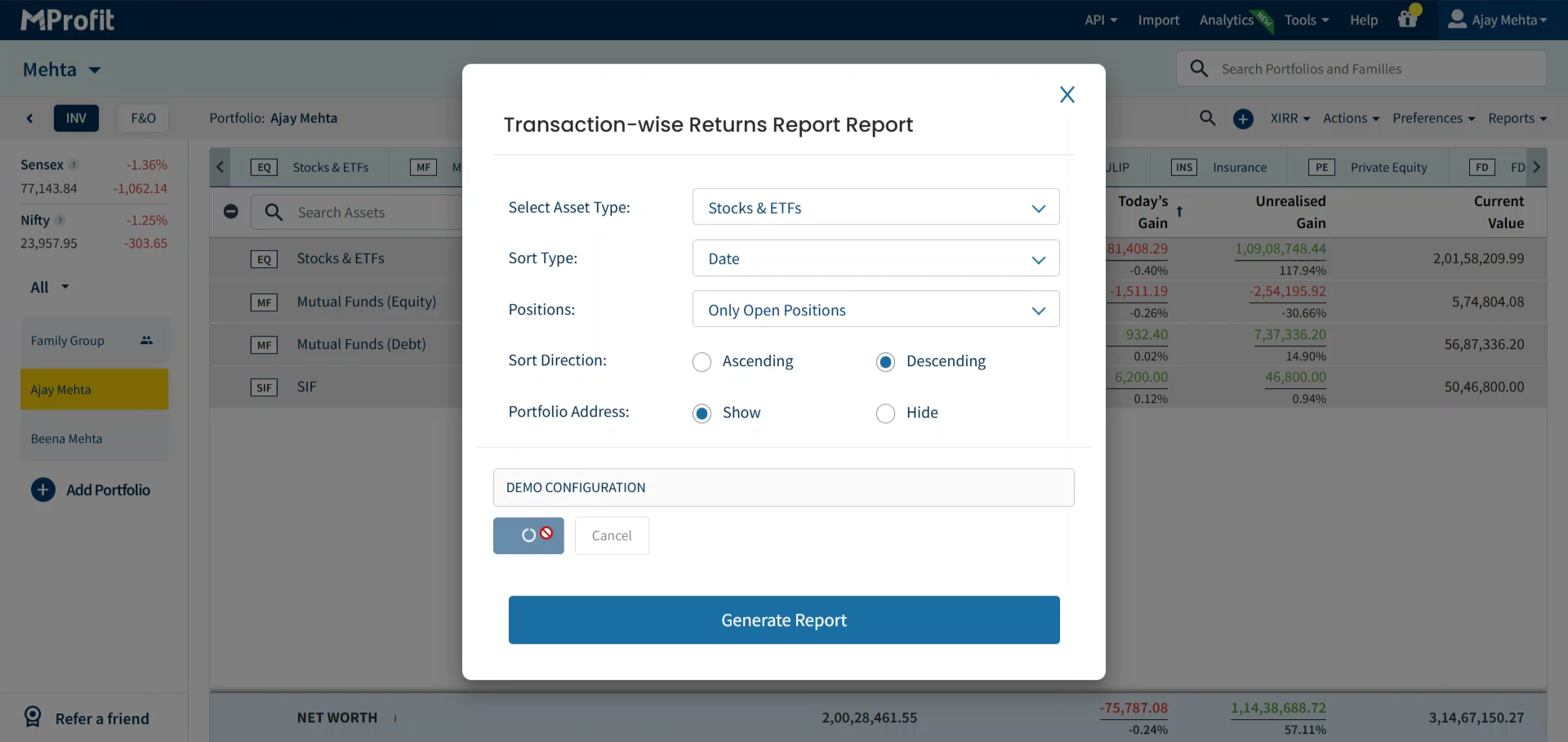
Accessing and Loading Saved Configurations
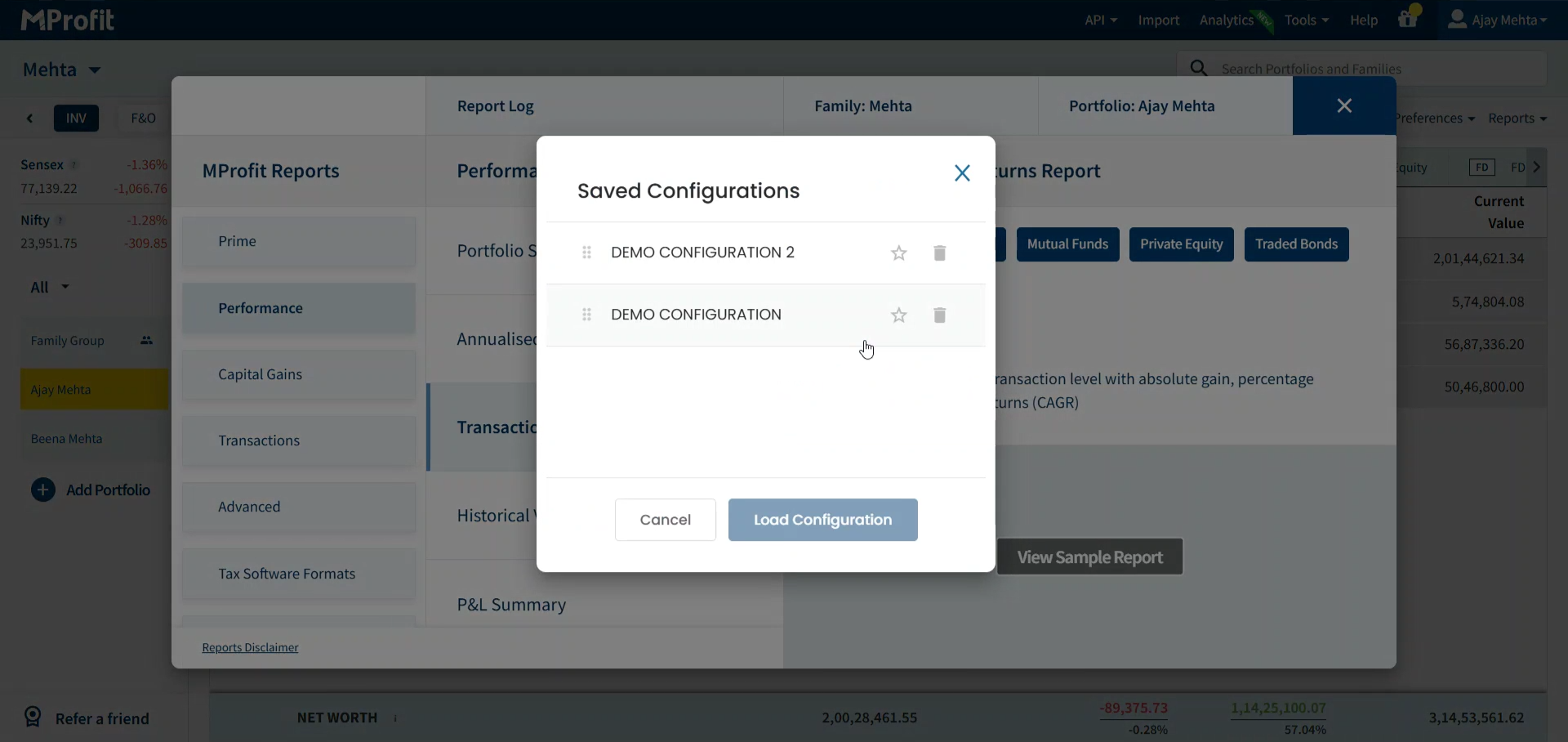
Step 1: Open your desired report and click Saved Configs.
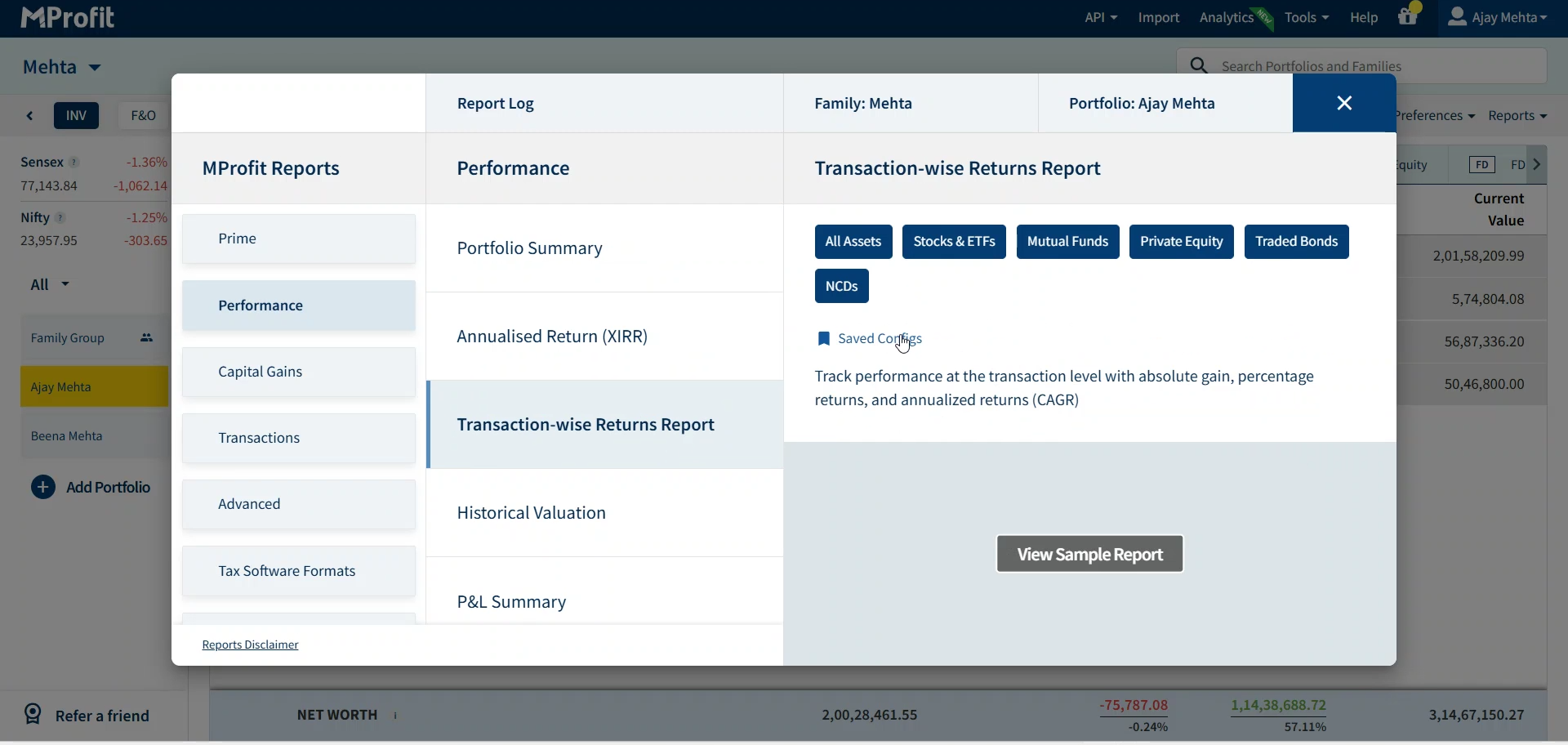
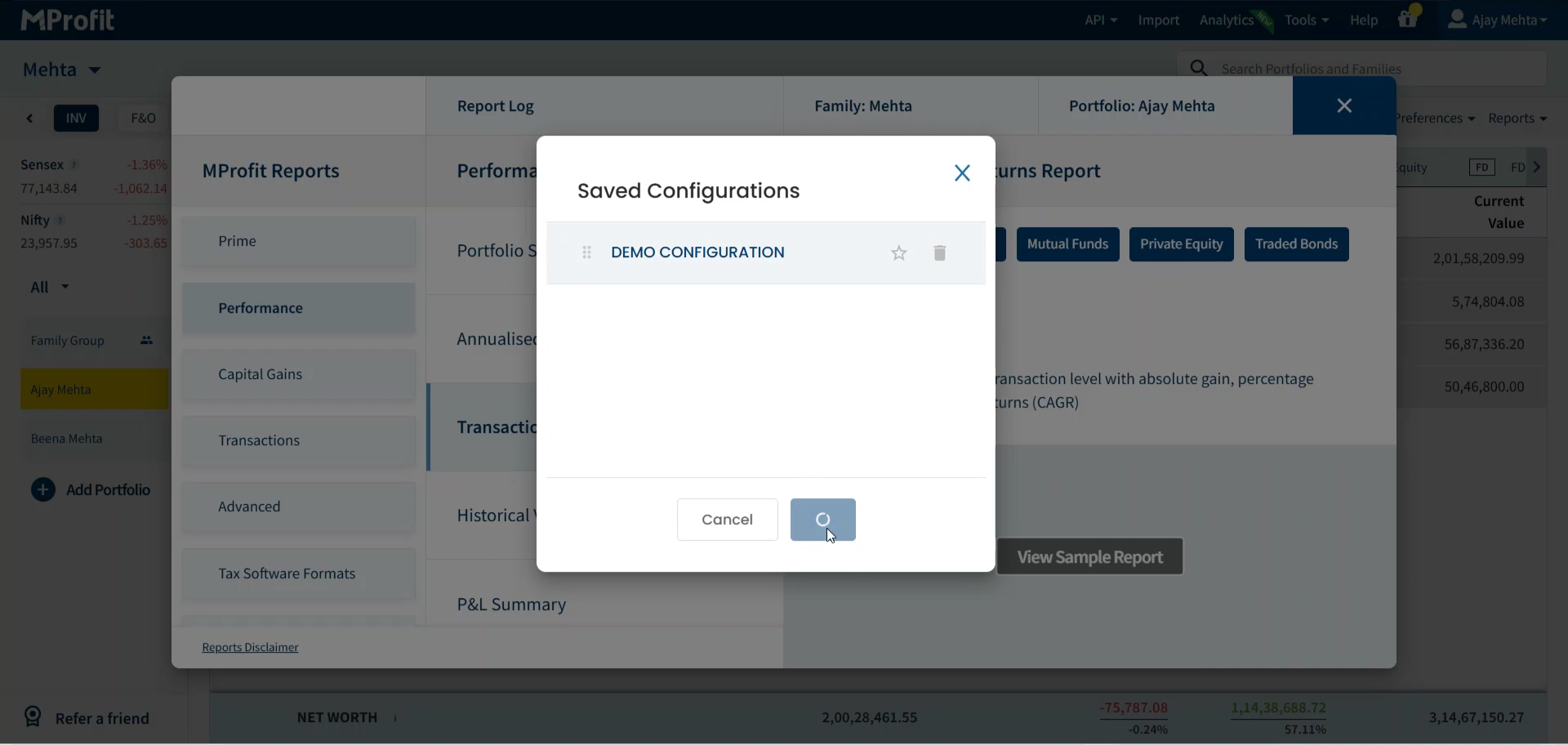
Step 2: Find your saved configuration in the list. Select it and click Load Configuration. Your report updates using all the settings you previously saved.
Updating and Managing Configurations
Step 1: To update a configuration, adjust your settings from the Additional Customisation Options. Let's say you want to change the Sort Direction from Descending to Ascending.
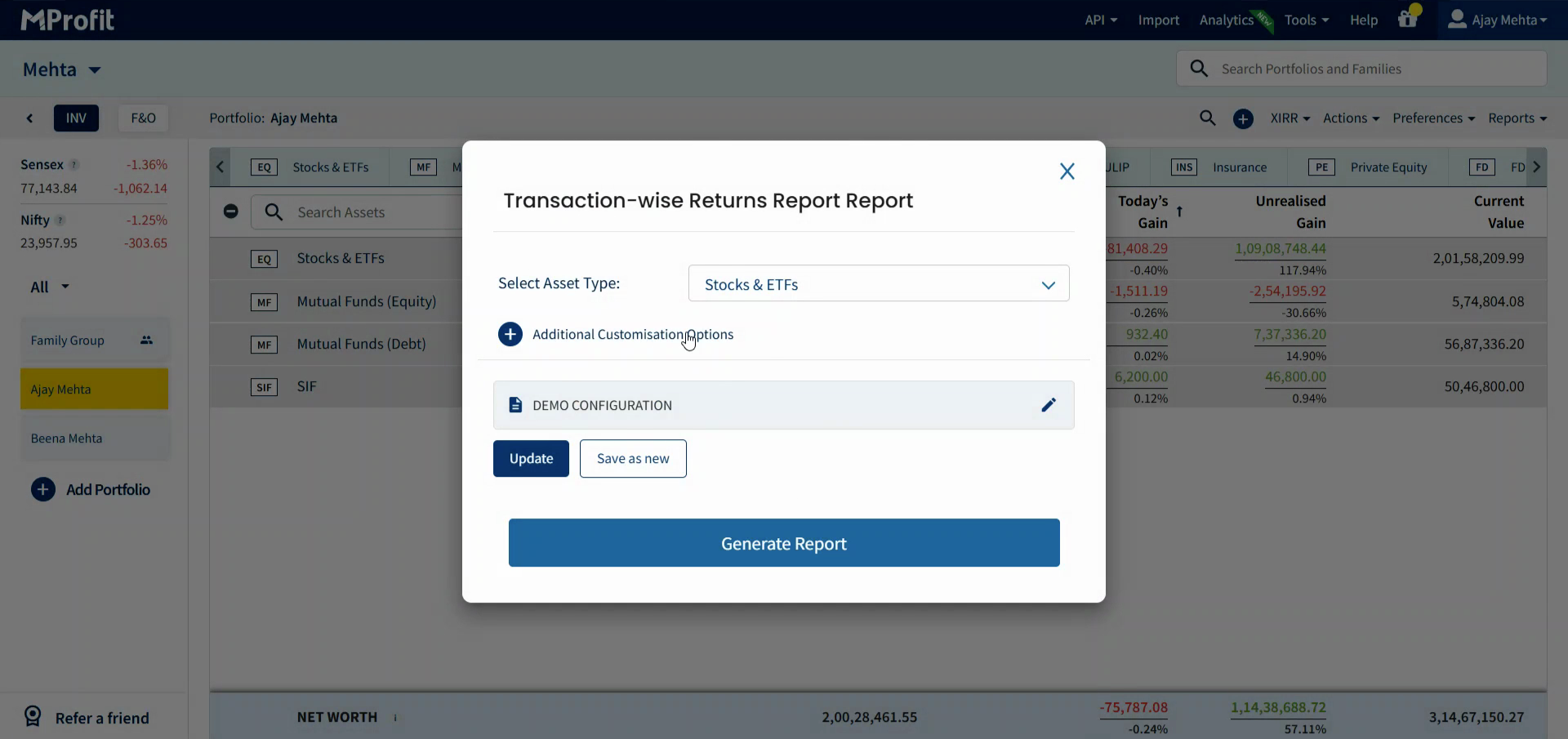
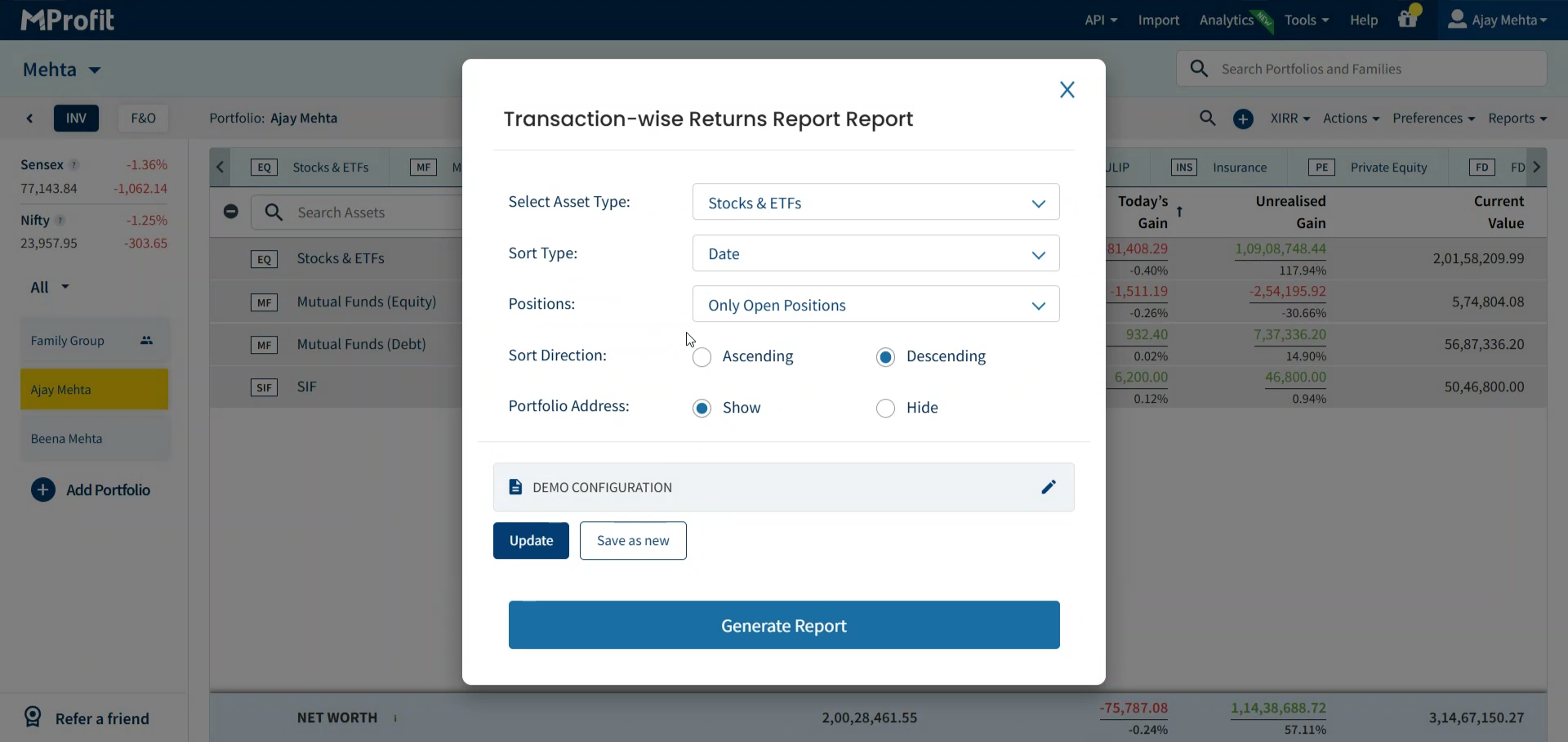
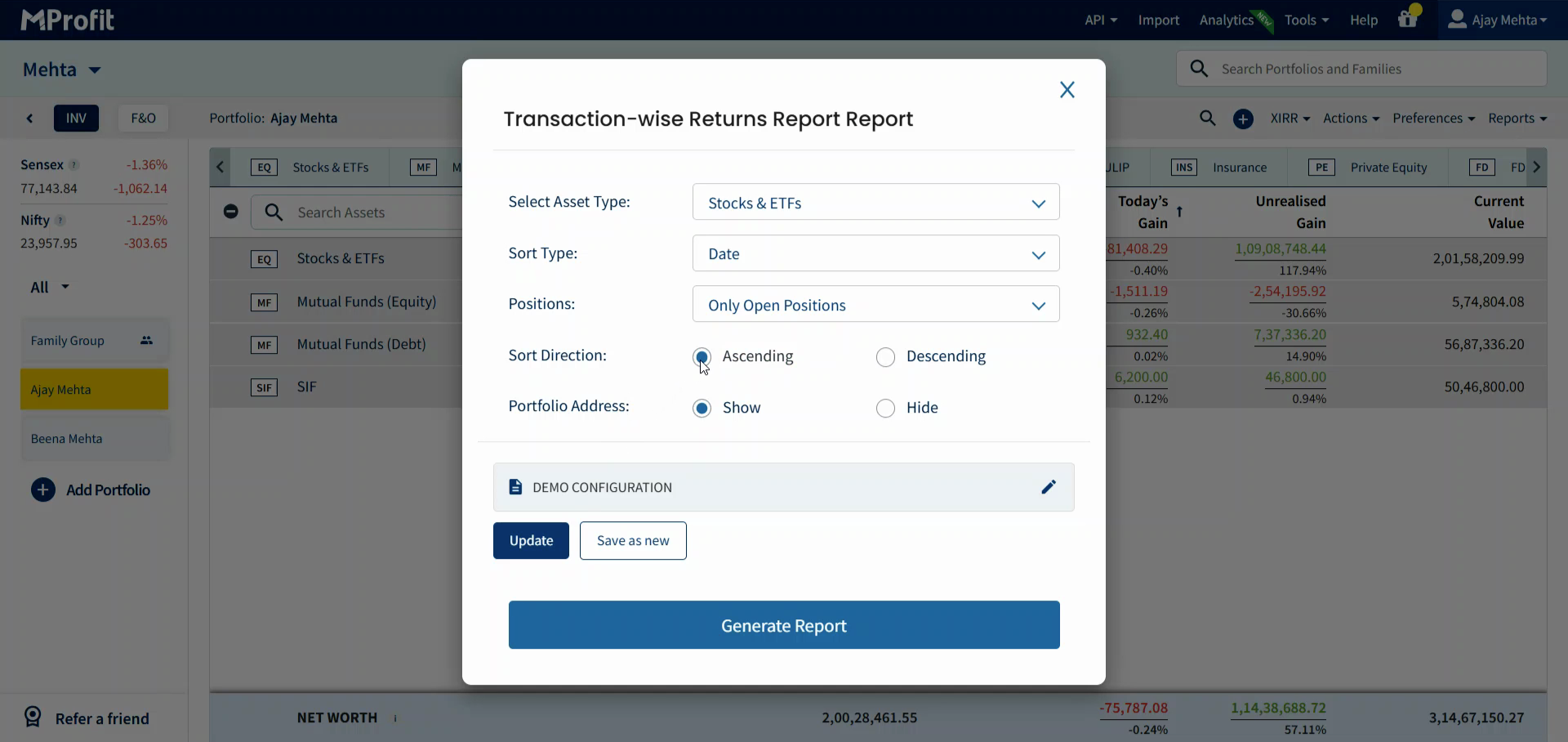
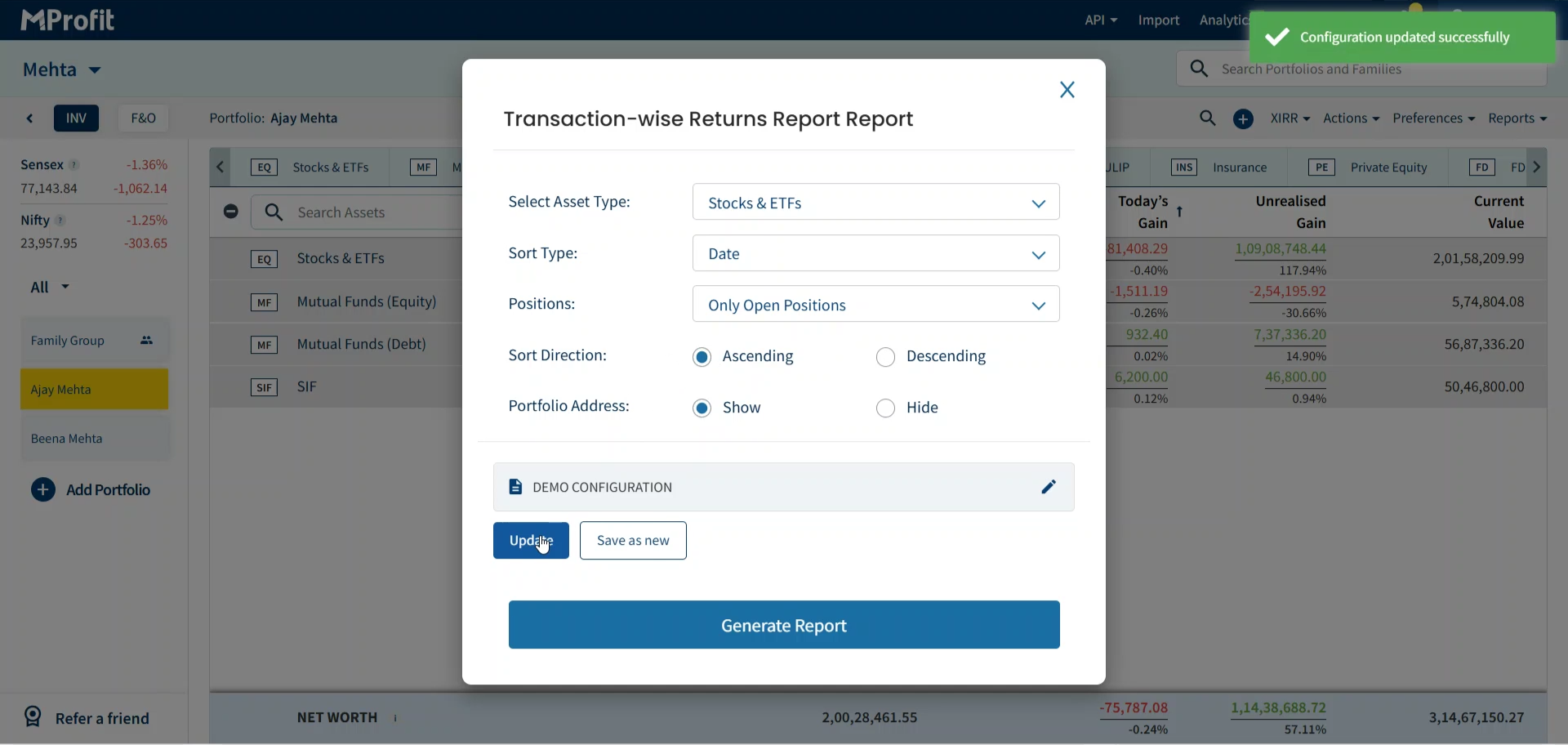
Step 2: Click Update to overwrite it with the new settings.
Step 3: Want to keep your original config but also save the new version? Click Save as New to create another named configuration without losing the original.
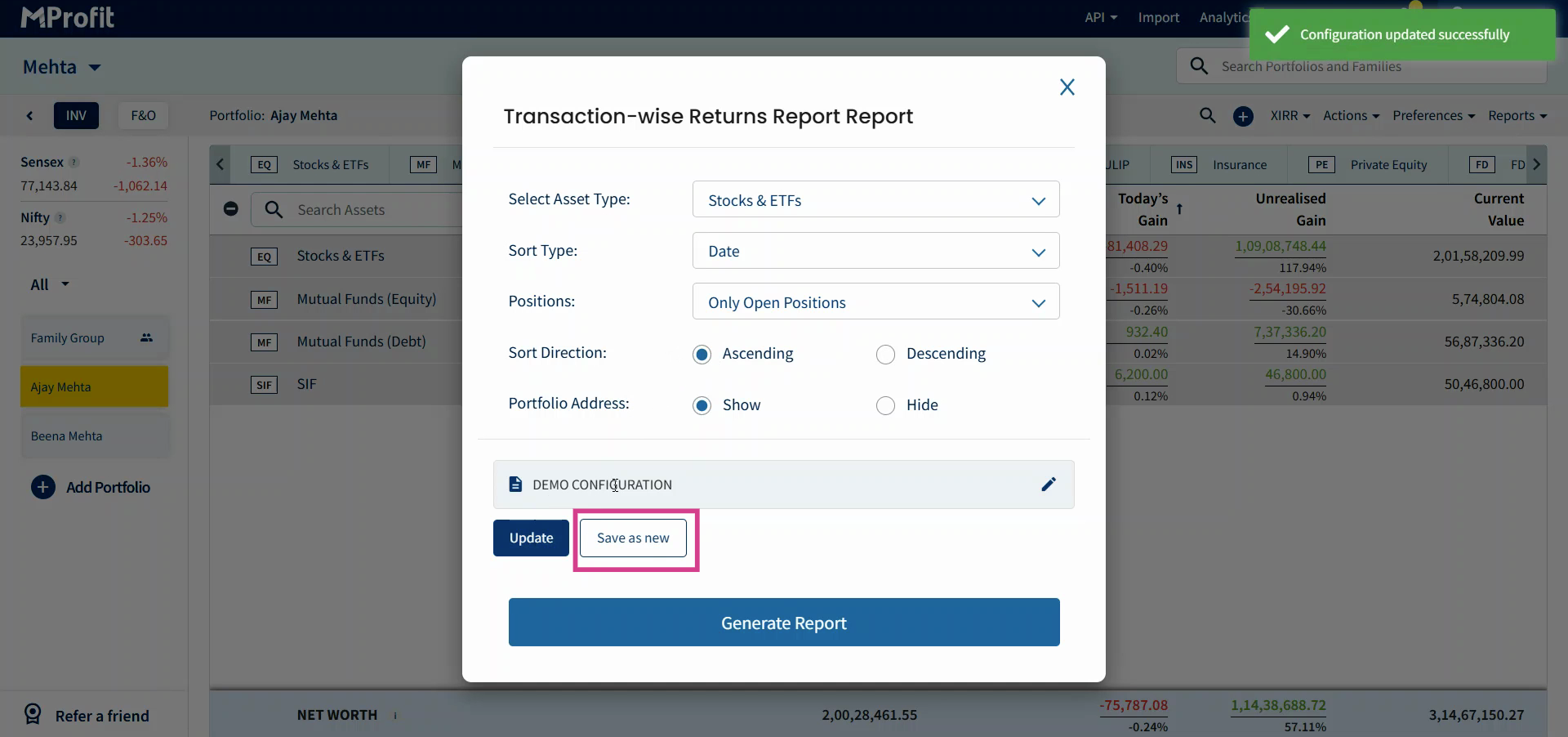
This flexibility lets you maintain multiple report presets for different needs - no more recreating filters from scratch.
Now you’re set to save, update, and manage configurations in MProfit, making repeat reporting fast and effortless.
Was this article helpful?
That’s Great!
Thank you for your feedback
Sorry! We couldn't be helpful
Thank you for your feedback
Feedback sent
We appreciate your effort and will try to fix the article