Dig deeper into your investment performance with MProfit’s Advanced Performance Review Report. This tool lets you analyze returns by portfolio, time period, asset group, and more — all in a single customizable report.
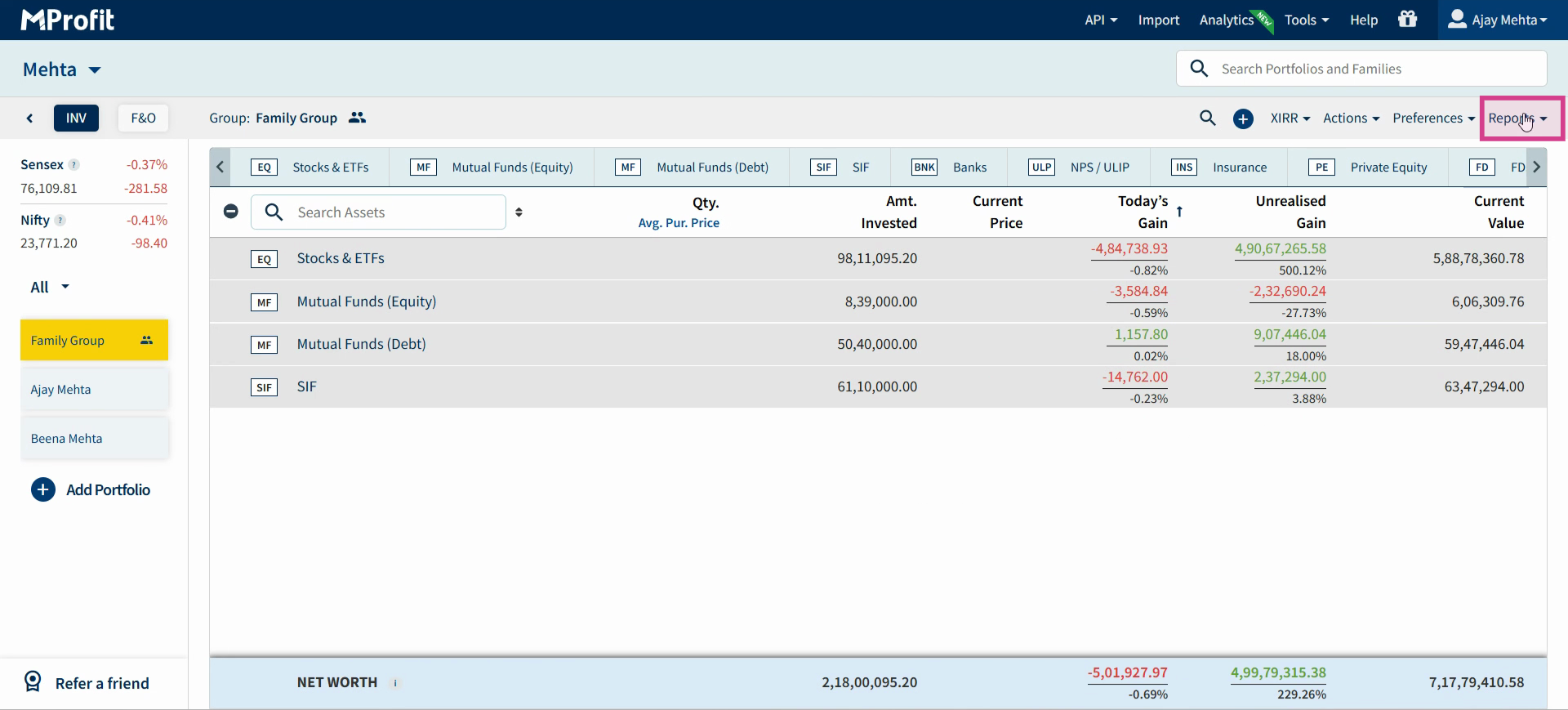
Step 1: Go to the Report section in MProfit.
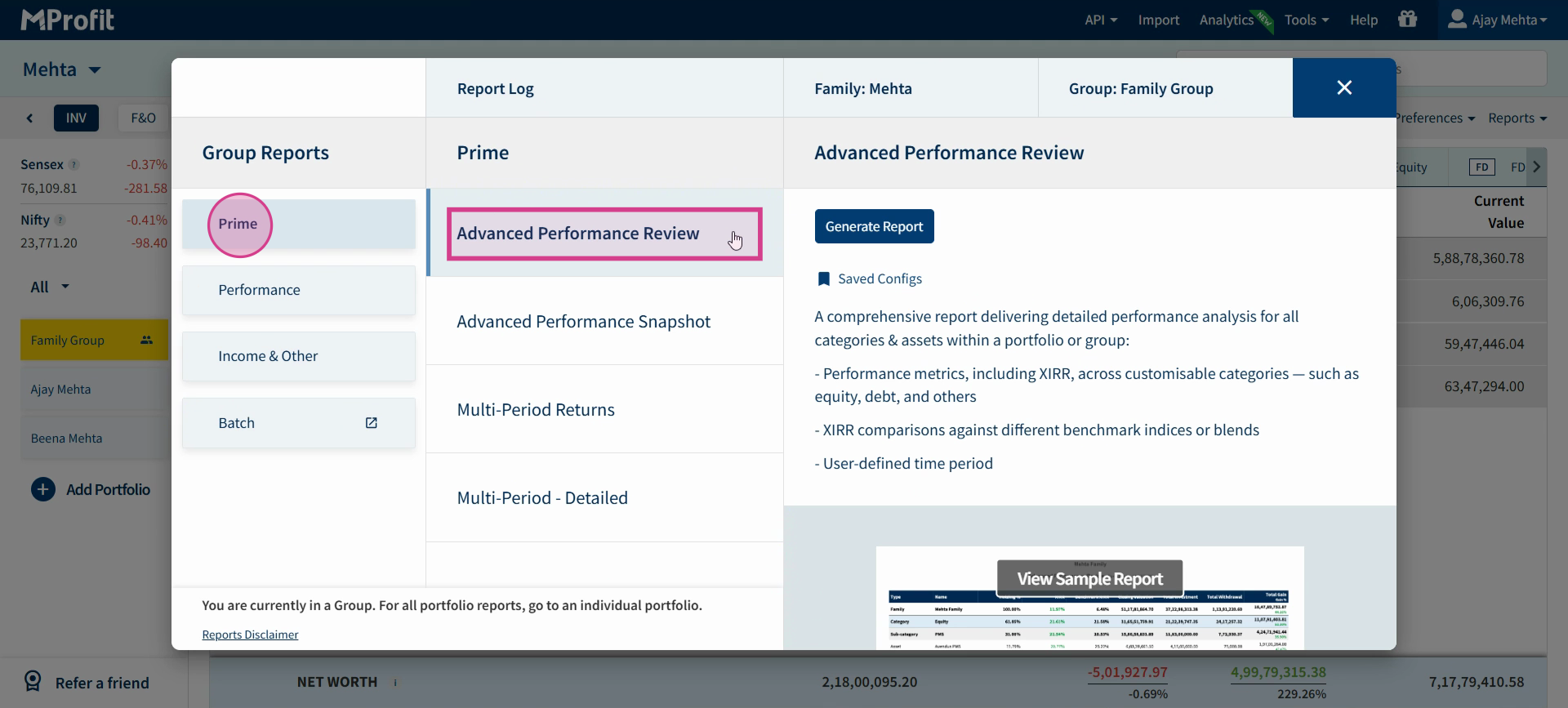
Step 2: Under Report, head to the Prime category and select Advanced Performance Review Report.
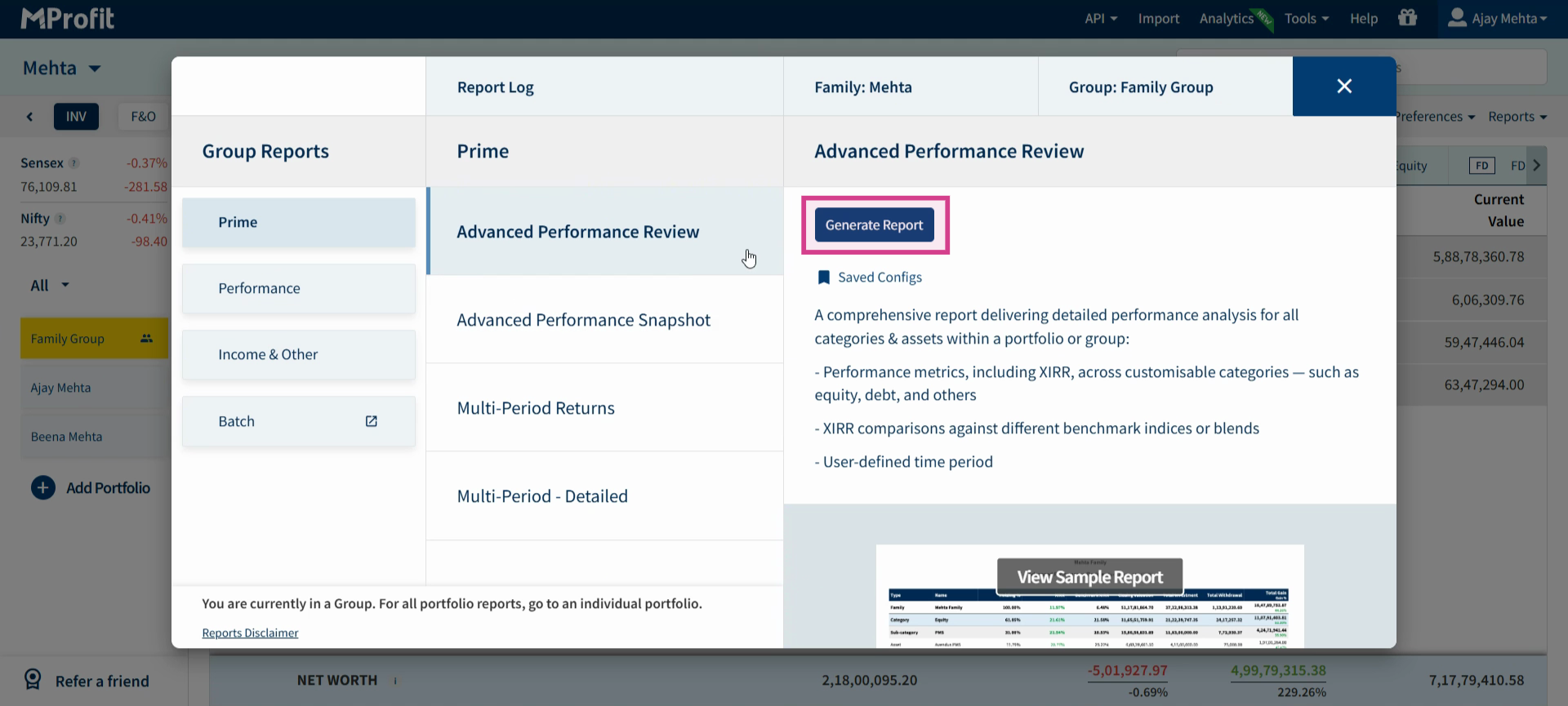
Step 3: Choose whether to generate the report at the Family or Portfolio Family level. Select your preference.
Step 4: Click Generate Report to open the customization window.
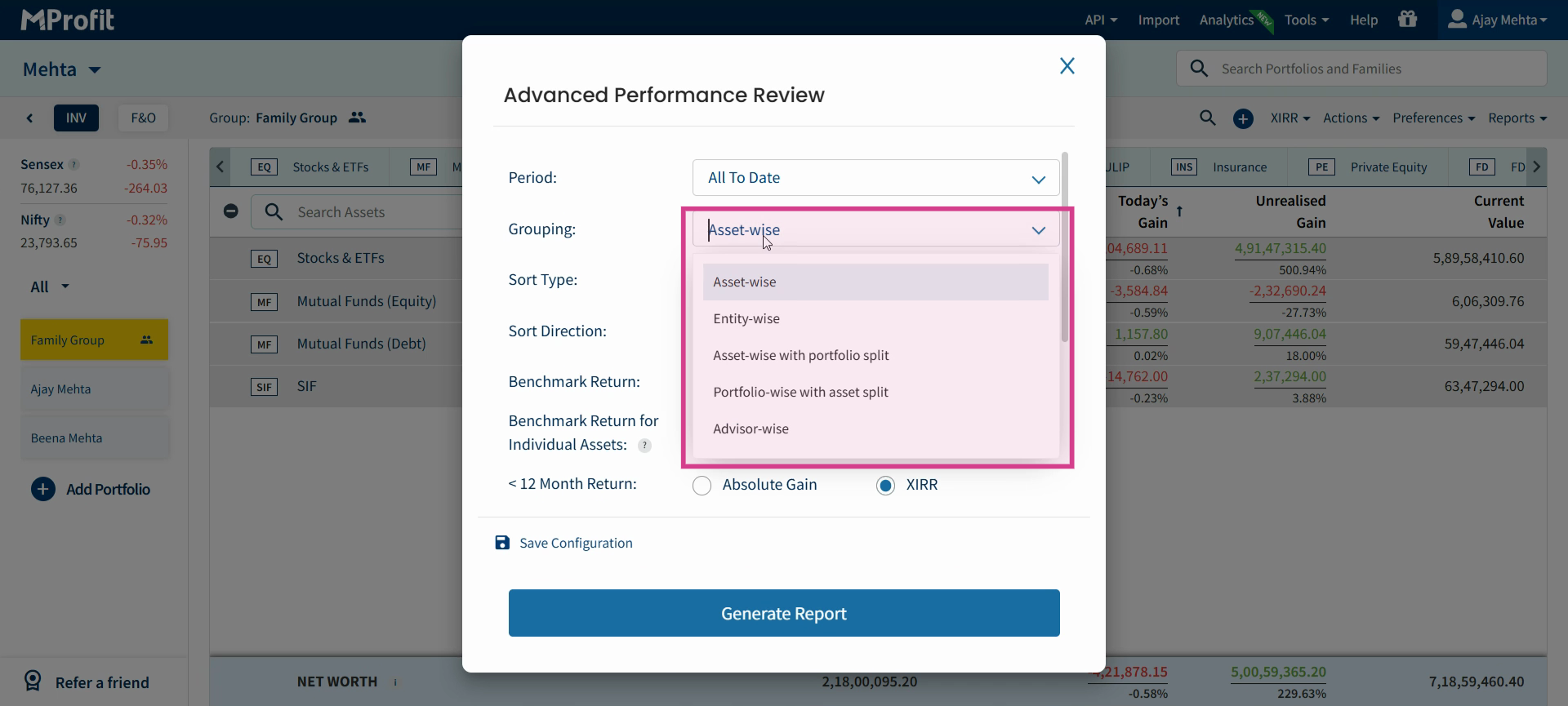
Step 5: In the customization window, set the Period — pick current, last financial year, specific months, quarters, custom dates, or "All to Date" for a full summary.
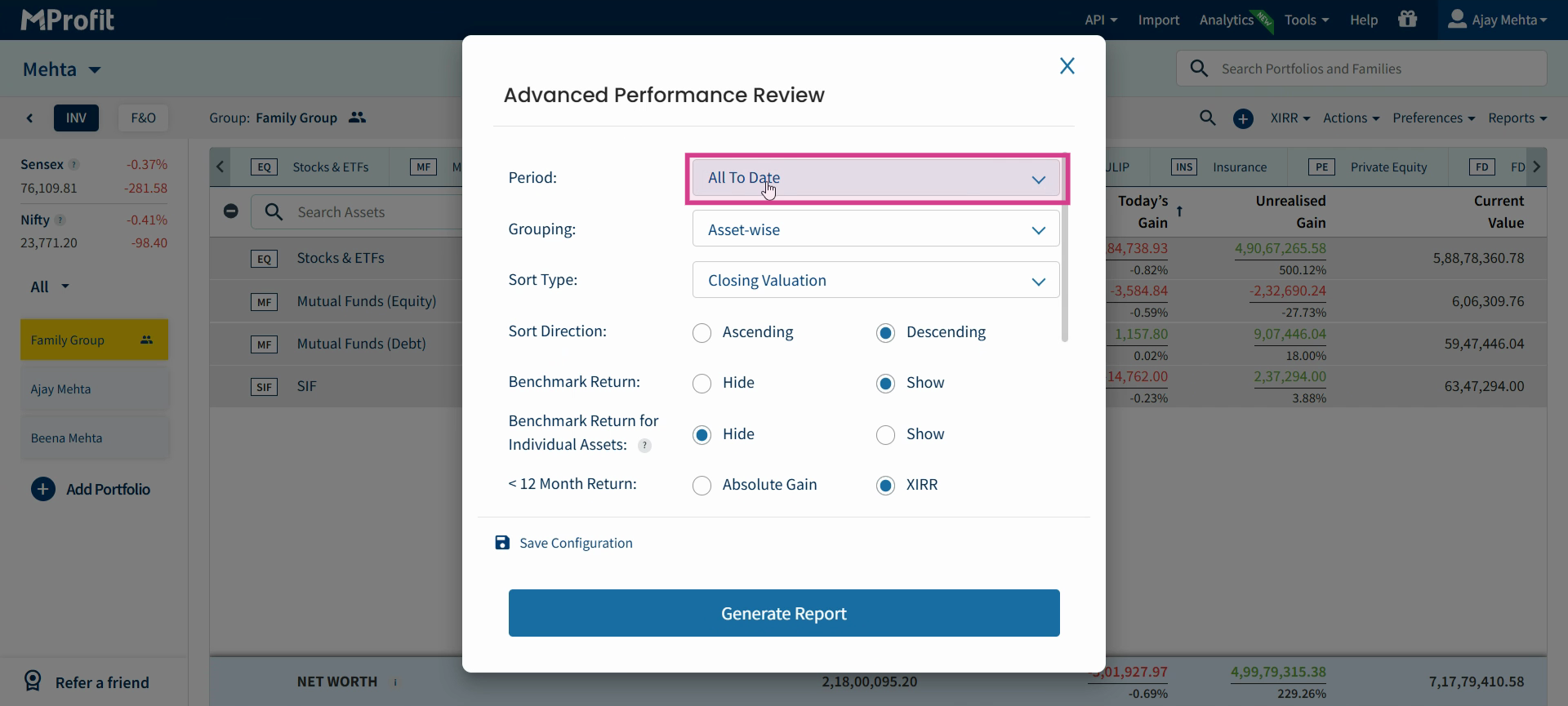
Step 6: Choose how to Group your data: asset-wise, entity-wise, asset with portfolio split, portfolio with assets split, or adviser-wise. Select your preferred grouping from the available options.
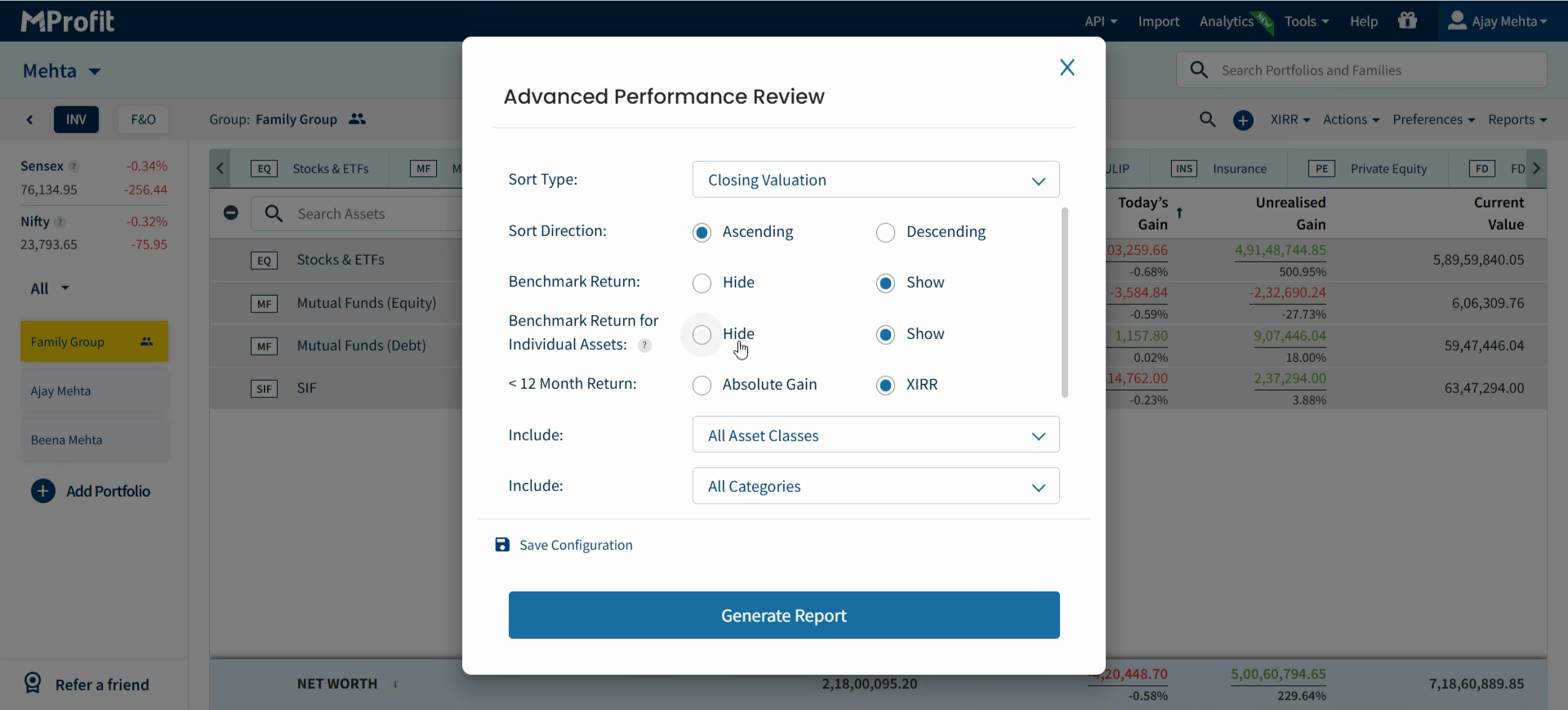
Step 7: Customize the report using these options:
Set Sort Type (e.g., closing valuation, XIRR, total gain) and Sort Direction (ascending or descending)
Turn on Show Benchmark Returns if you want to compare against benchmarks
Select the calculation method for 12-Month Return (absolute gain or XIRR)
Pick asset classes and categories to include—or create a custom selection
(Optional) Filter by adviser for performance reviews at the adviser level
Choose whether to show asset details and exited assets
Enable Show Amount Invested Based on FIFO if you want to display this detail
Save your current settings as a new configuration for future use
Step 8: Click Generate Report after setting your preferences.
Step 9: Download or export your report.
Once your report is generated, find the Download or Export button at the top right of the report page. Click this button to select your desired format (PDF or Excel).
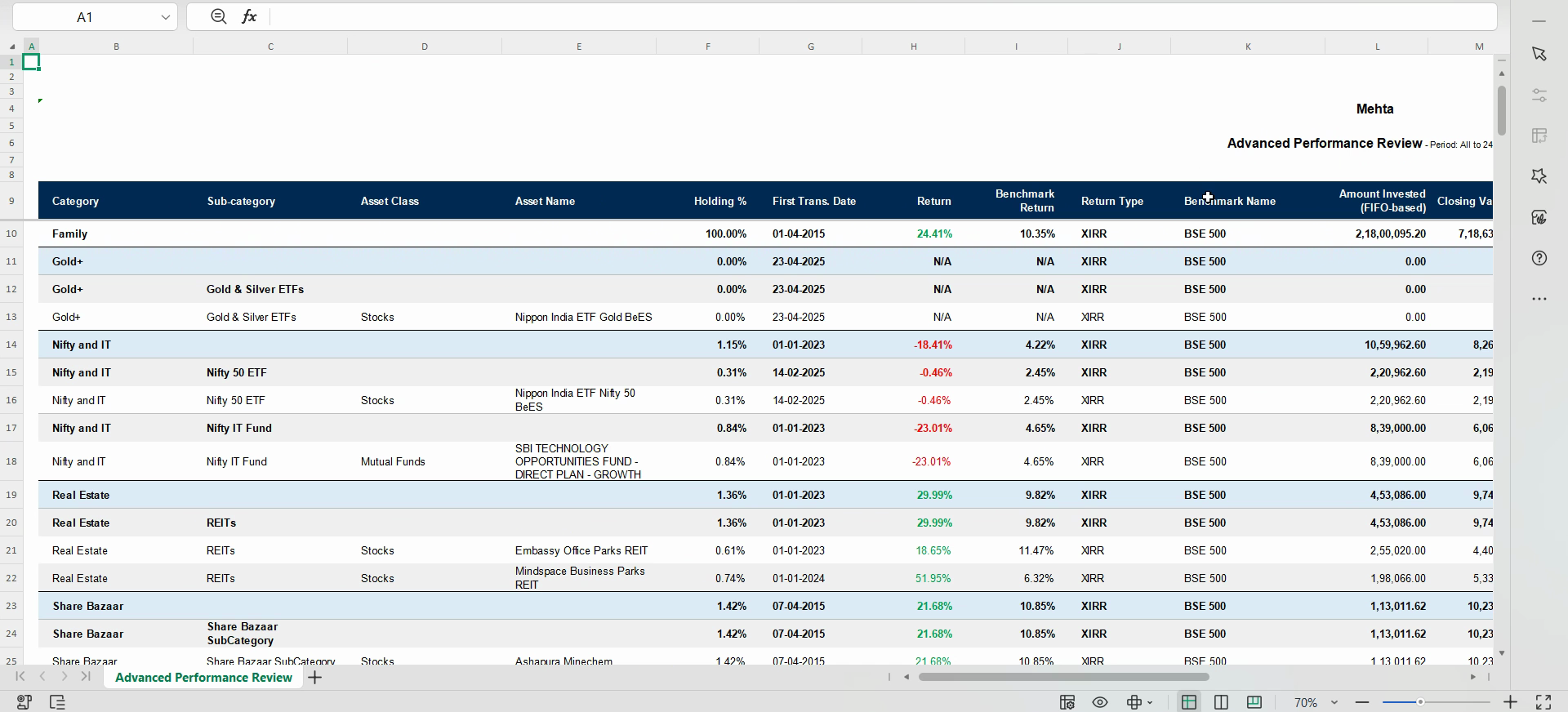
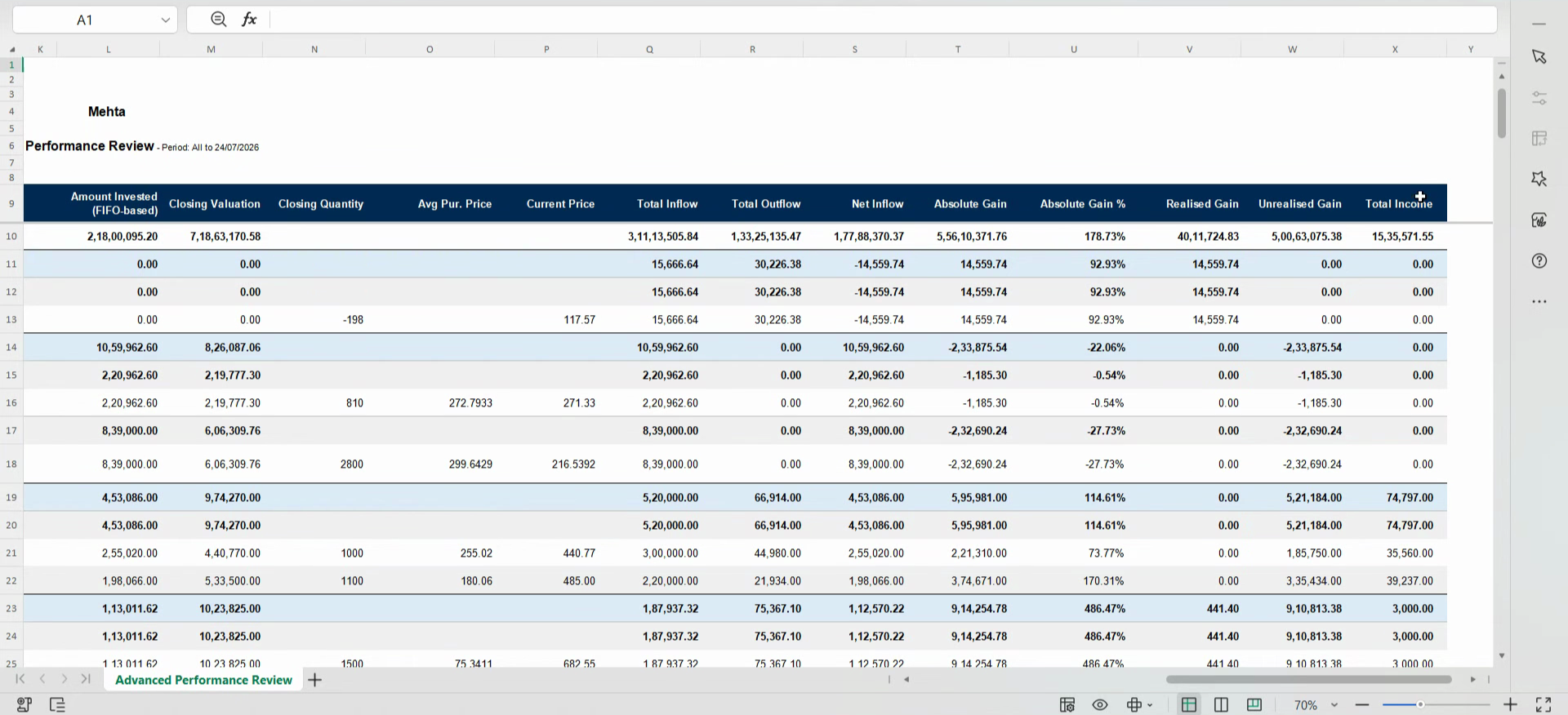
Step 10: Open the downloaded report to review detailed performance data. You’ll see columns for category, subcategory, asset class, asset name, holding %, first transaction date, returns, benchmark returns, amount invested (FIFO), valuation, quantity, average purchase price, current price, inflow/outflow, net inflow, gains, realized/unrealized gains, and total income.
With the Advanced Performance Review Report, you get a comprehensive view of your investments.
Tailor each report by period, grouping, and detail level—then export your results for further analysis or sharing. Use this powerful tool to track your progress and stay confident in your financial planning.
Was this article helpful?
That’s Great!
Thank you for your feedback
Sorry! We couldn't be helpful
Thank you for your feedback
Feedback sent
We appreciate your effort and will try to fix the article