Automate your year-end shareholding valuation process using MProfit's Stock and Trade feature. This step-by-step guide walks you through generating reports, transforming your data, and updating your portfolio with confidence.
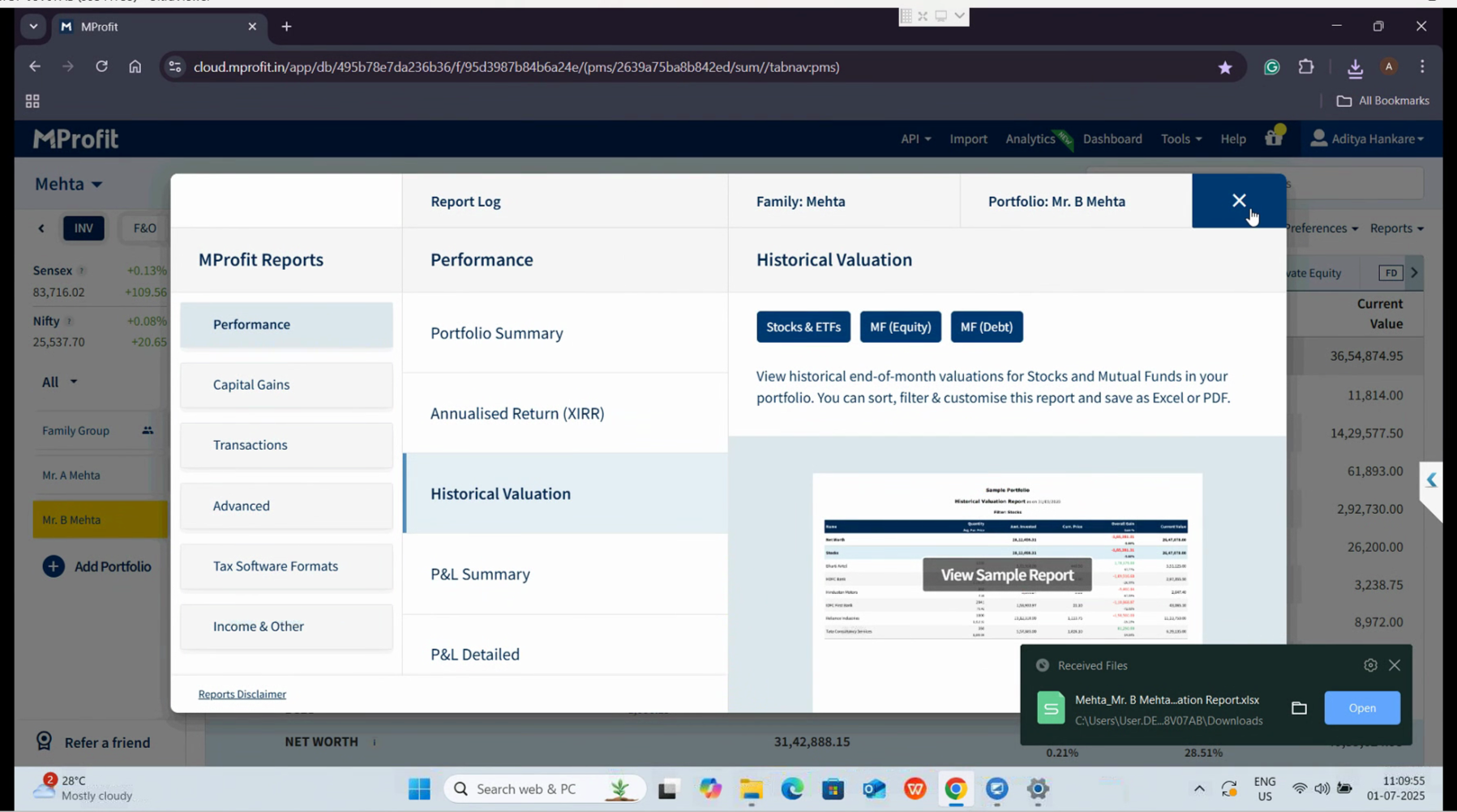
Step 1: Generate the historical valuation report for your chosen portfolio. Go to the Reports section.
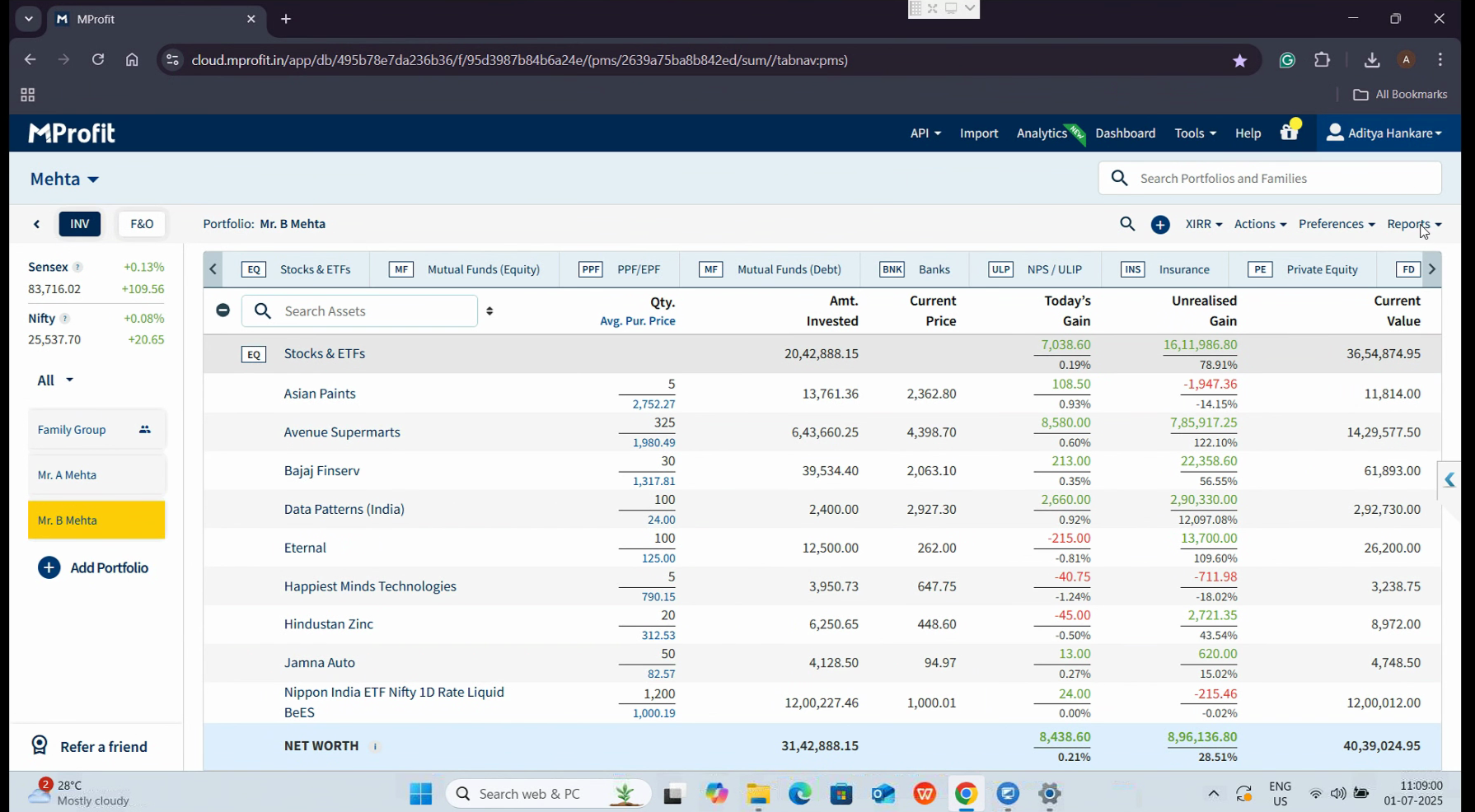
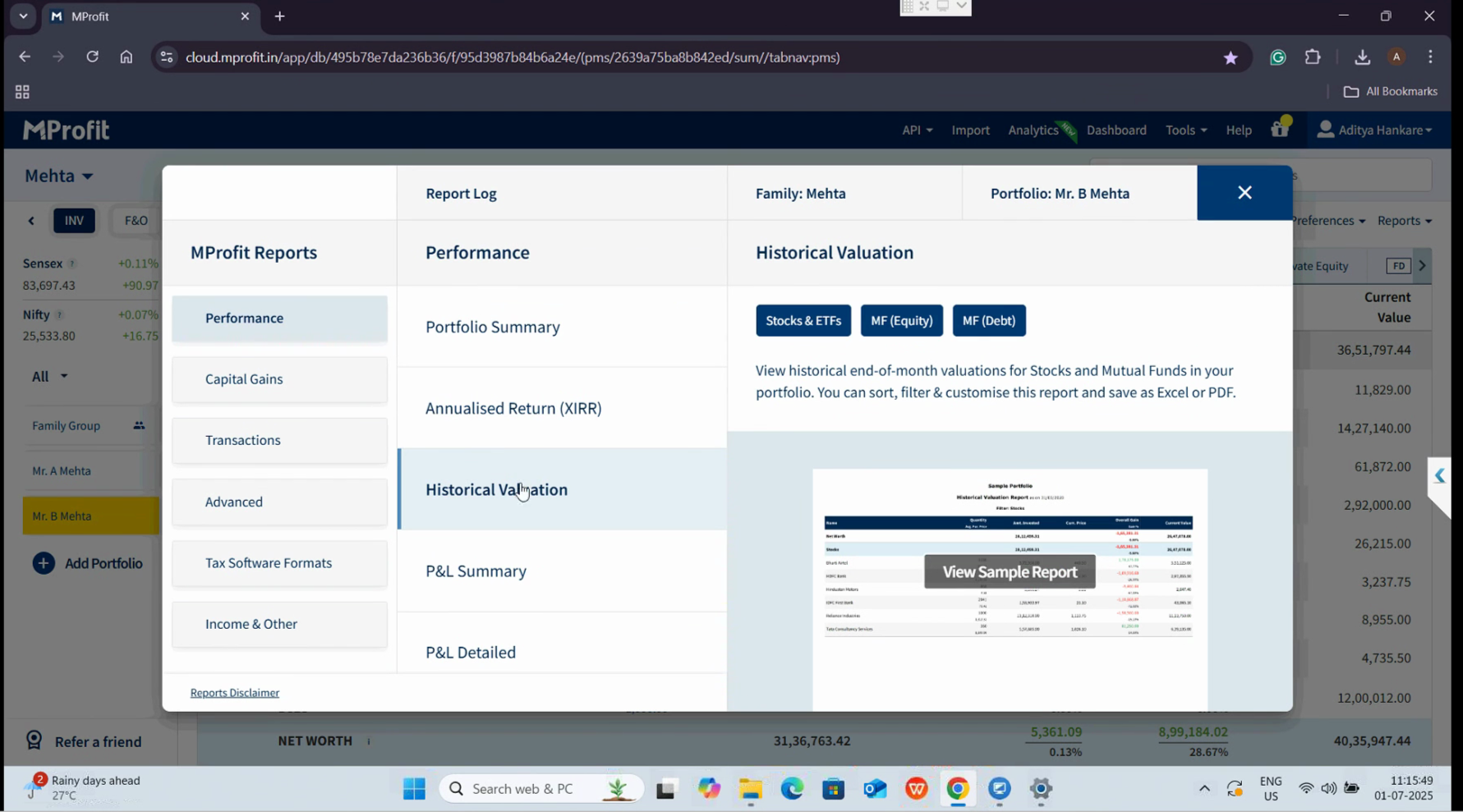
In the Performance area, locate the Historical Valuation option.
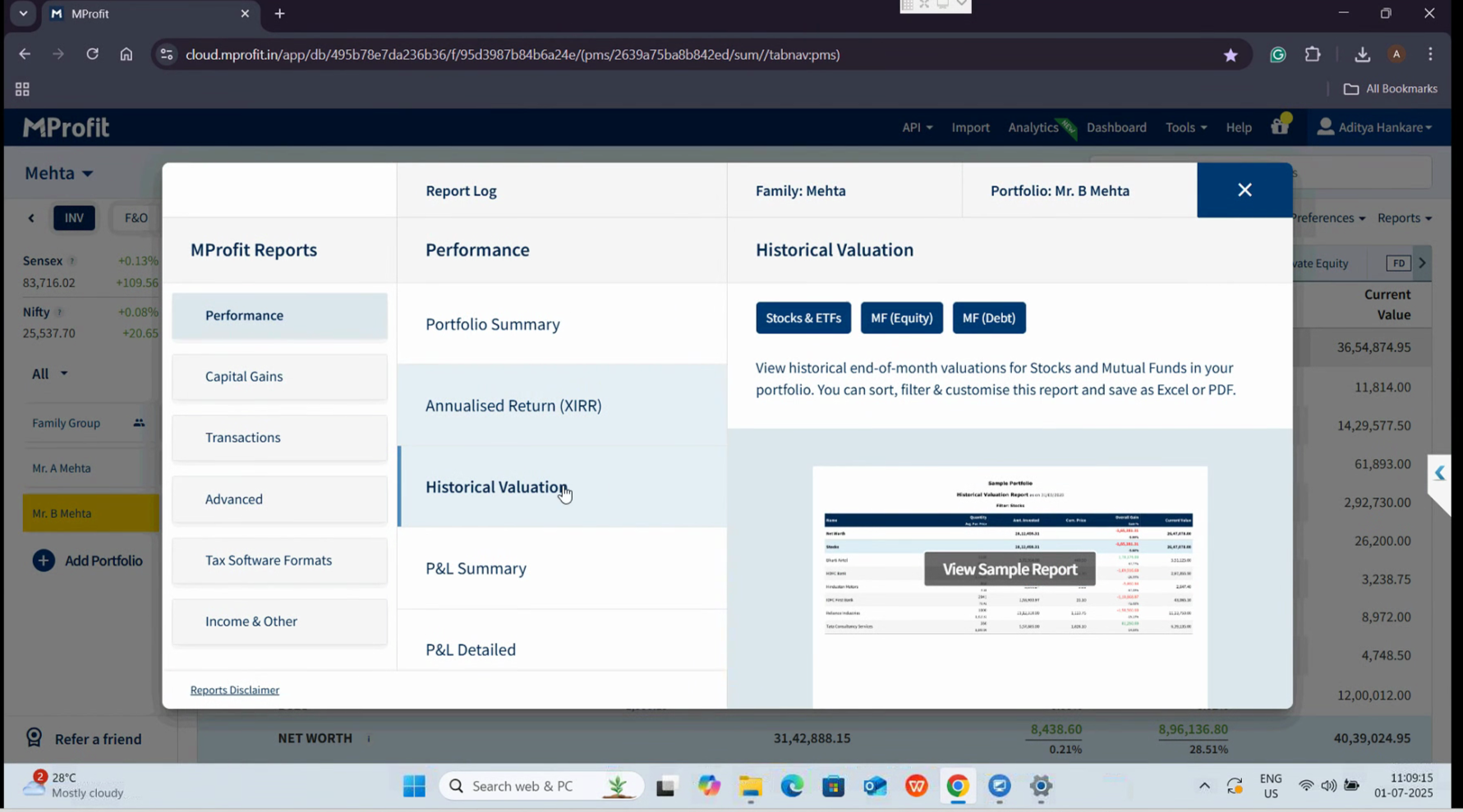
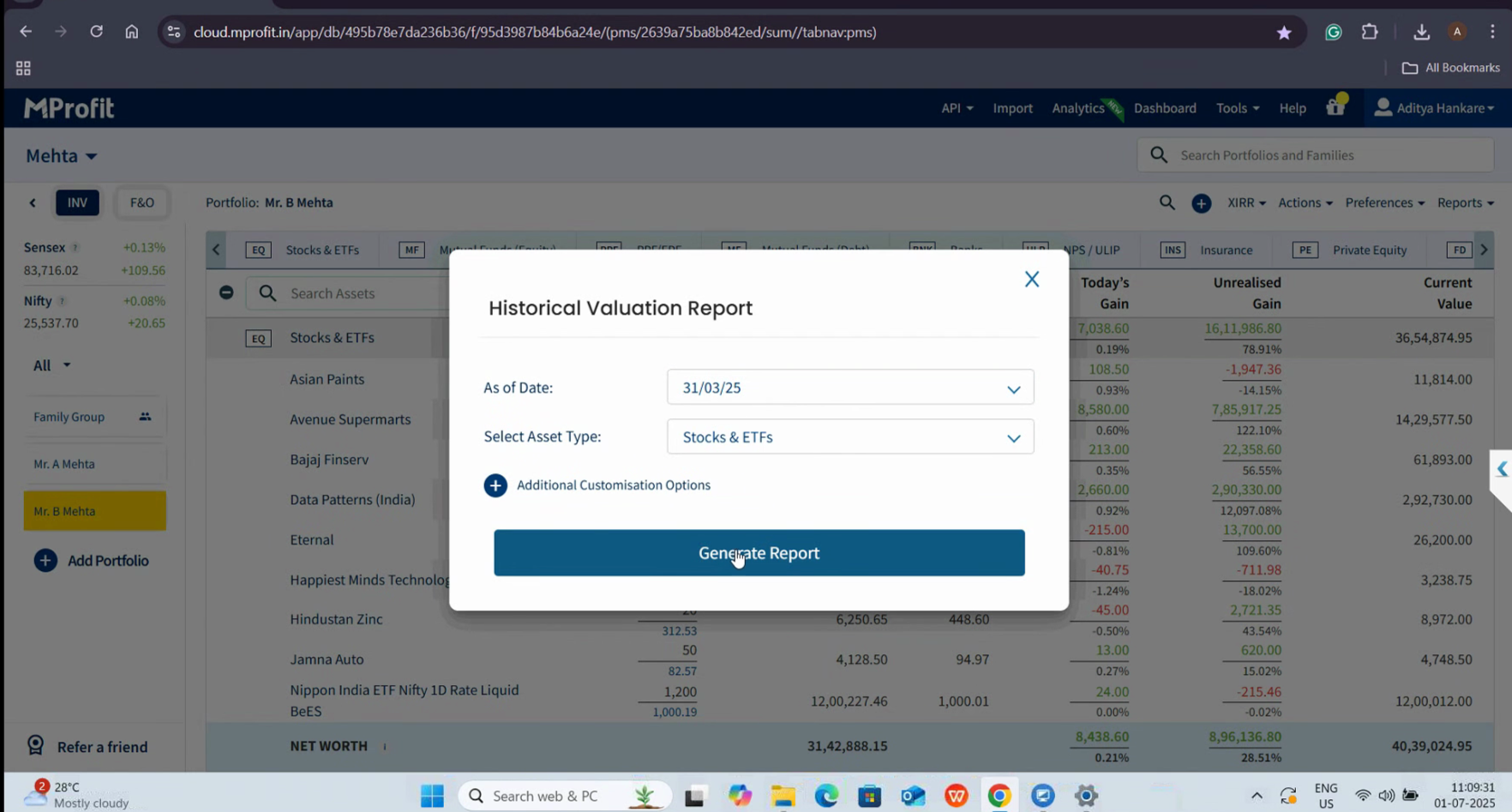
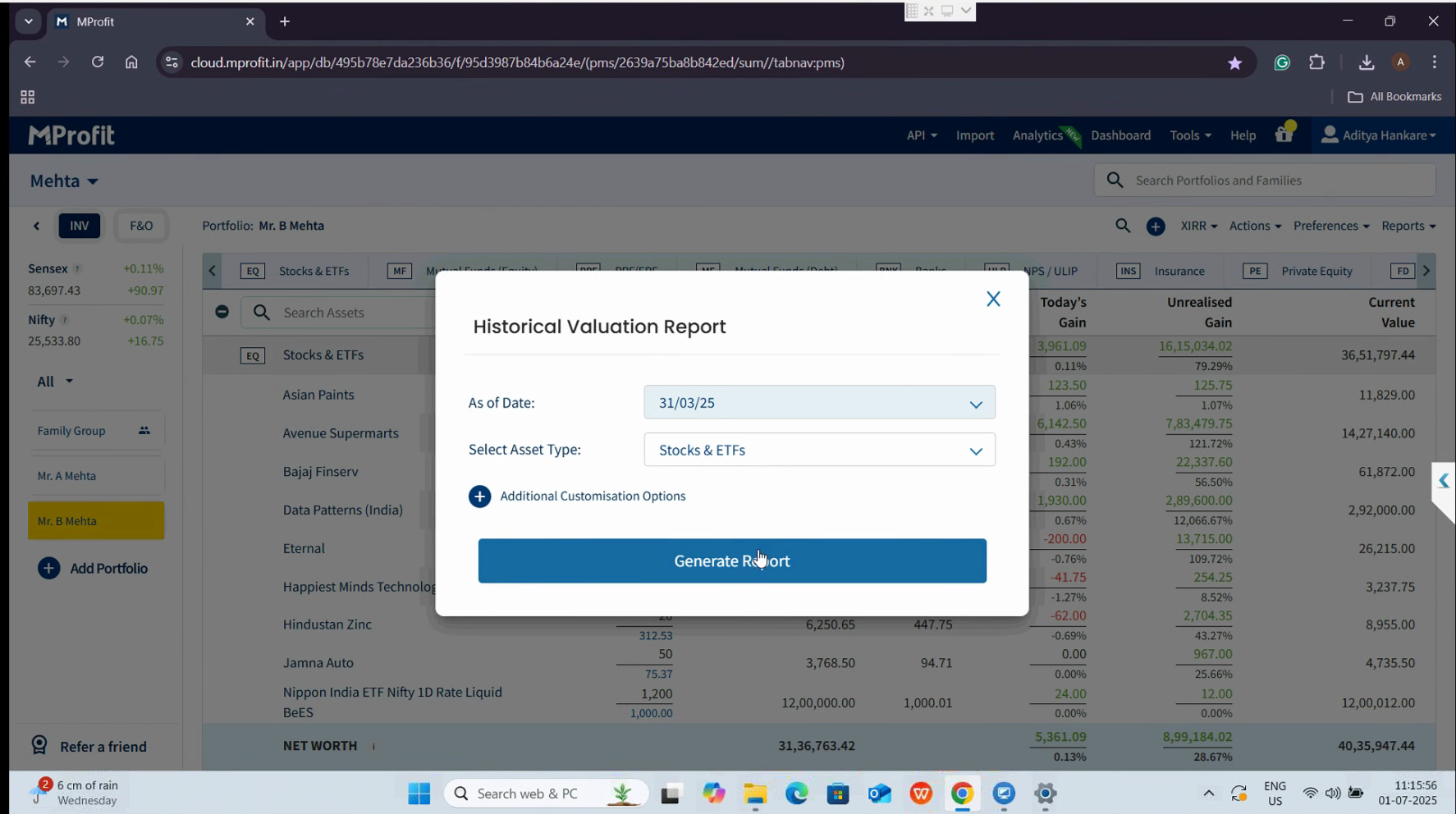
For this example, select stocks and ETFs, and set the date to the financial year-end—March 31, 2025.
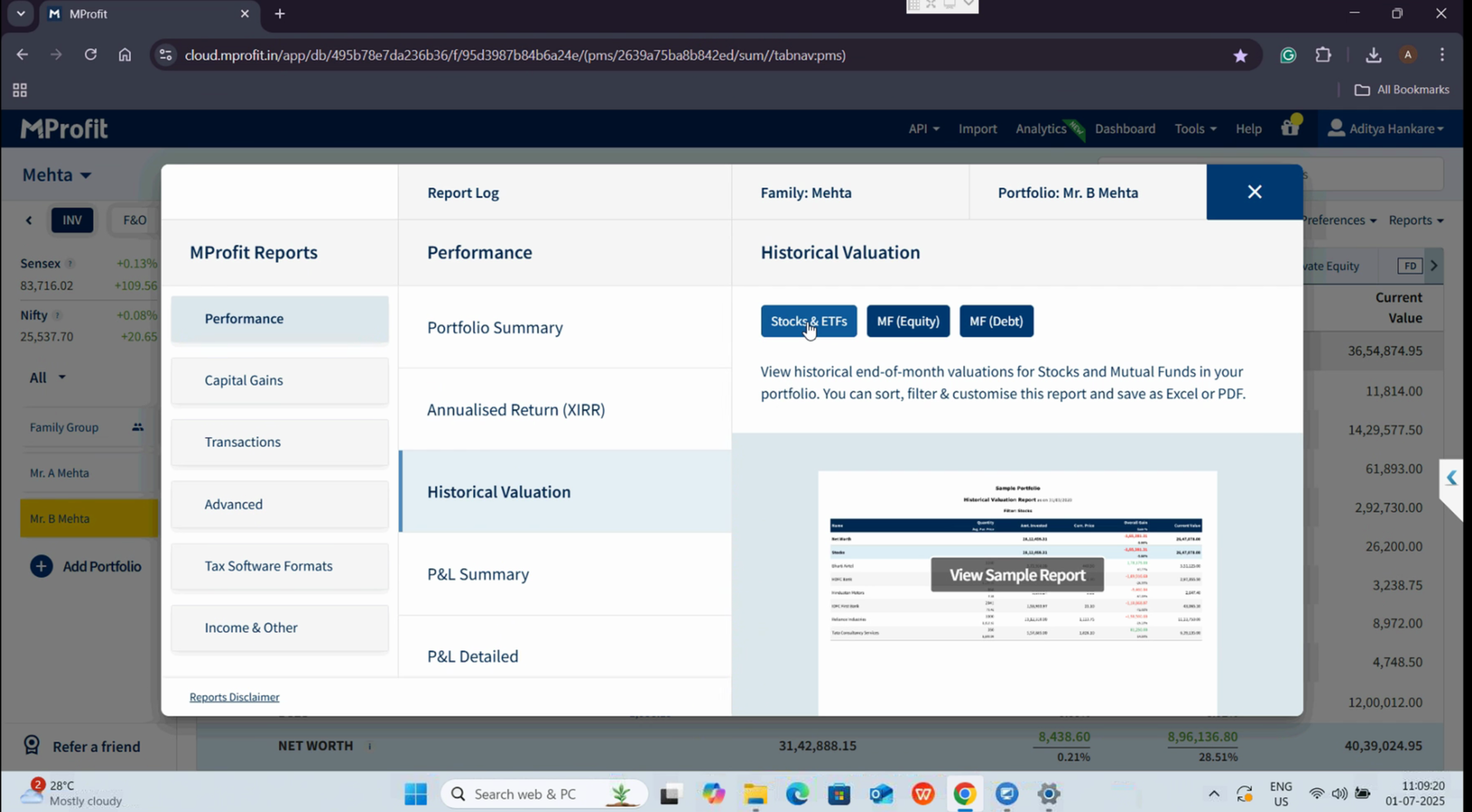
Click Generate Report to proceed.
When the report appears, select Download Excel to save the report.
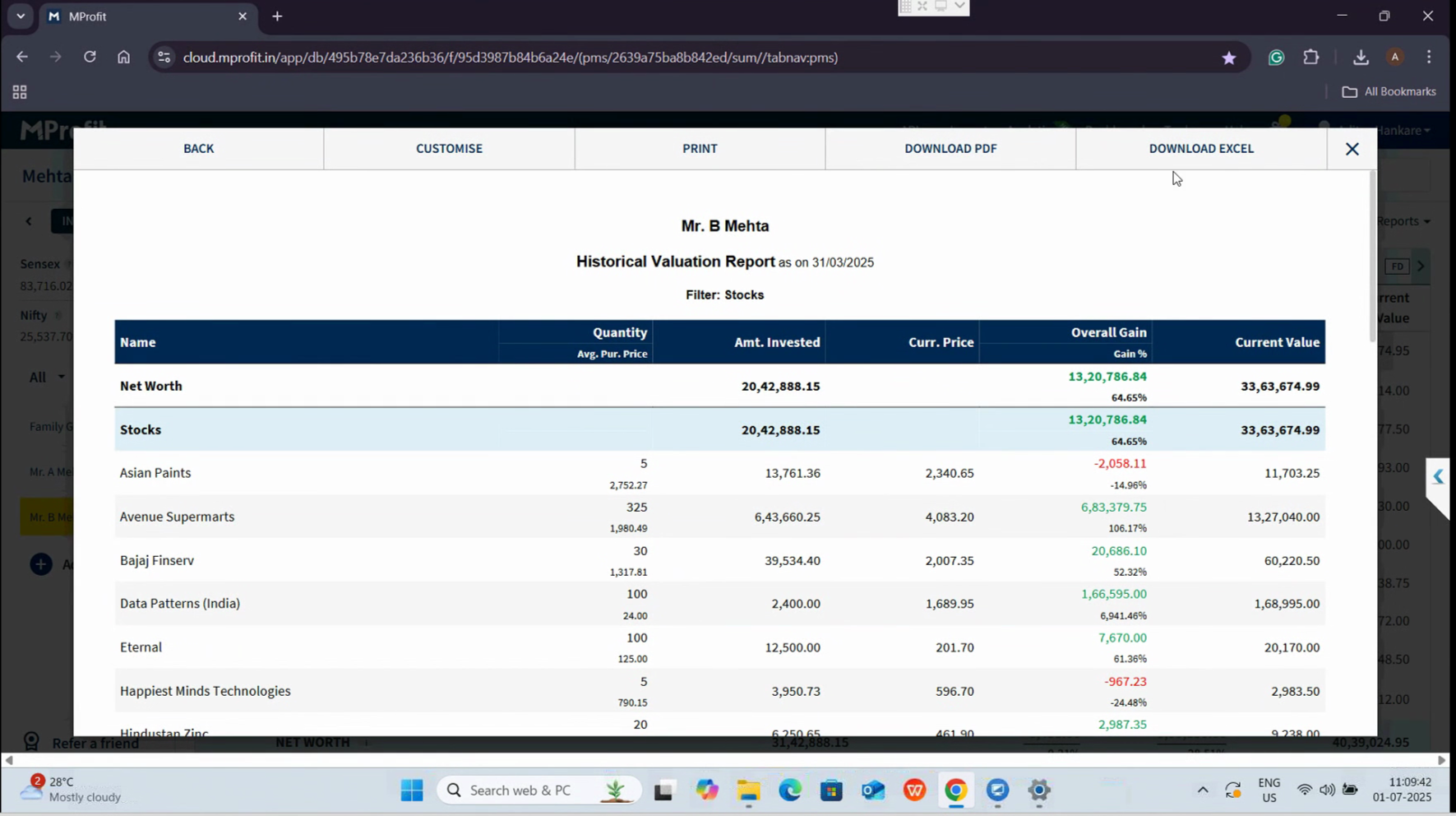
After downloading, close the Report section and move to the Import menu at the top of the screen.
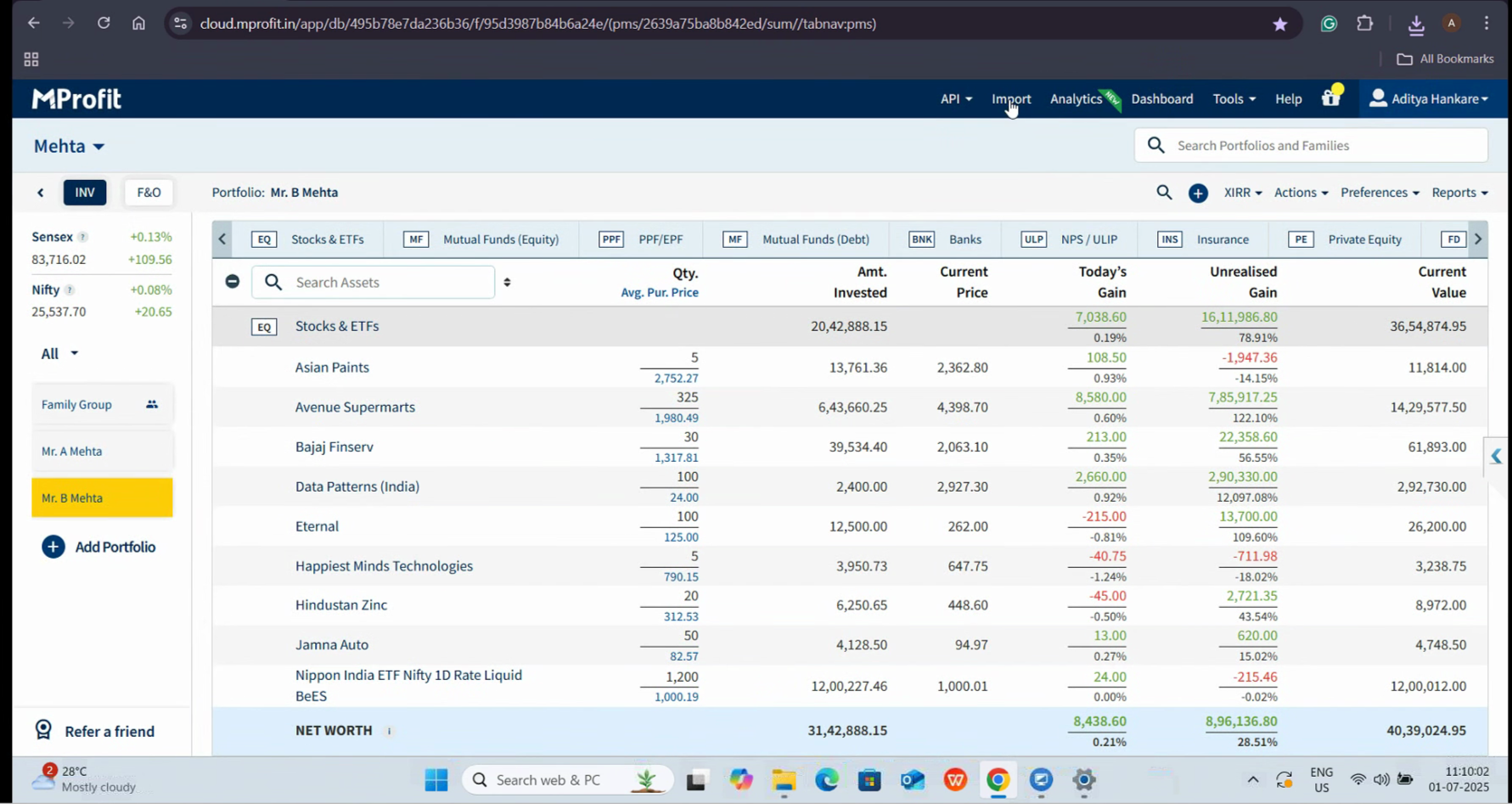
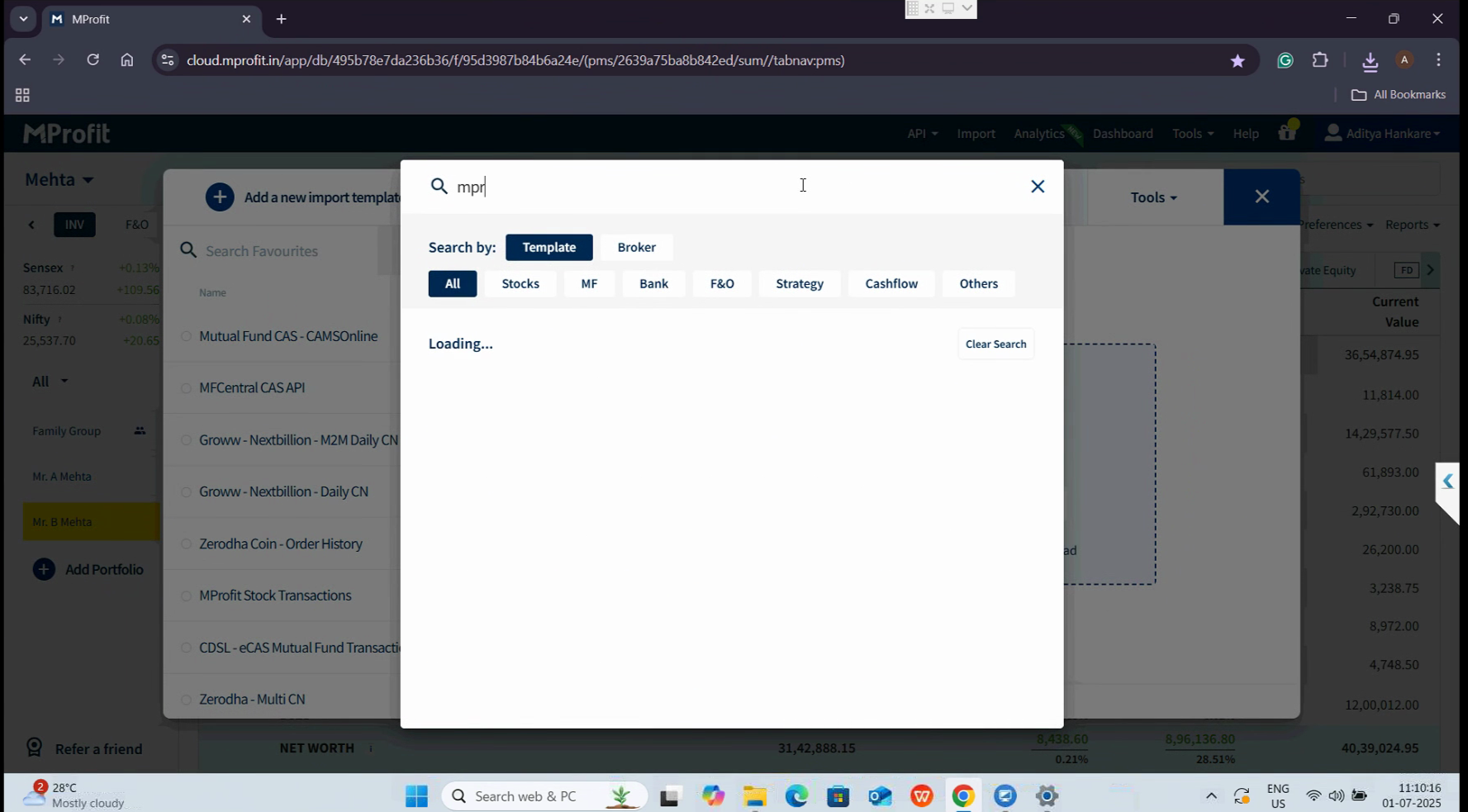
Step 2: In the Import section, click the search icon next to the Import log.
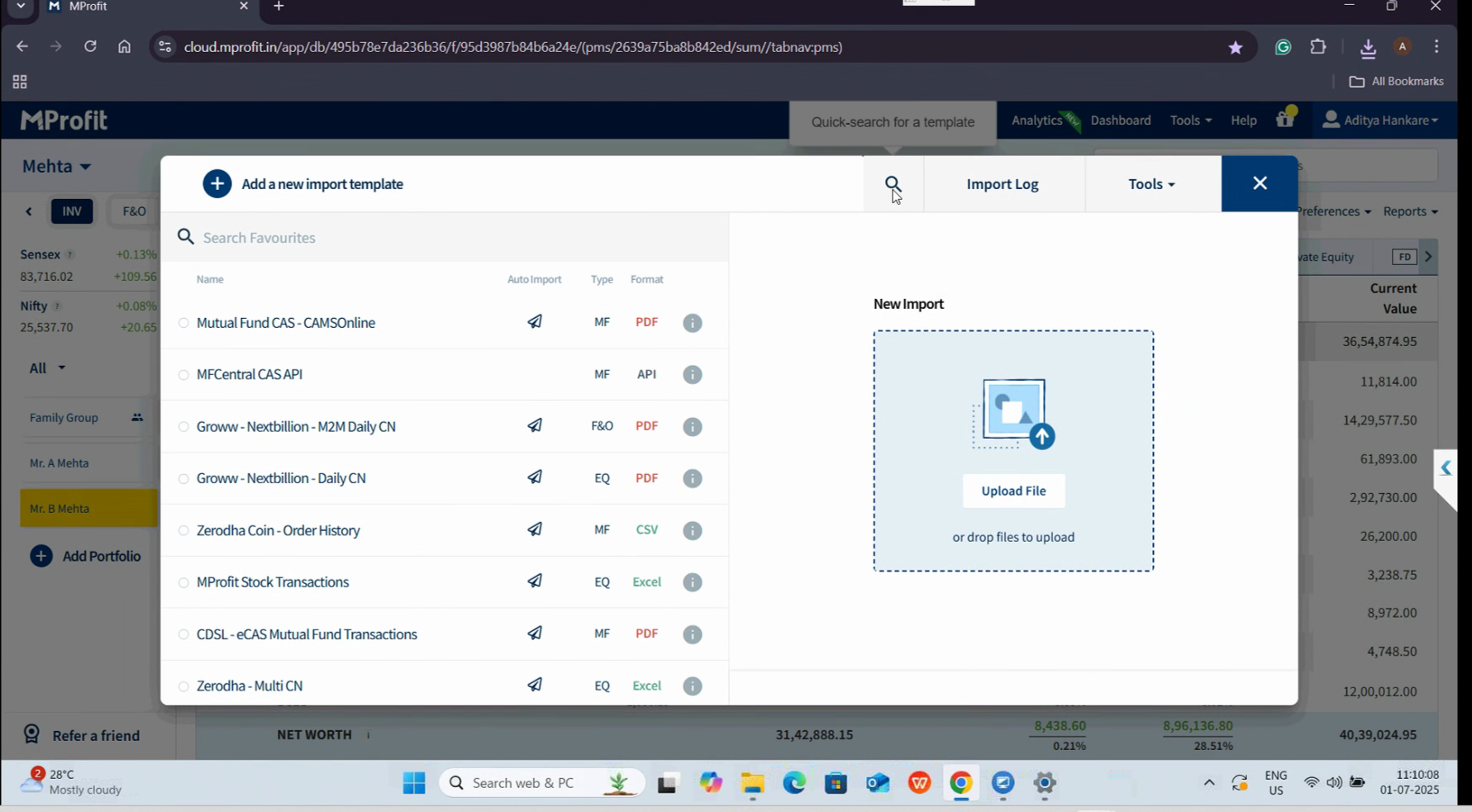
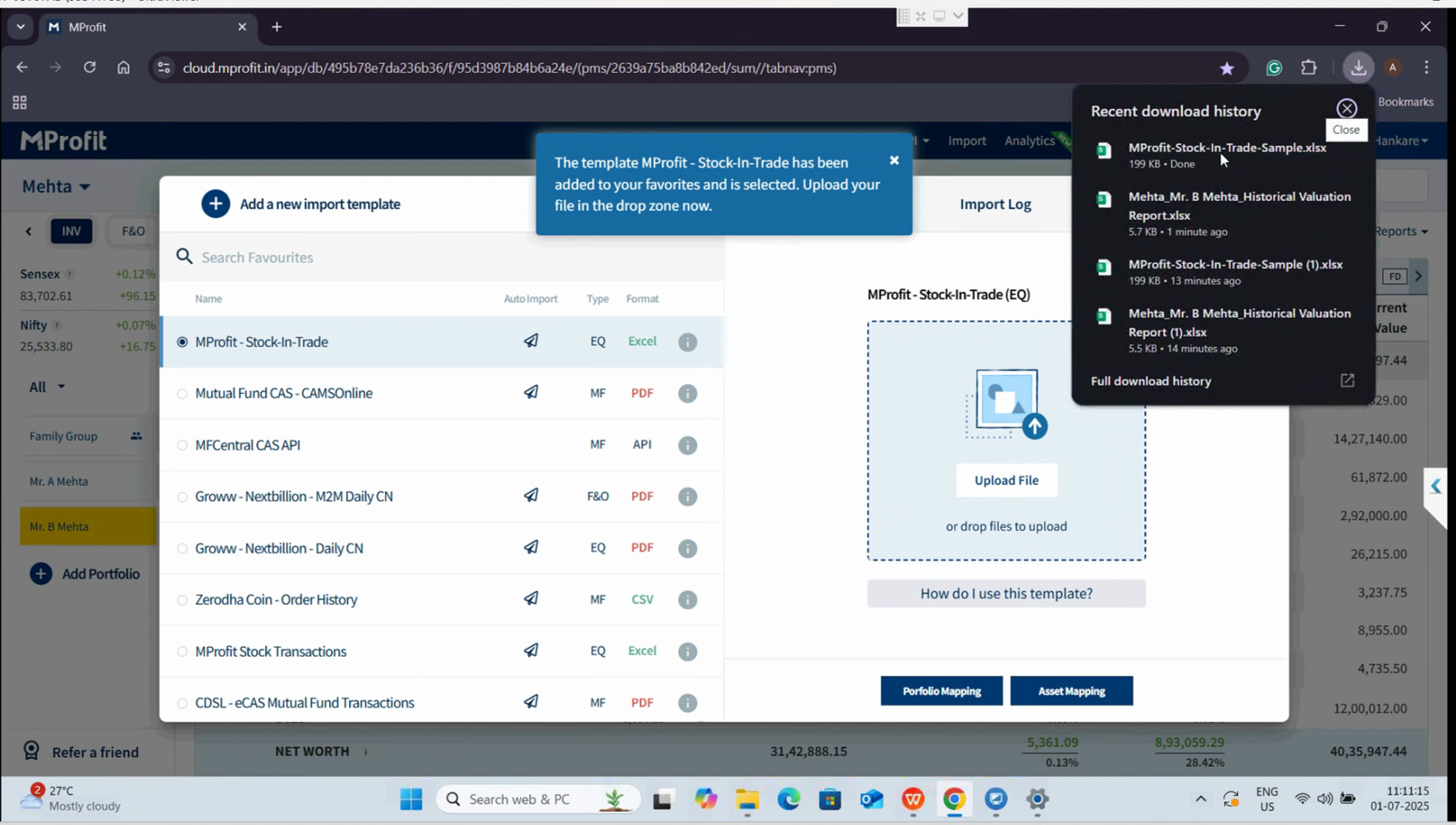
Enter "MPROFIT Stock in Trade" to locate the appropriate template. Select it and download the sample Excel sheet. Once downloaded, click Add to favorite and open the Excel file.
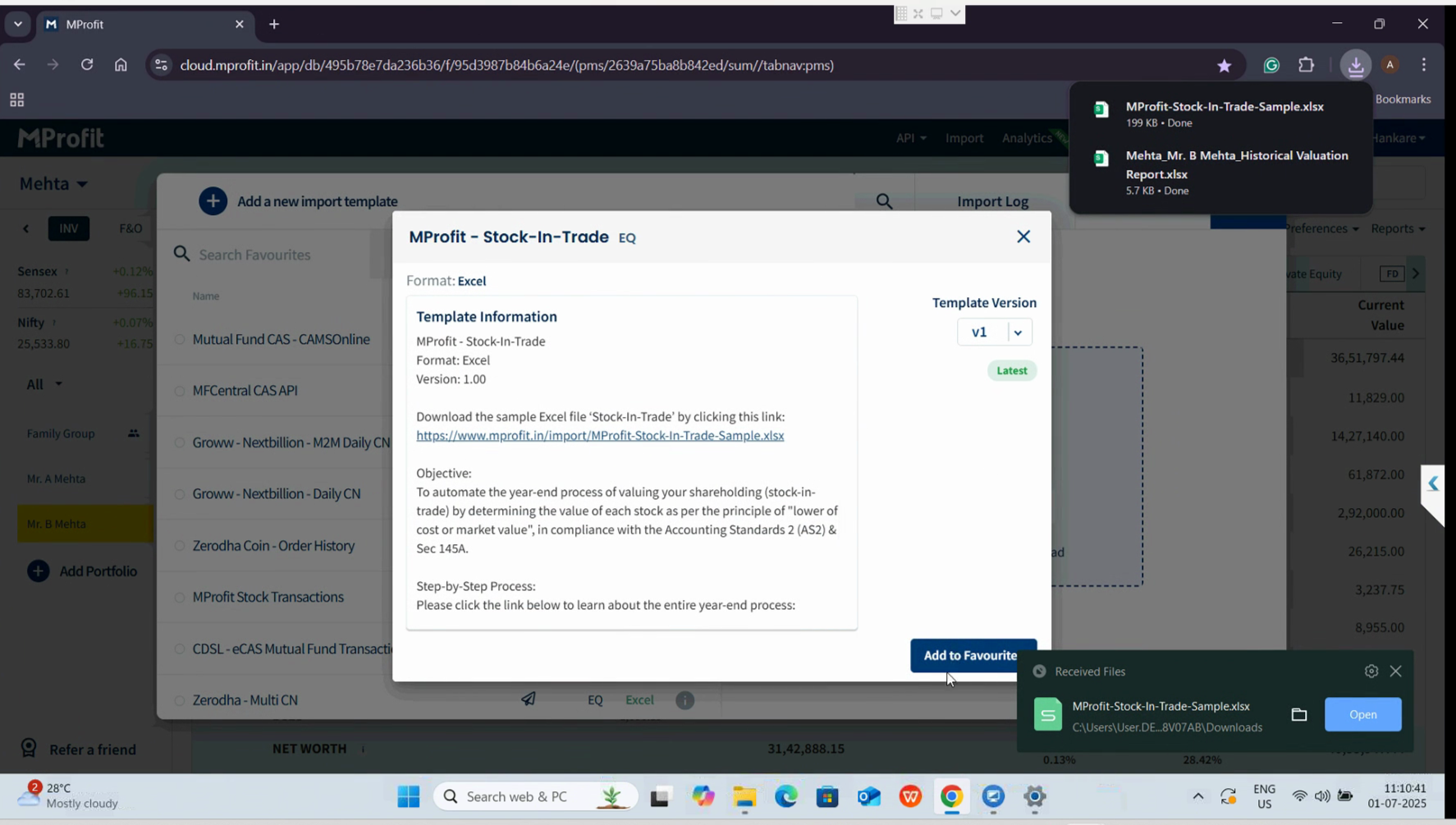
The Notes sheet outlines the full import procedure for your reference.
Step 3: Open the Historical Valuation report and select all data.
Copy it and paste into the Historical Valuation Report section of your MProfit Stock and Trade template. The Import sheet will automatically populate with all necessary transactions. When done, click Save to preserve your changes.
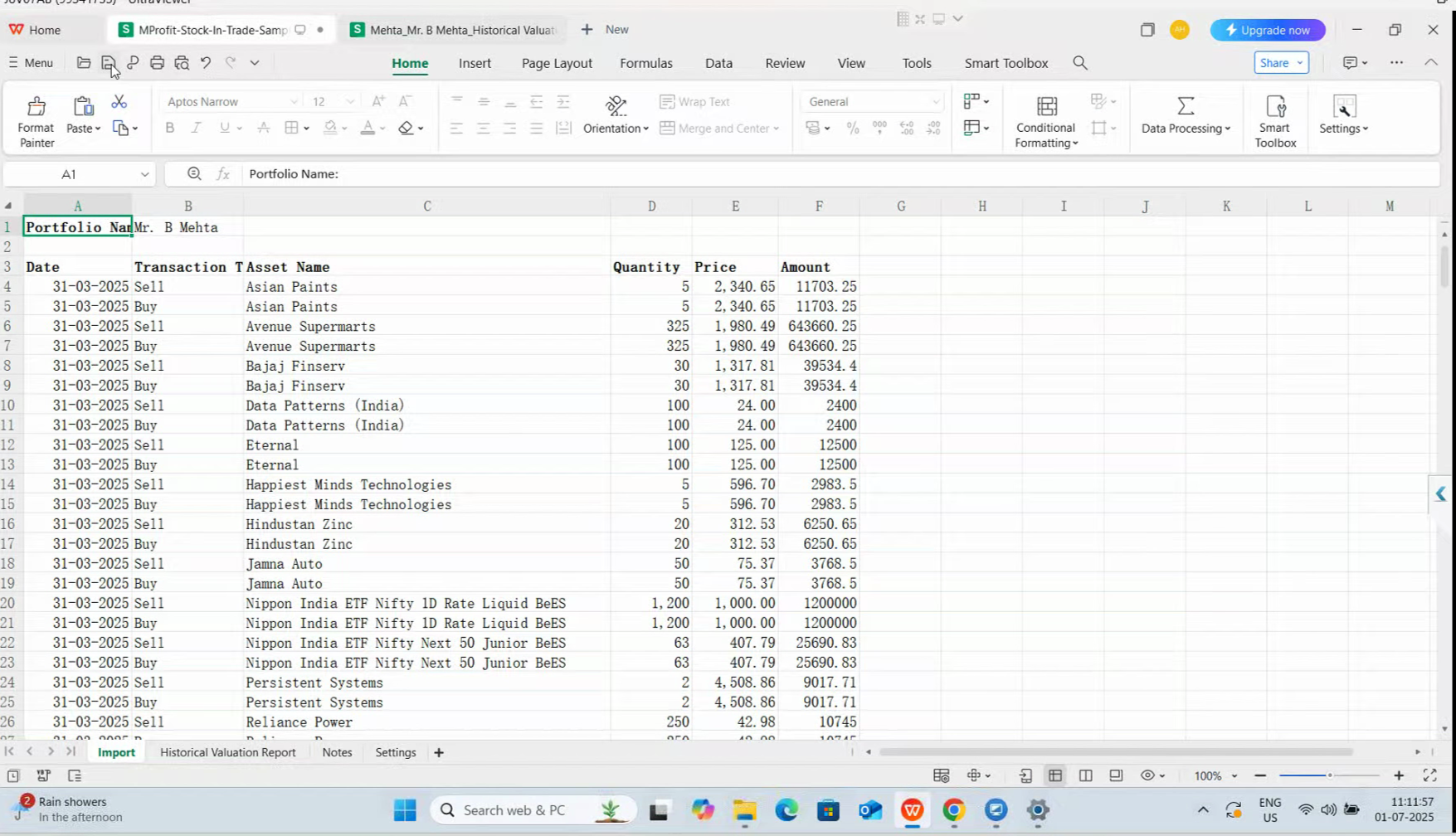
Close the Excel file once saved.
Step 4: Back in MProfit, select the MProfit Stock and Trade template again and click Upload file.
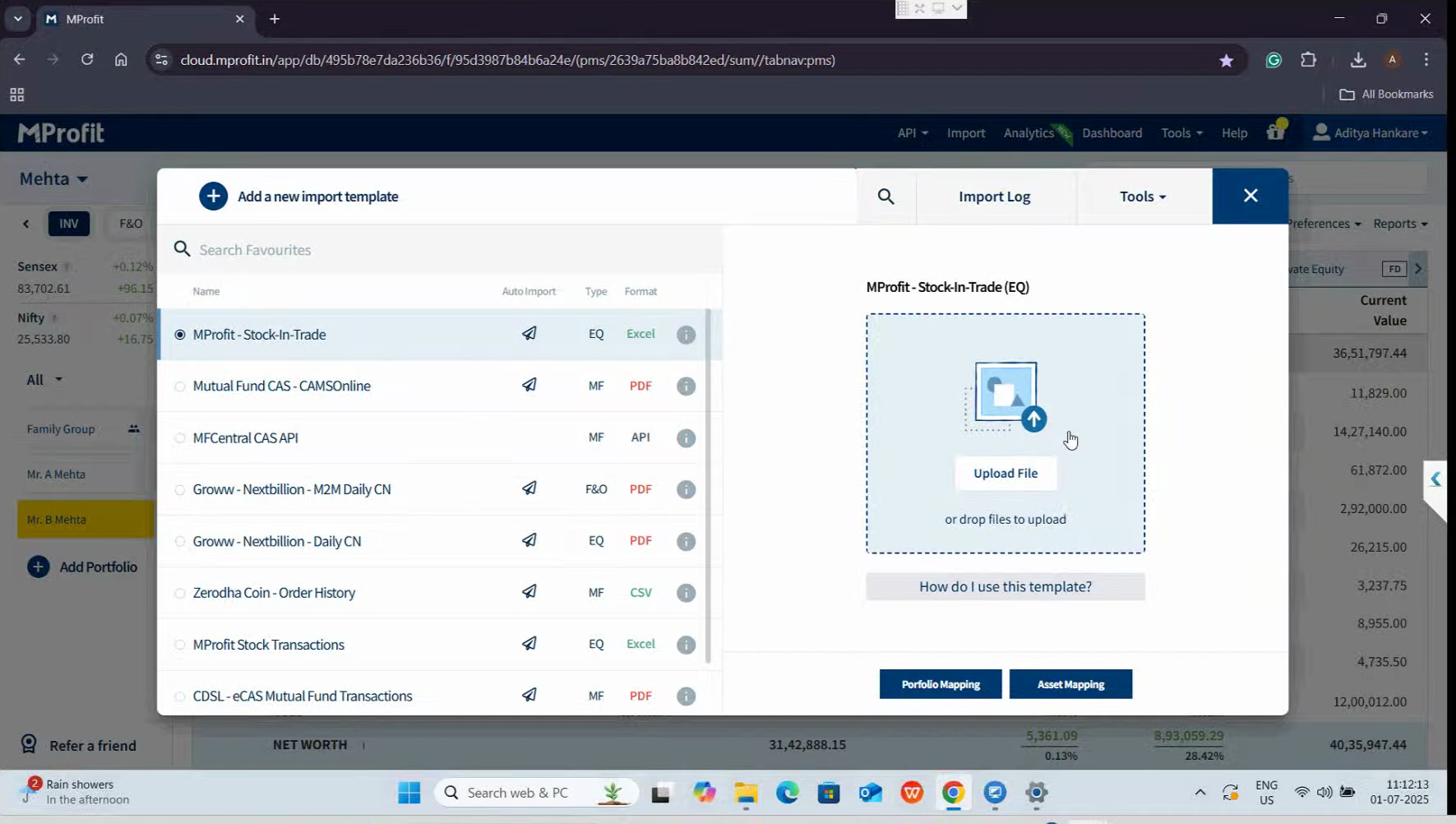
Choose the Excel sheet to upload.
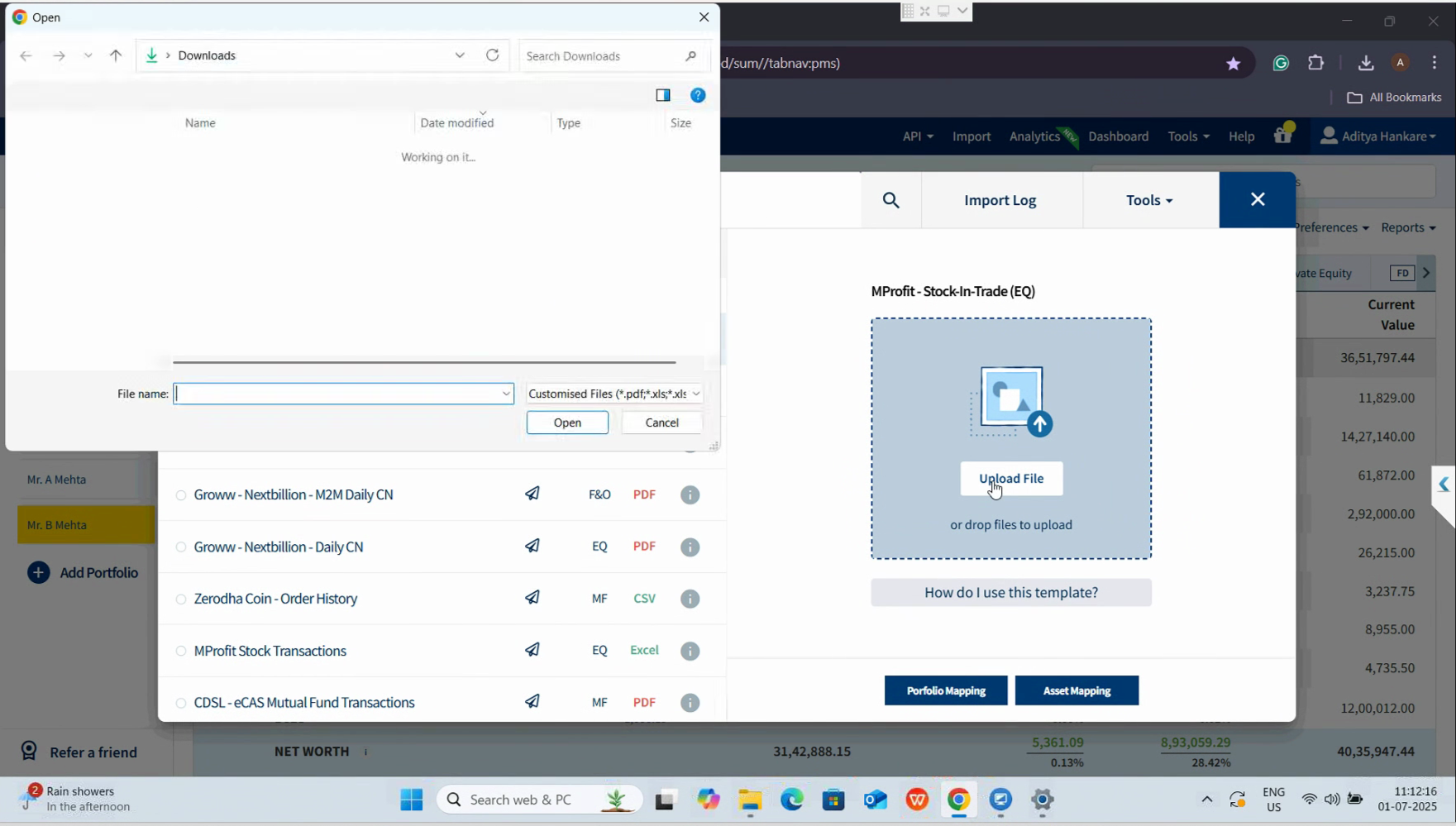
Then click Open and Import.
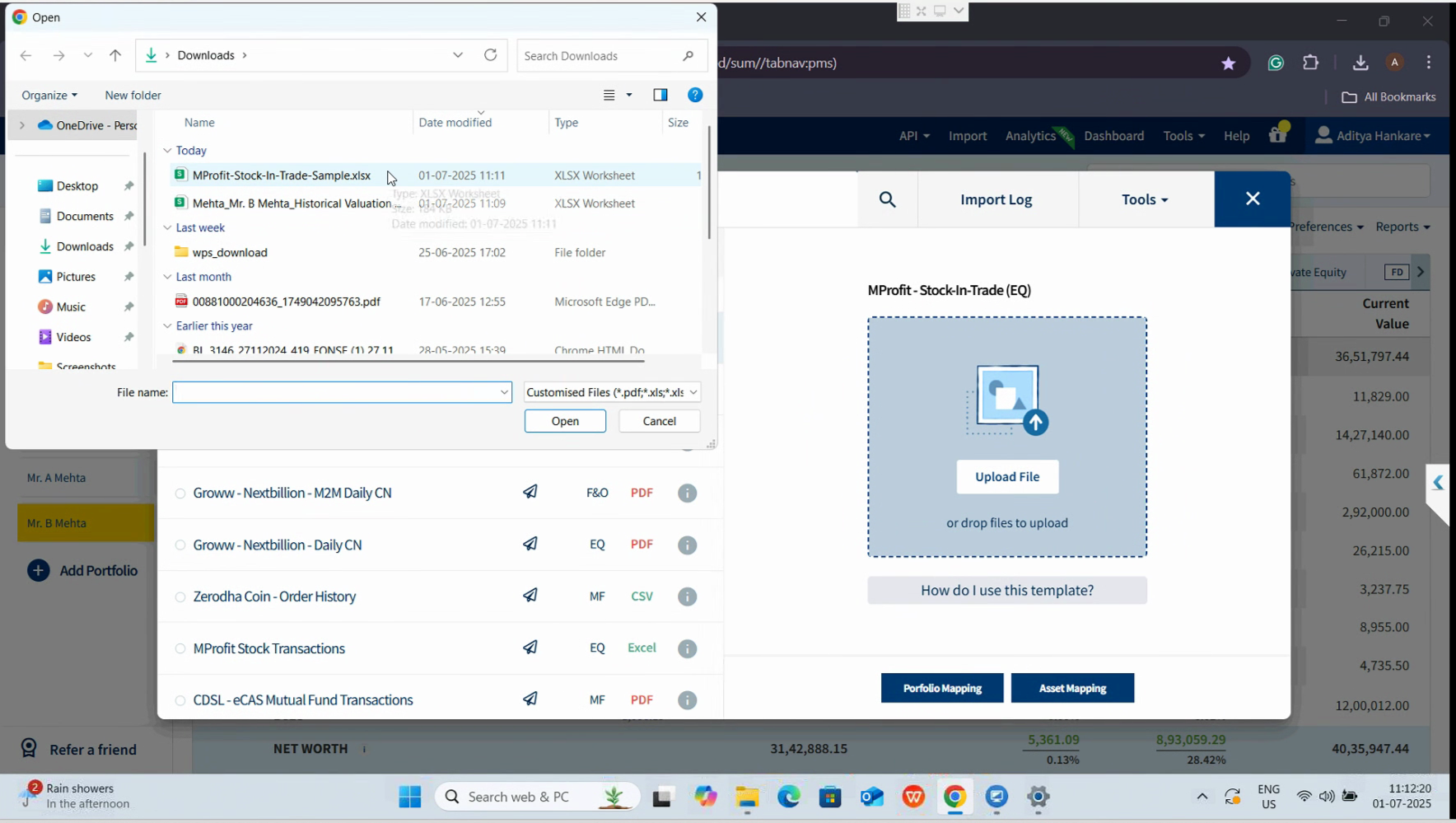
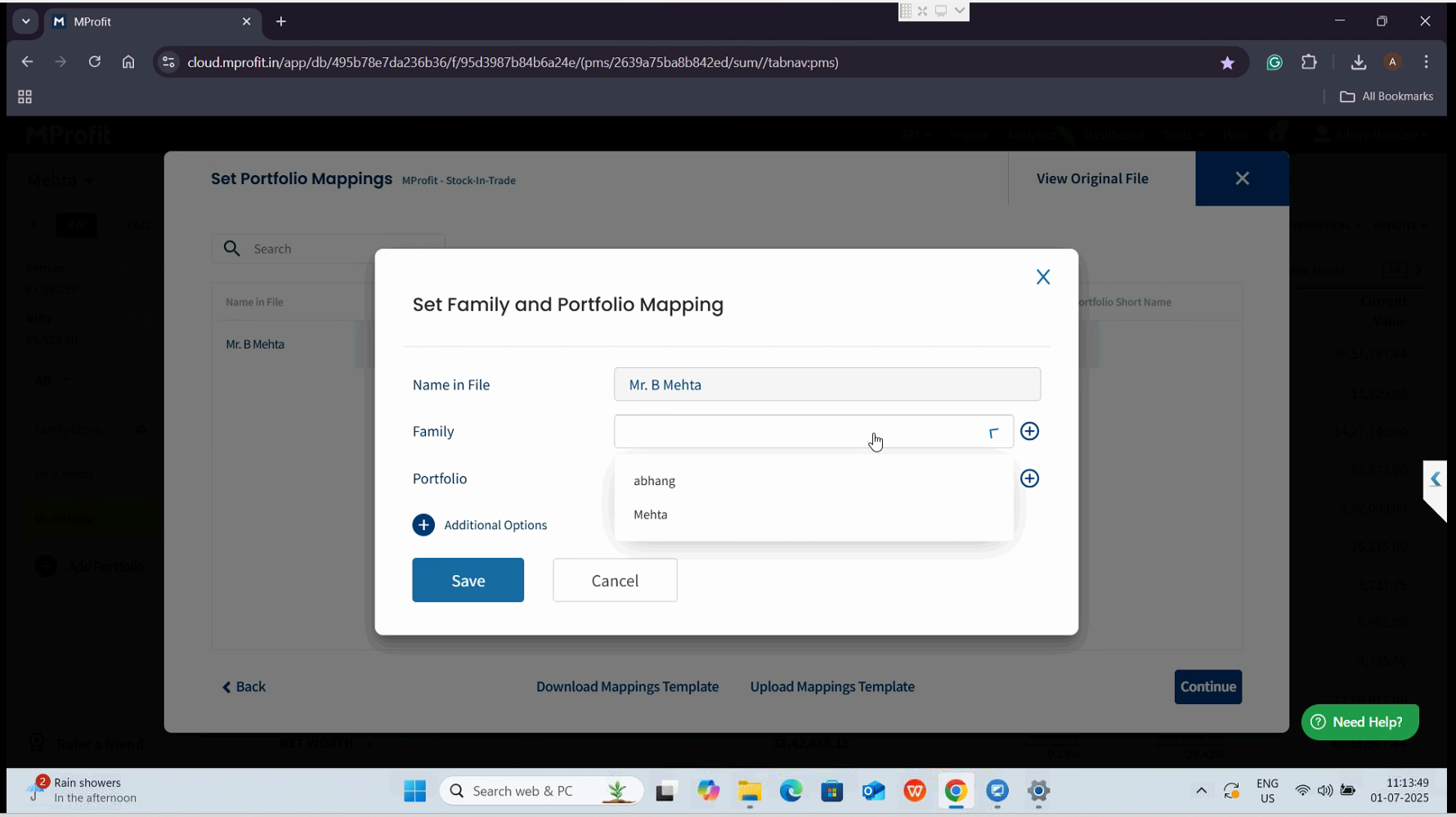
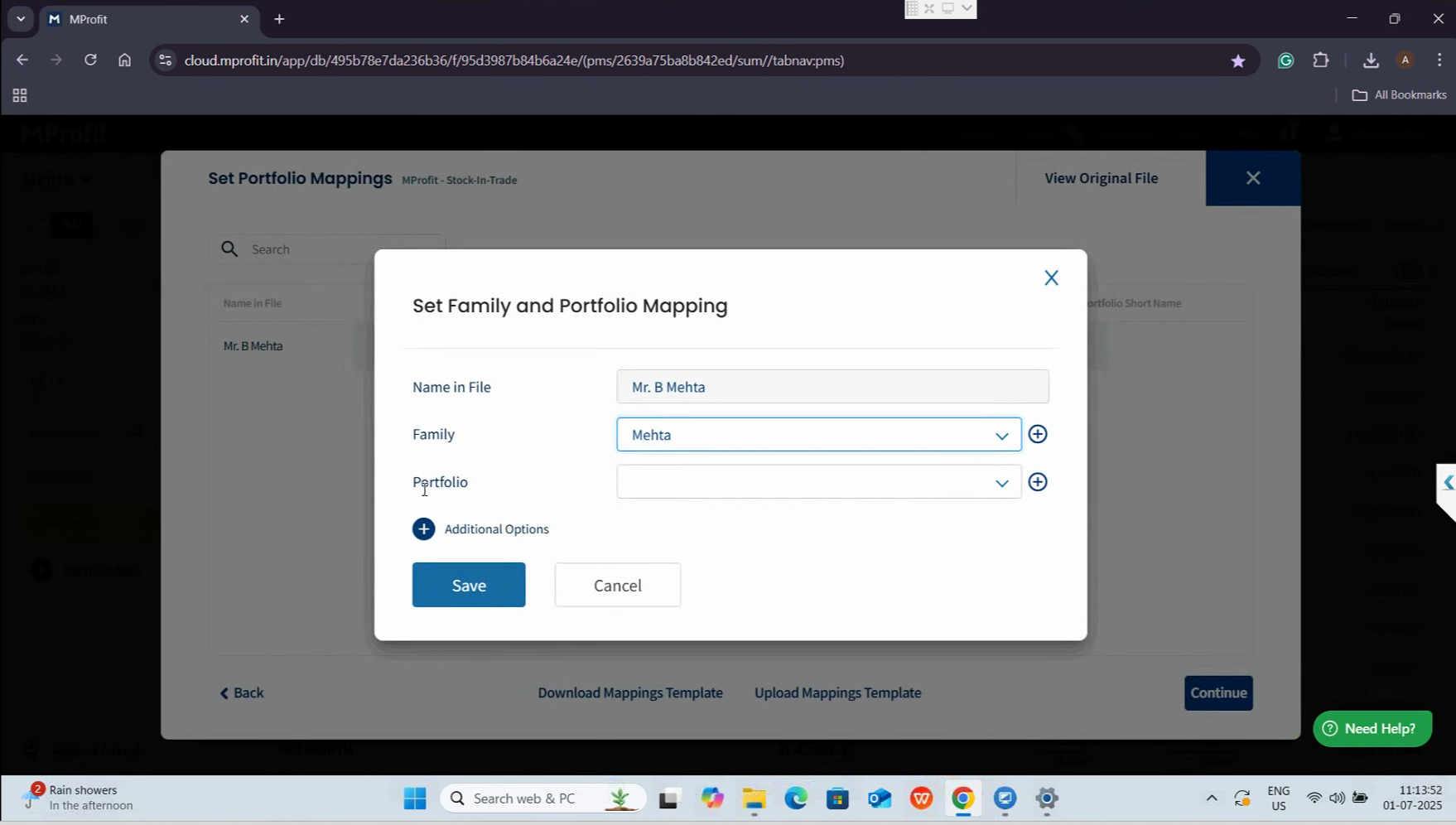
You'll be prompted to map the correct Family and Portfolio. Click here to select your Family.
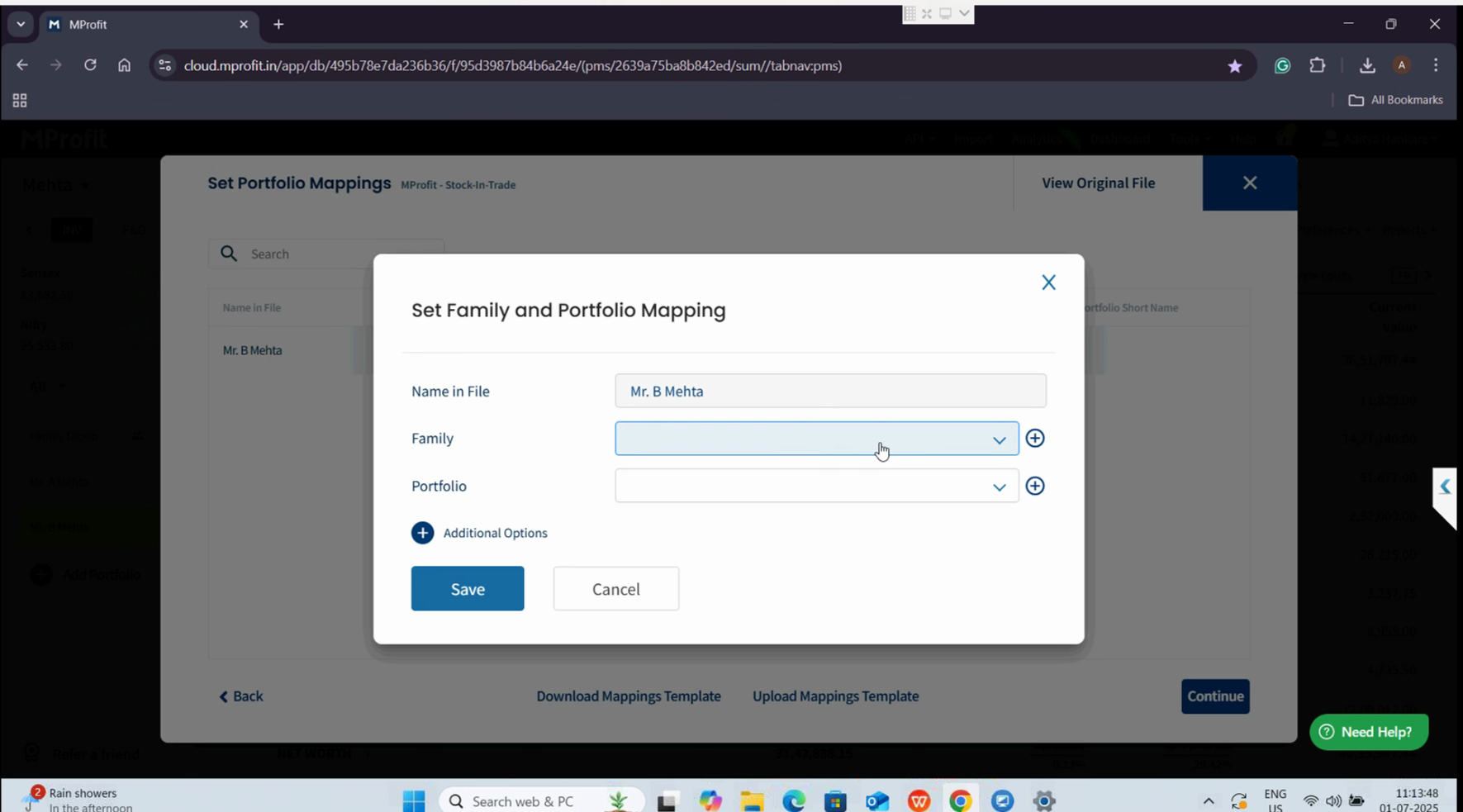
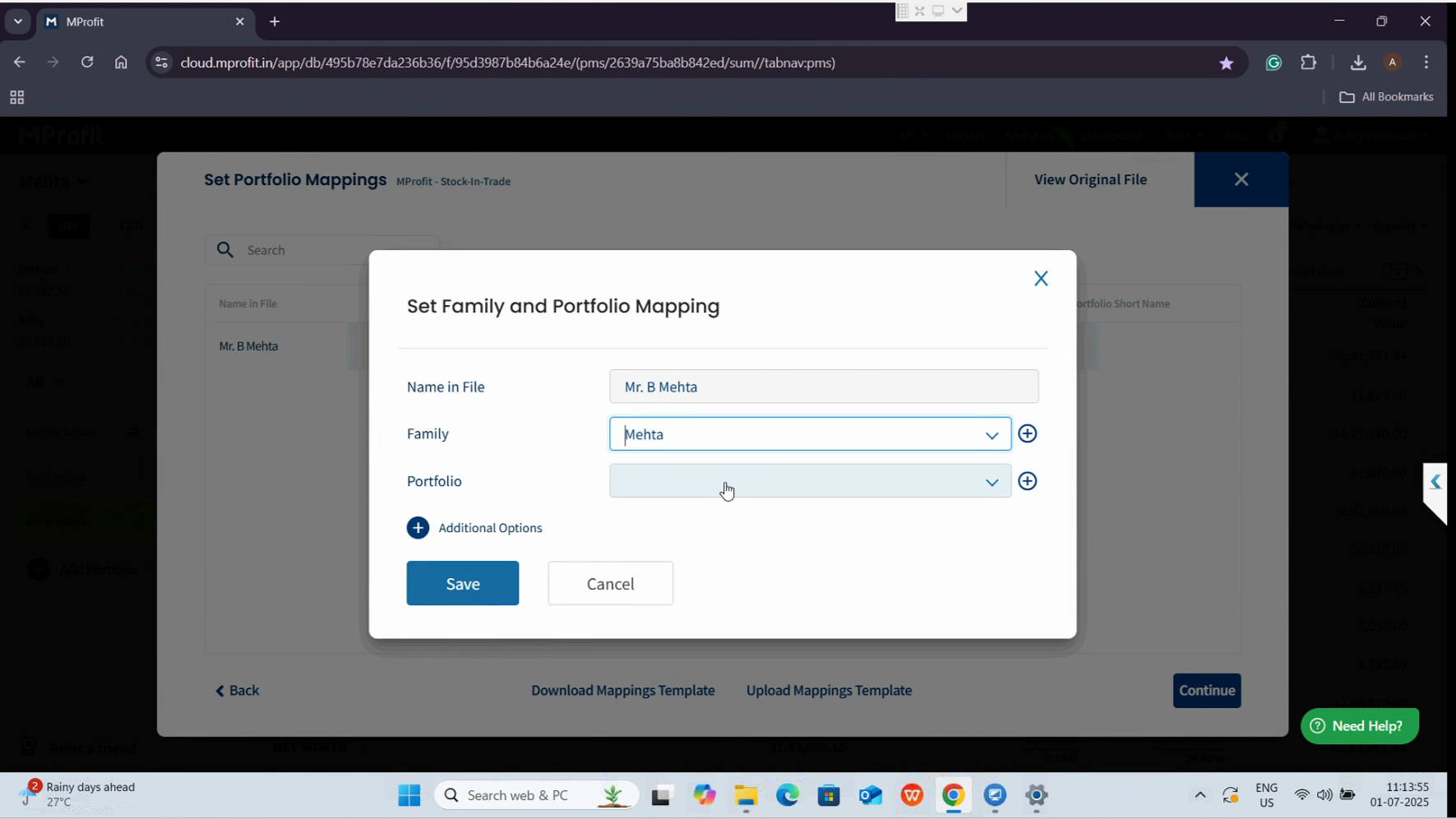
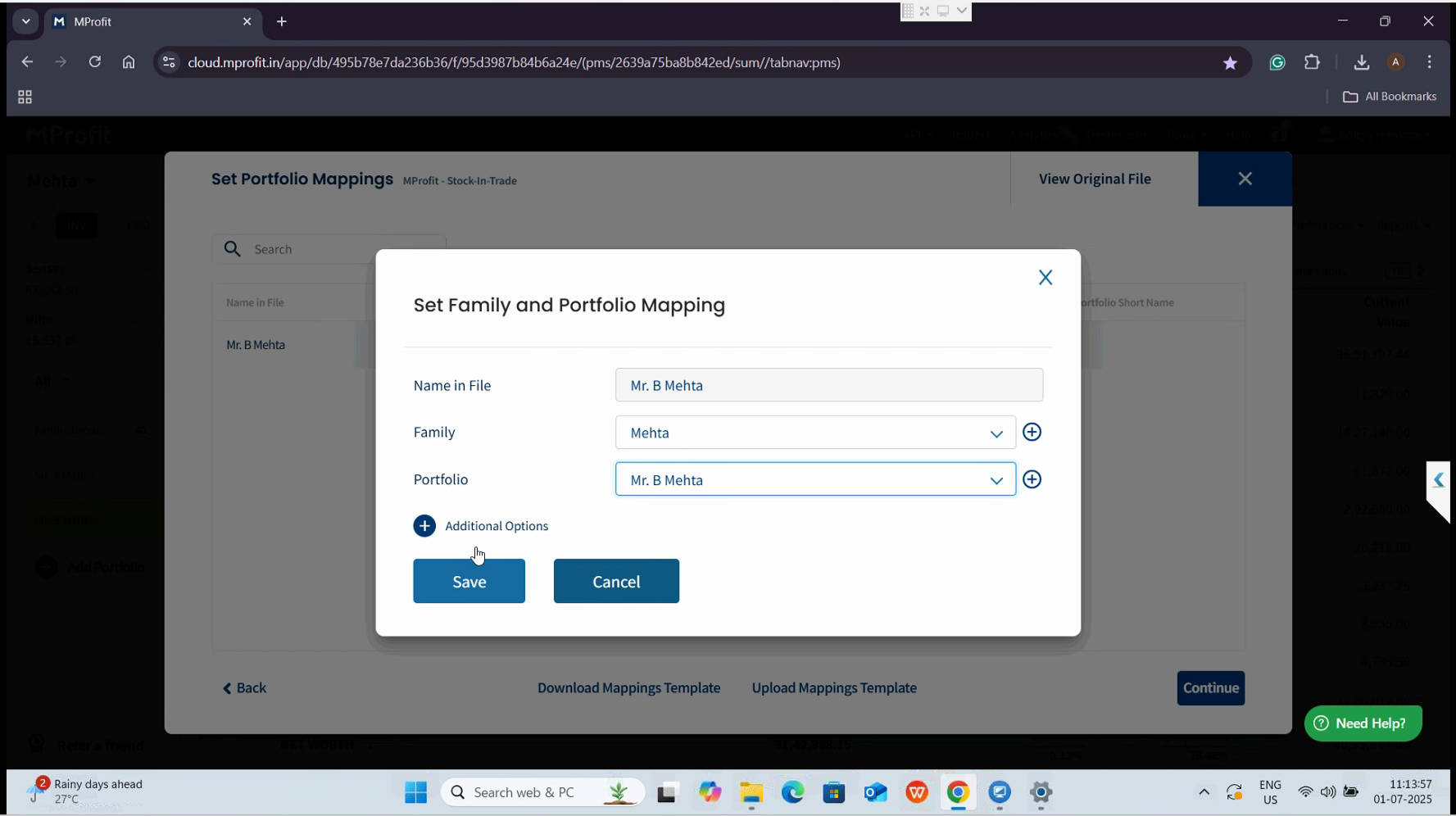
Next, for Portfolio mapping, click here, choose the appropriate Portfolio, and click Save.
Review the transaction preview to ensure accuracy, then confirm the import to finalize the update.
Step 5: Click Back to Portfolio.
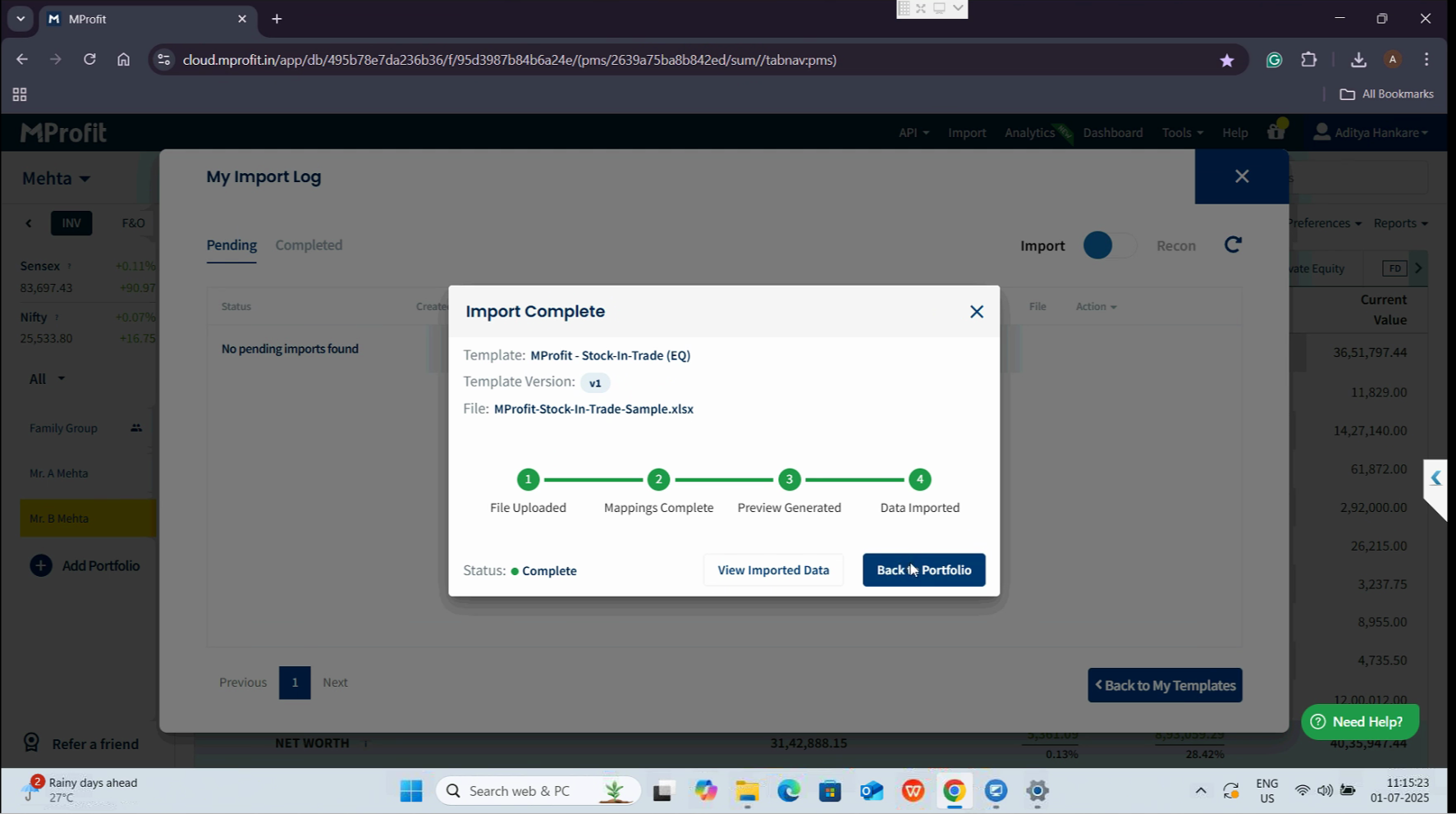
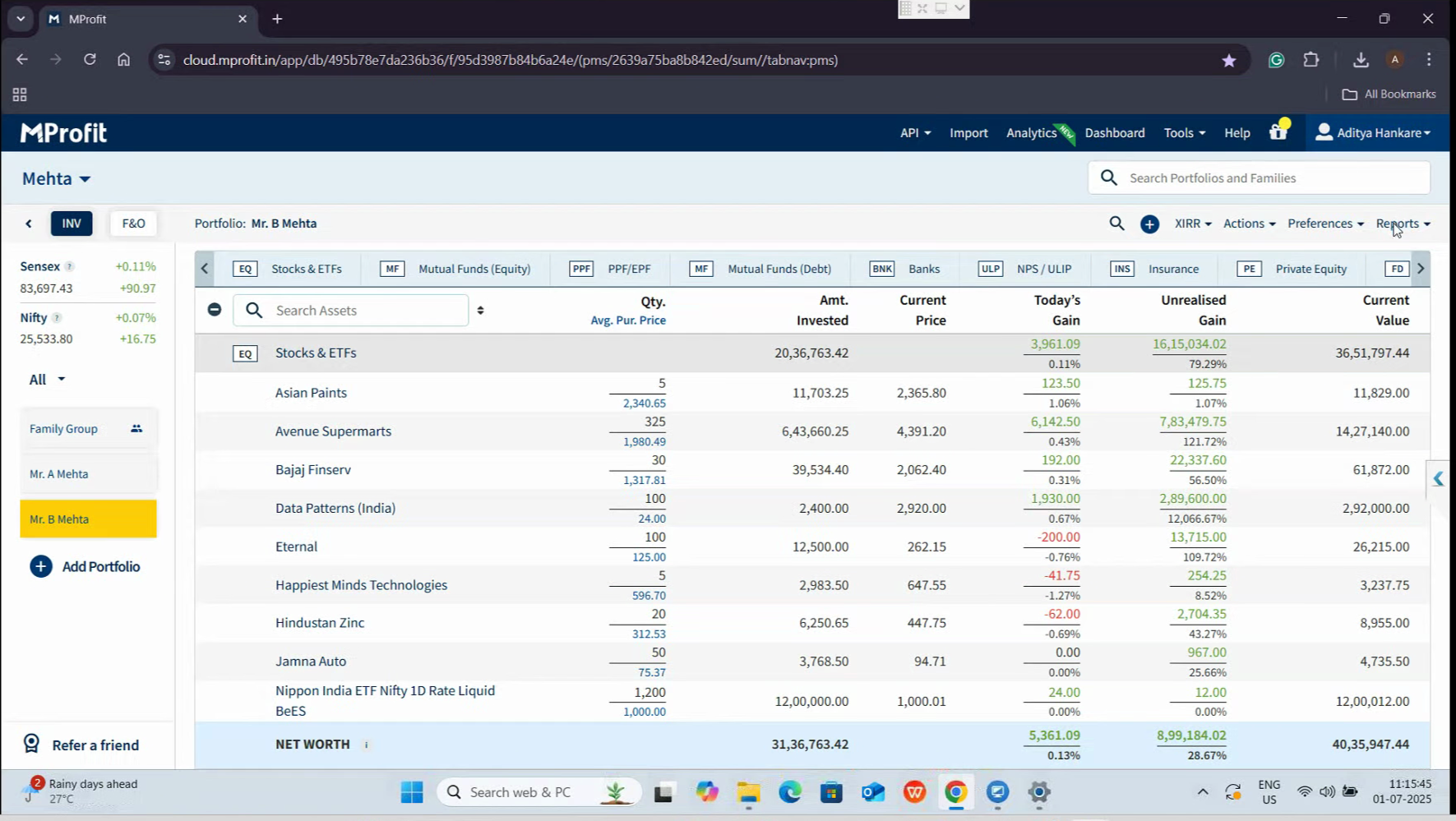
You'll now notice updated figures in reports like the Stock Register and Historical Valuation. To review the changes, regenerate the Historical Valuation Report by clicking Reports in the performance
section.
Select historical valuation for stocks and ETFs, verify the period, then click Generate report.
The results will reflect the lower of cost or market value principle, as shown below.
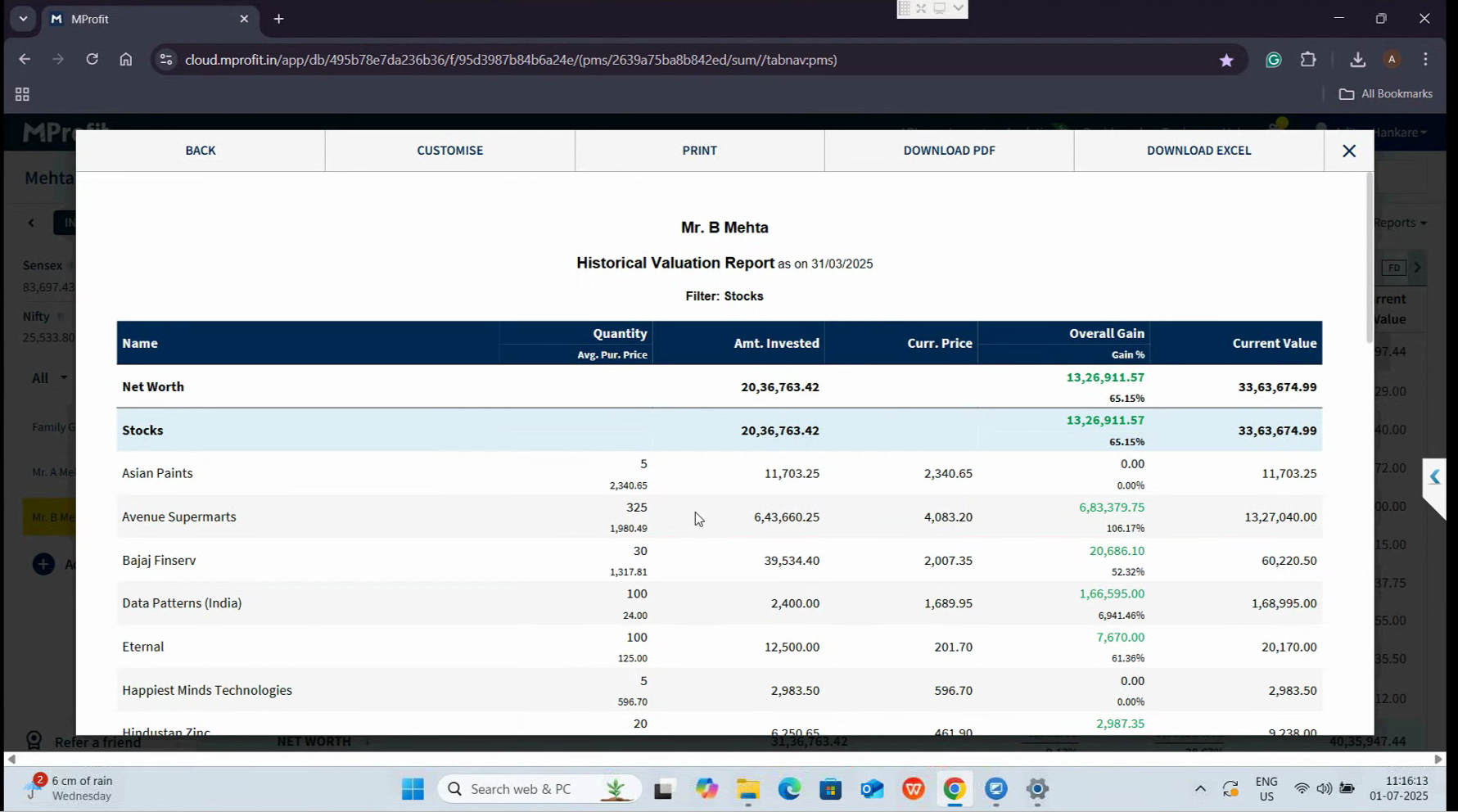
Congratulations! You've successfully leveraged the MProfit Stock and Trade feature for seamless year-end stock valuation.
And that's it! You've successfully used the MProfit Stock in Trade feature.
Was this article helpful?
That’s Great!
Thank you for your feedback
Sorry! We couldn't be helpful
Thank you for your feedback
Feedback sent
We appreciate your effort and will try to fix the article