Easily record repayment of debt transactions for your REIT and InvIT investments in MProfit. Keeping these entries updated helps maintain accurate portfolio values and performance tracking.
Step 1: Log in to your MProfit cloud account.
Step 2: Navigate to the relevant portfolio you want to update from the left sidebar.
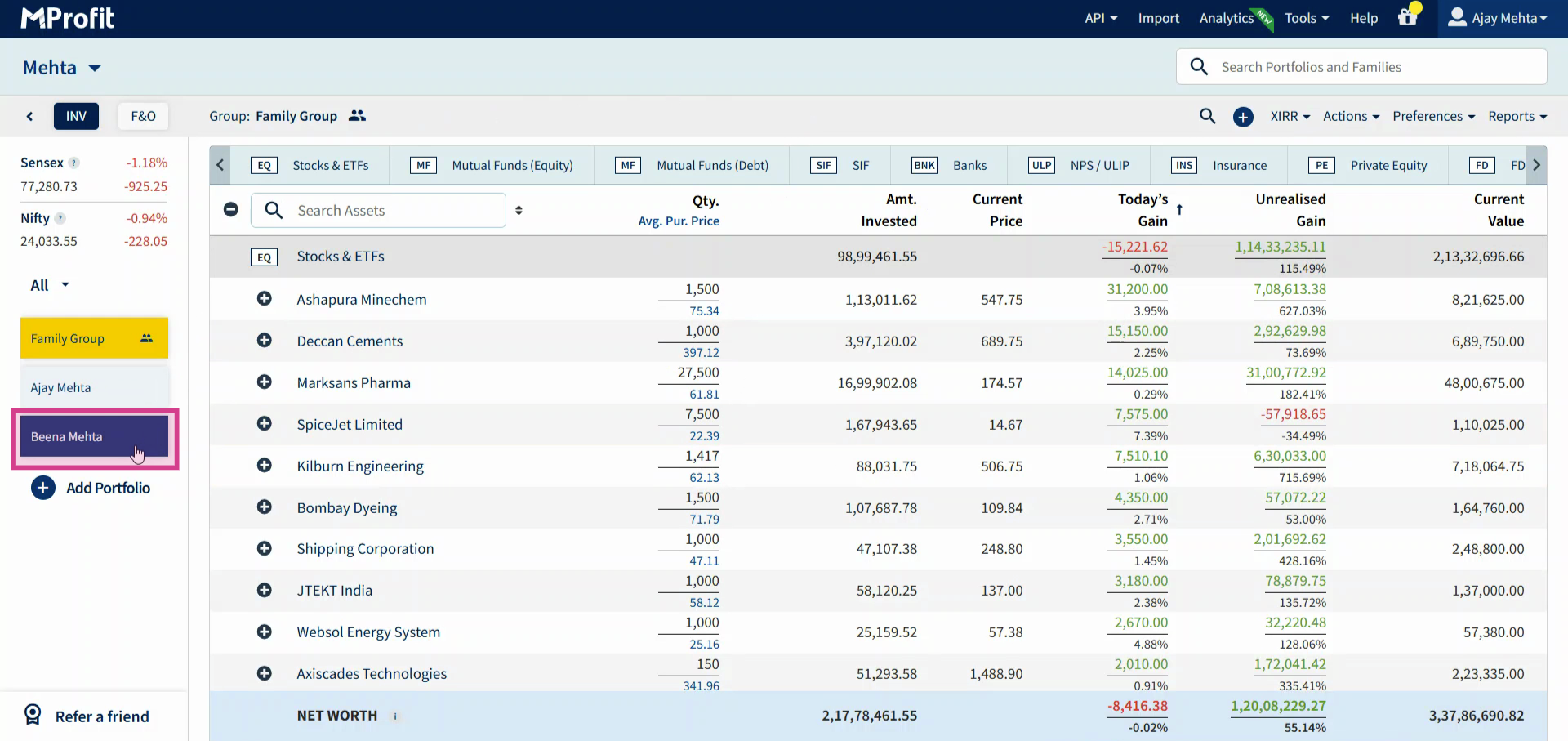
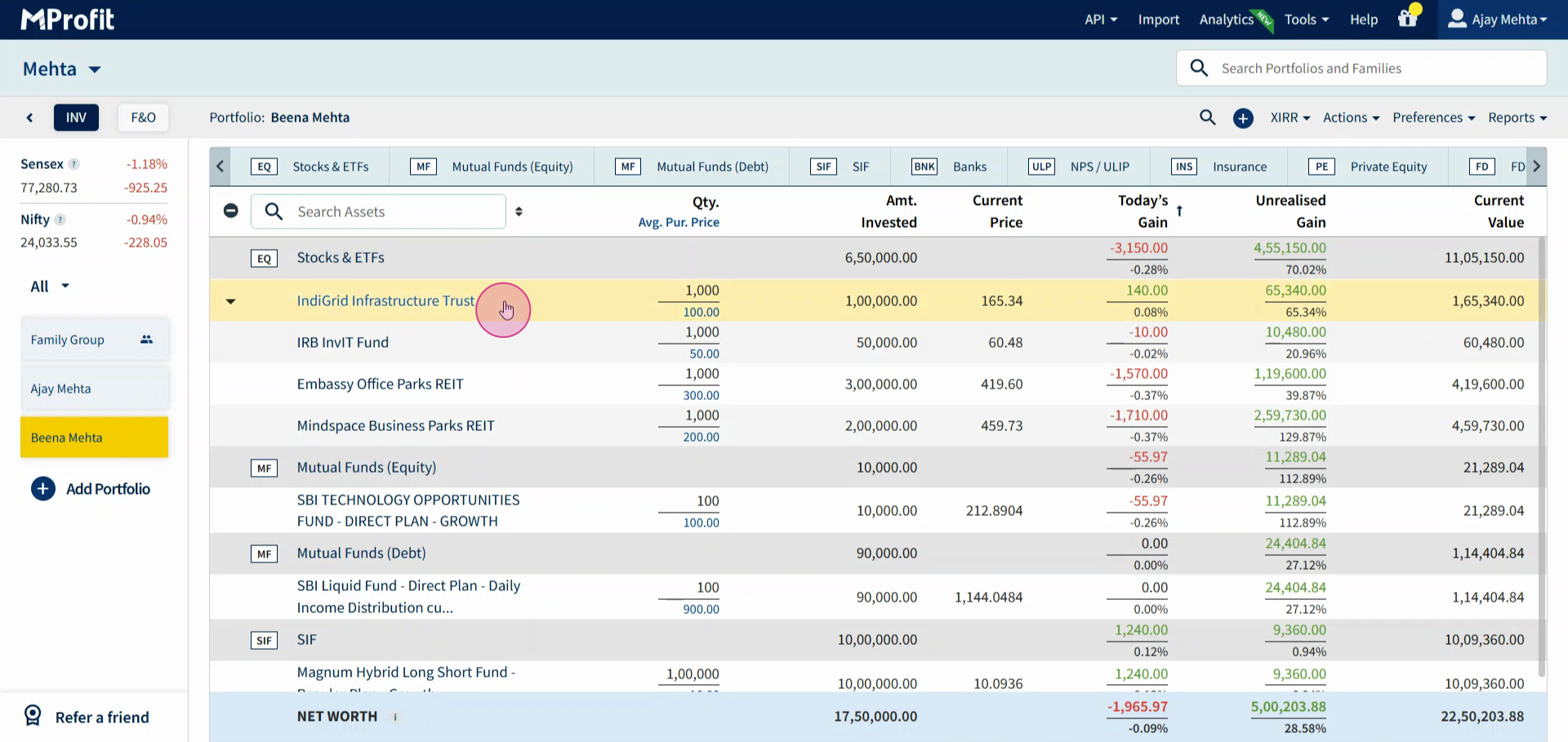
Step 3: Double-click or right-click on the asset (REIT or InvIT) that received the repayment.
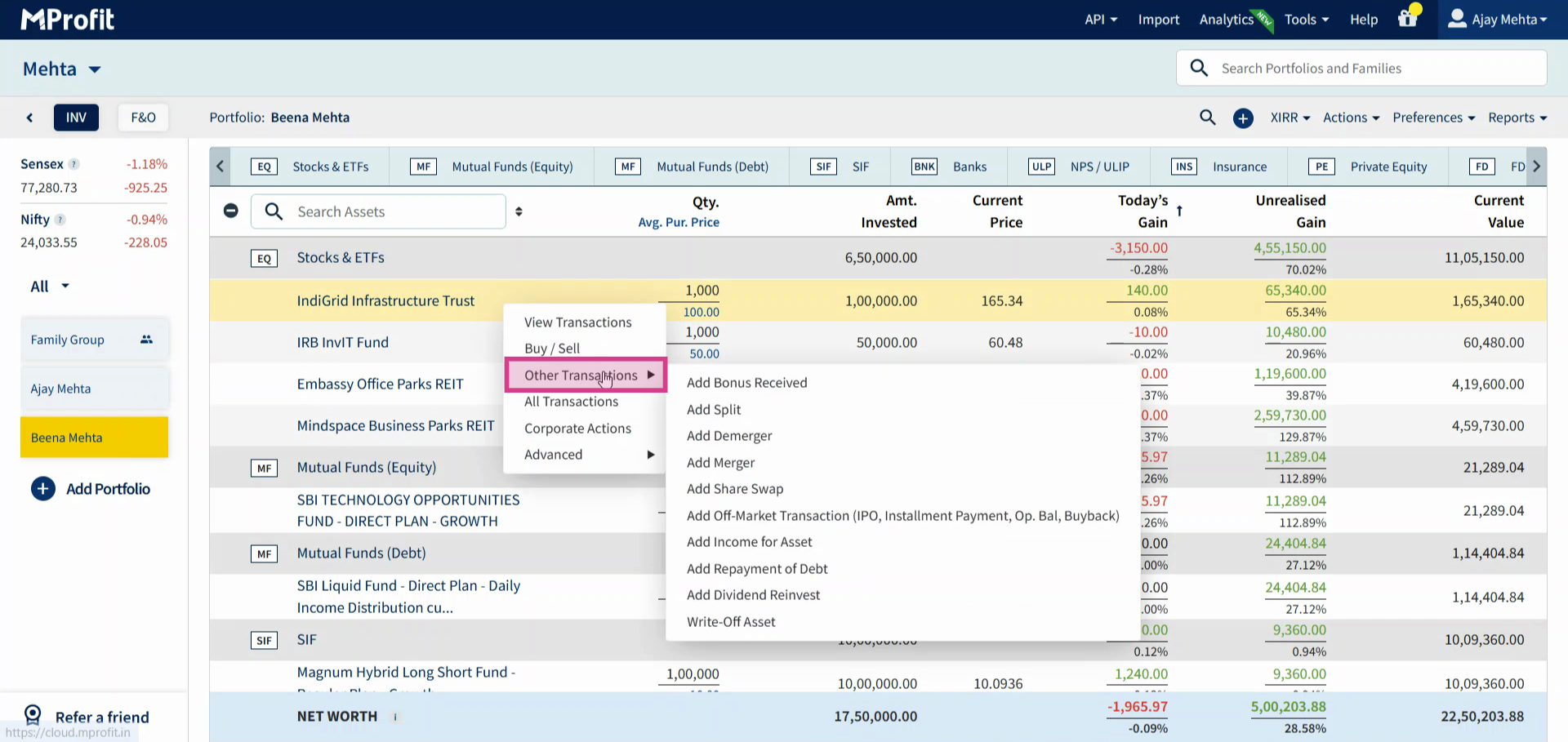
Step 4: Click Other Transactions.
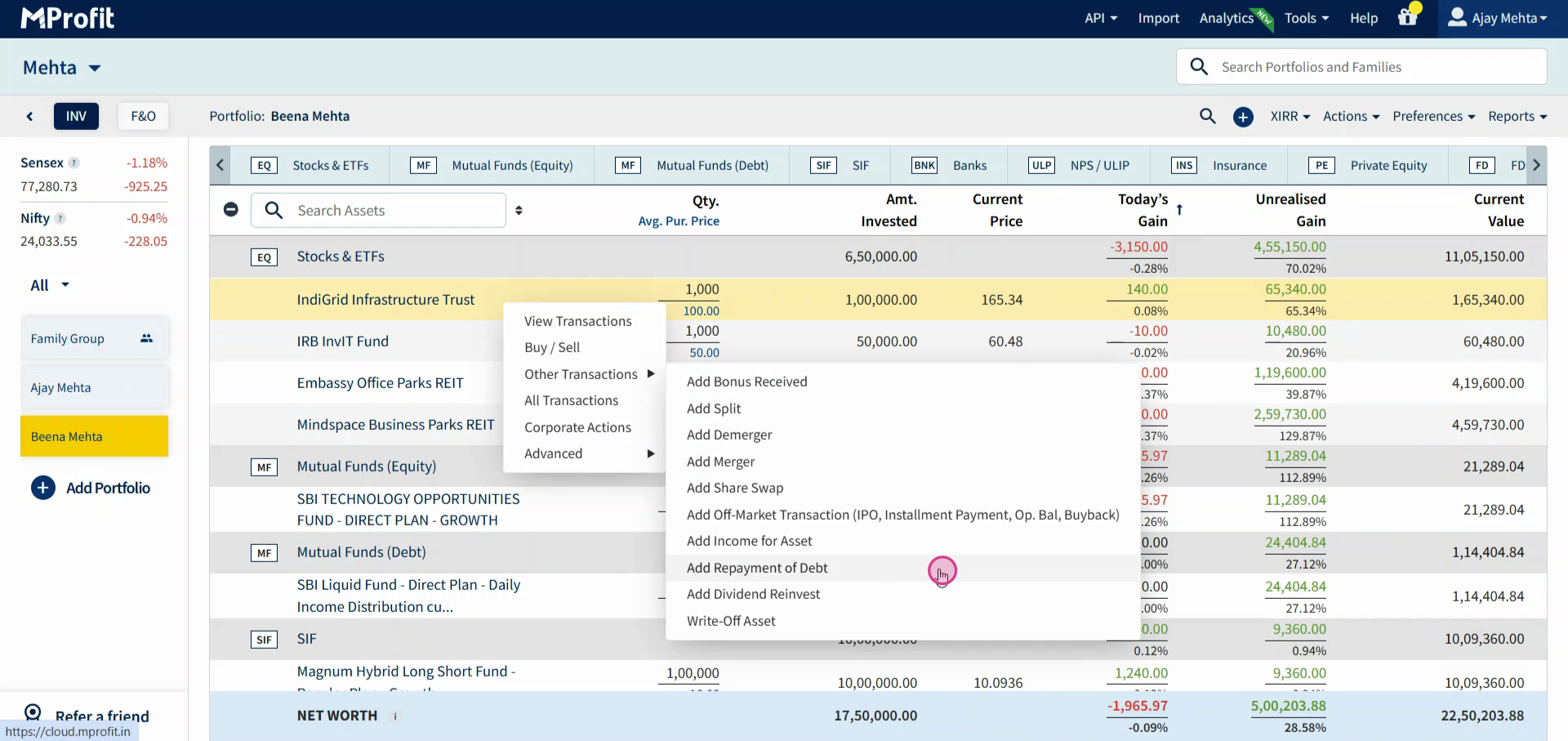
Step 5: Select Add Repayment of Debt Transaction.
Step 6: In the form that appears, enter the date of the transaction.
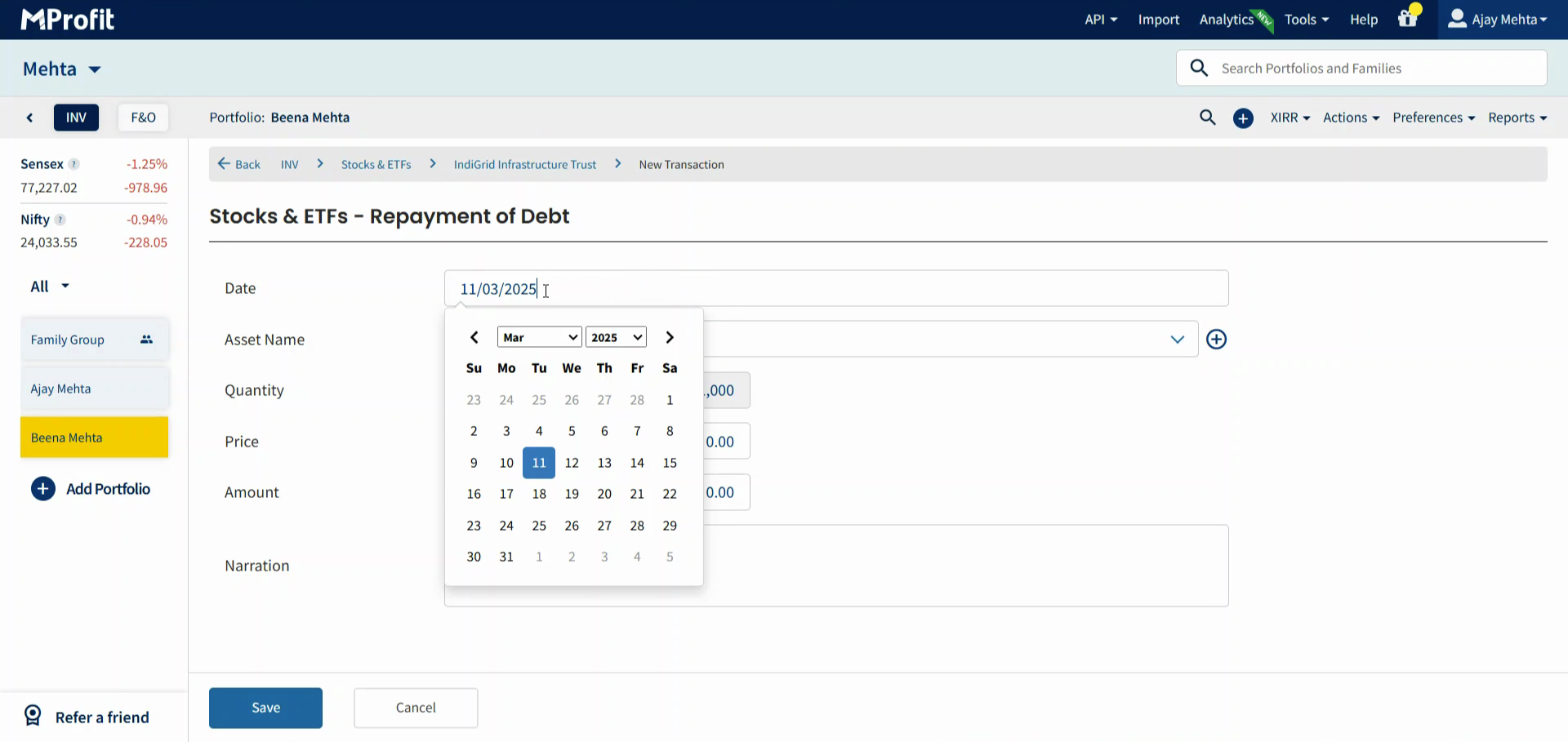
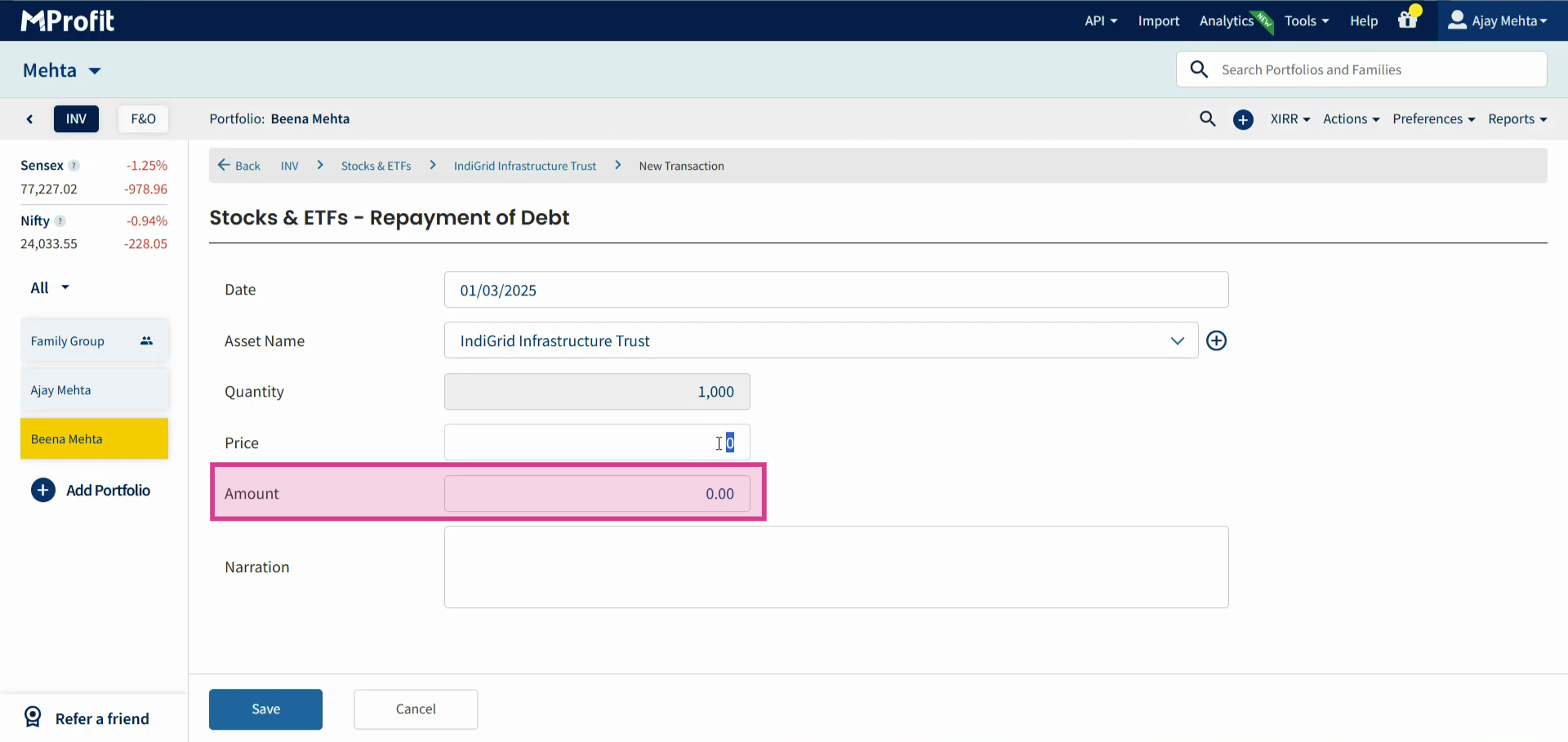
Step 7: Input the amount received as repayment of debt.
Step 8: Click Save to complete the entry.
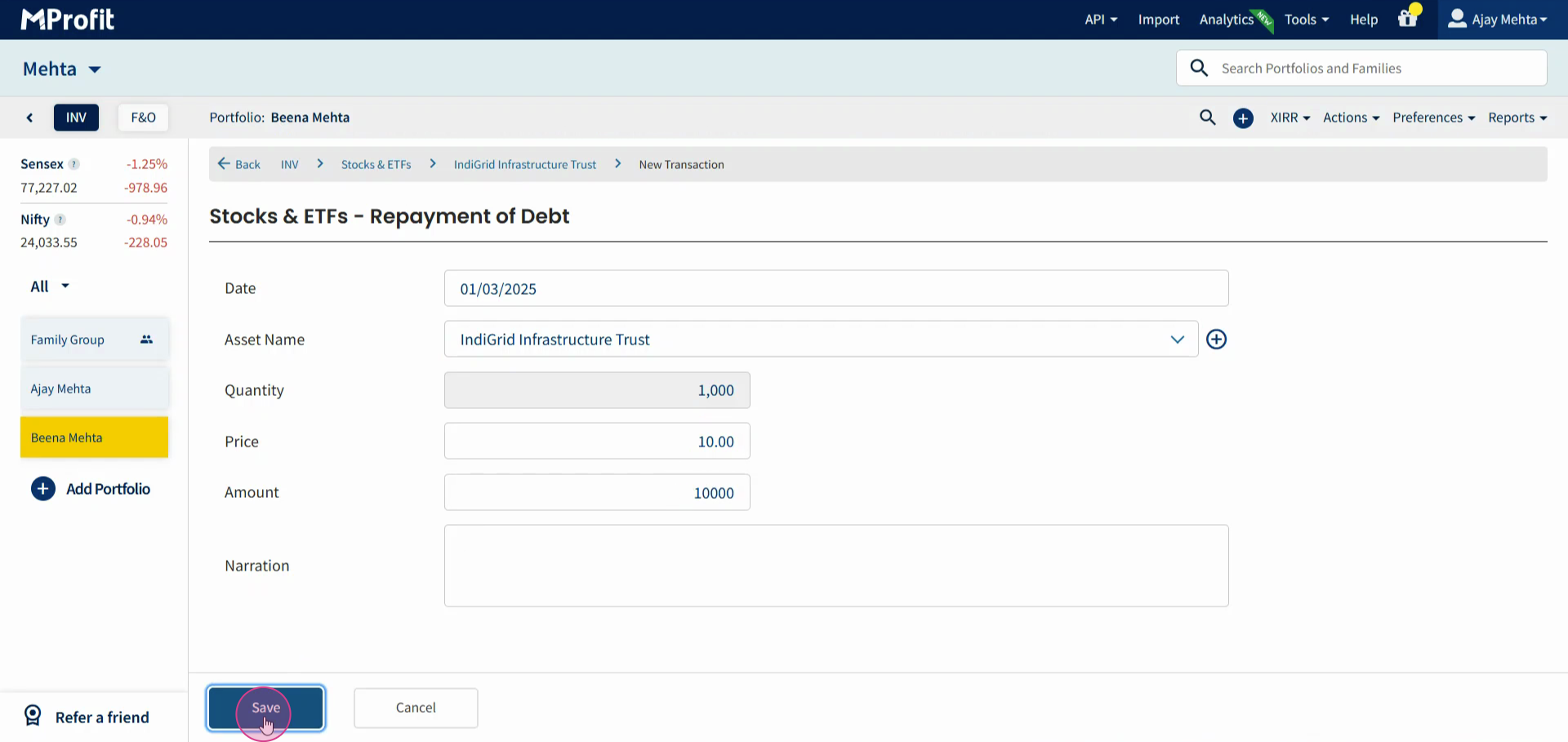
MProfit will automatically reduce your purchase price in proportion to the repayment amount, keeping your investment records up to date.
Recording debt repayments regularly ensures your portfolio reflects the real returns from REITs and InvITs. Stay organized and get the full picture of your investment performance.
Was this article helpful?
That’s Great!
Thank you for your feedback
Sorry! We couldn't be helpful
Thank you for your feedback
Feedback sent
We appreciate your effort and will try to fix the article