Here you'll learn how to see the Transaction Wise Returns Report in MProfit to view the exact performance of every investment transaction, including annual returns (CAGR), holding periods, and more. This report is ideal for tracking detailed results and analysing your investment strategy over time.
Step 1: Log in to your MProfit Cloud account and go to the Reports section.
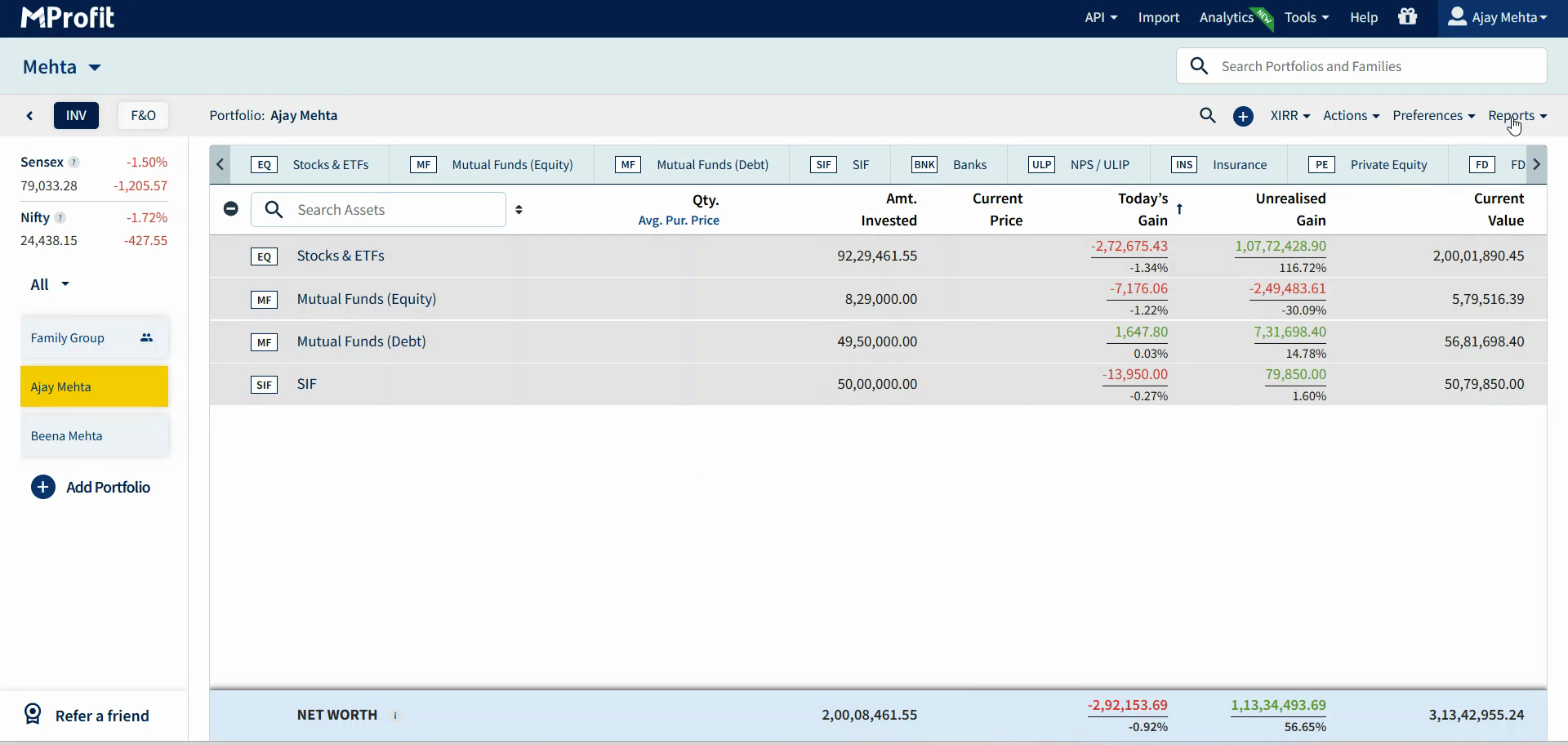
Step 2: Click the Performance tab.

Step 3: Select Transaction Wise Returns Report from the list.

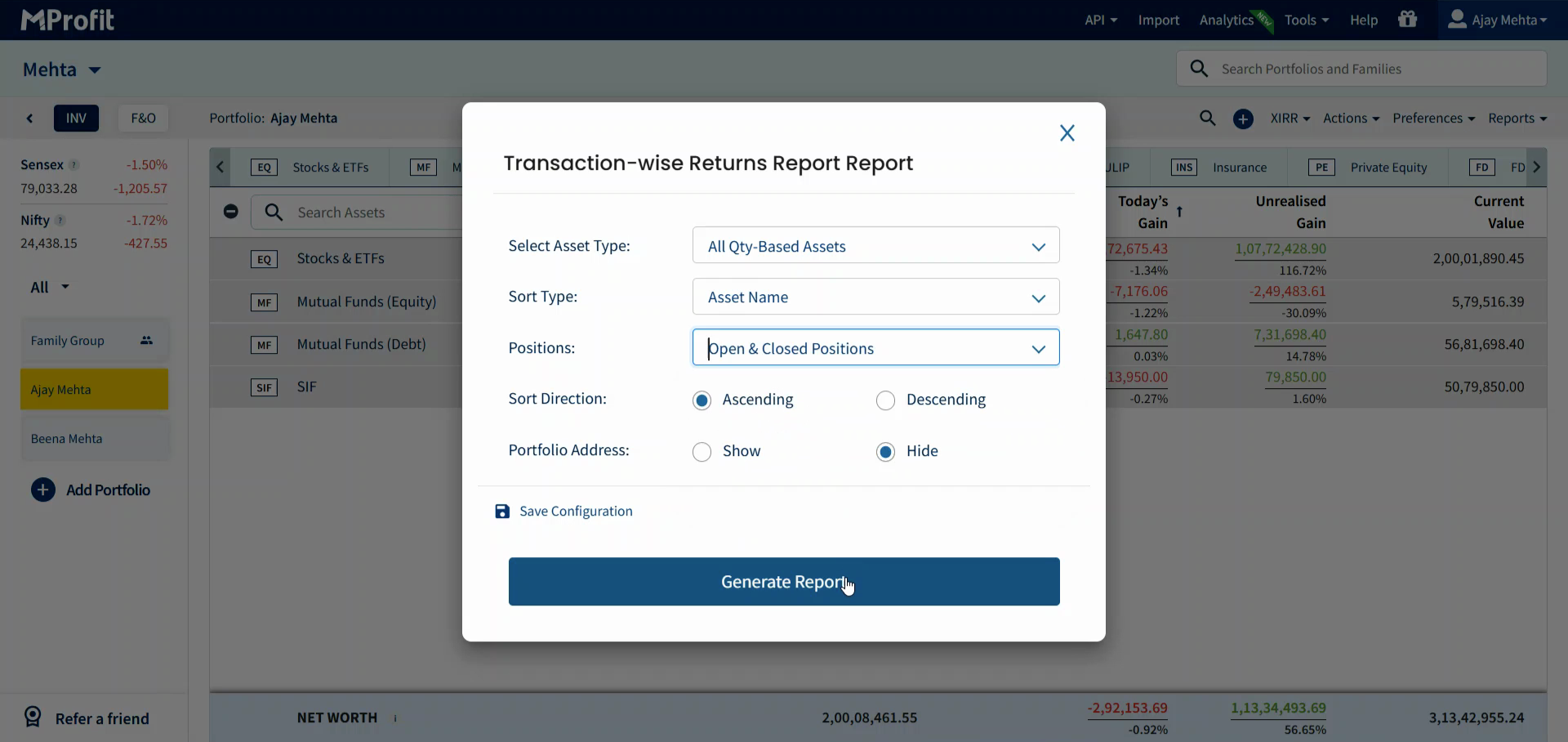
Step 4: Choose which asset classes you want to analyse using the checkboxes. For example, you can focus on Stocks, Mutual Funds, or any other supported category. Select All Assets if you want to include everything in your portfolio for a comprehensive view.
Next, decide which positions to include:
Open Positions: Investments you currently hold and haven't fully sold. Use this to see unrealized returns and ongoing performance.
Closed Positions: Investments you've already exited. This helps review completed trades and their actual results.
You can check both boxes to analyse all transactions together. If you’re interested in tracking only what’s active or want to audit your completed trades separately, use these filters accordingly.
Tip: The video notes this report works only for quantity-based assets (like stocks, mutual funds, ETFs). You won’t see results for asset types without a quantity field.
Step 5: Click Generate Report to build your results.
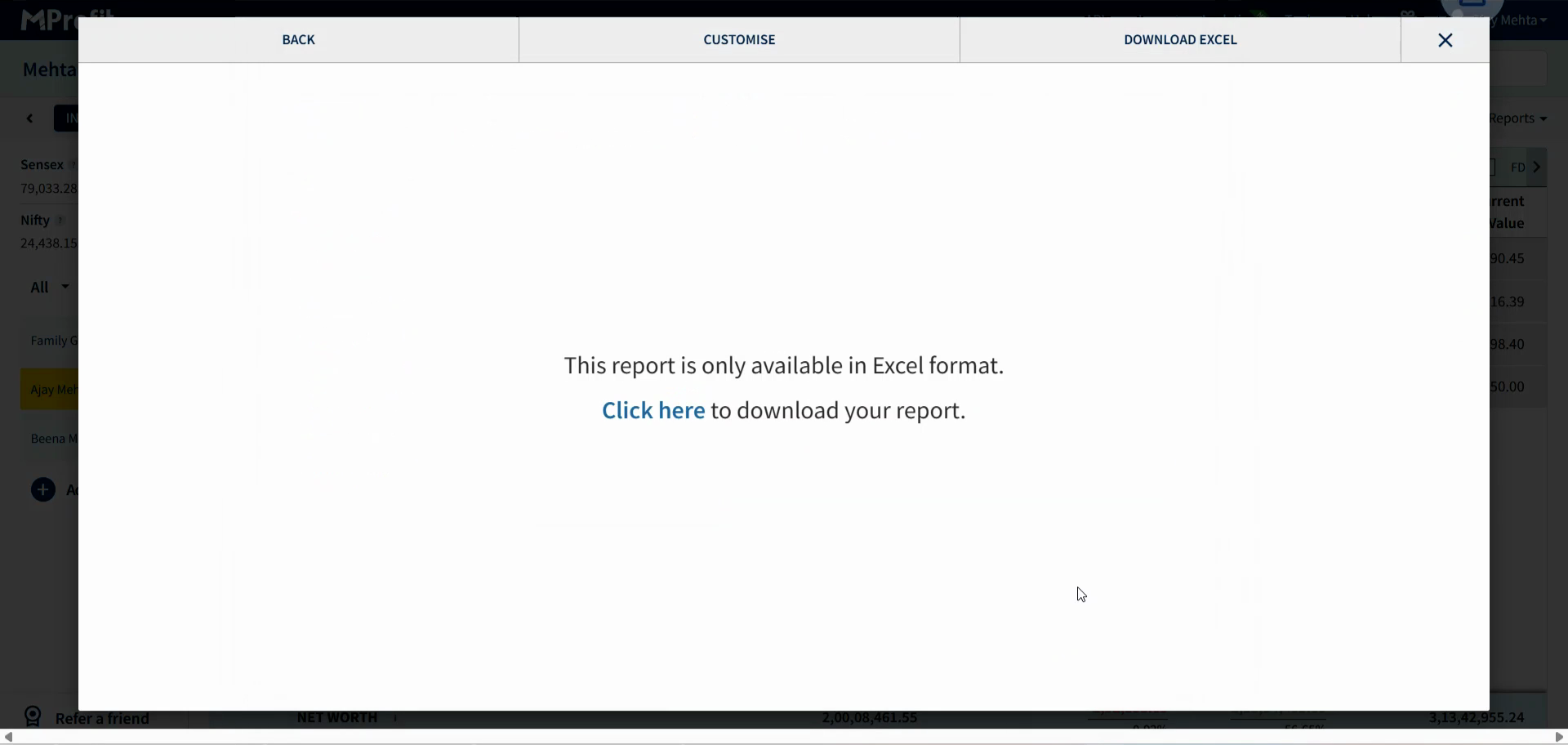
Step 6: When the report is ready, click Click Here to download it.
Reading the Transaction Wise Returns Report
The Transaction Wise Returns Report gives you detailed columns for each transaction:
Asset class, transaction type, status, and asset name
Quantity held or traded, purchase date, purchase price, and invested amount
Sale date (or today’s date for open positions), current/sale price, and current asset value
Gain or loss, gain/loss percentage, CAGR (annualized return), and total days held
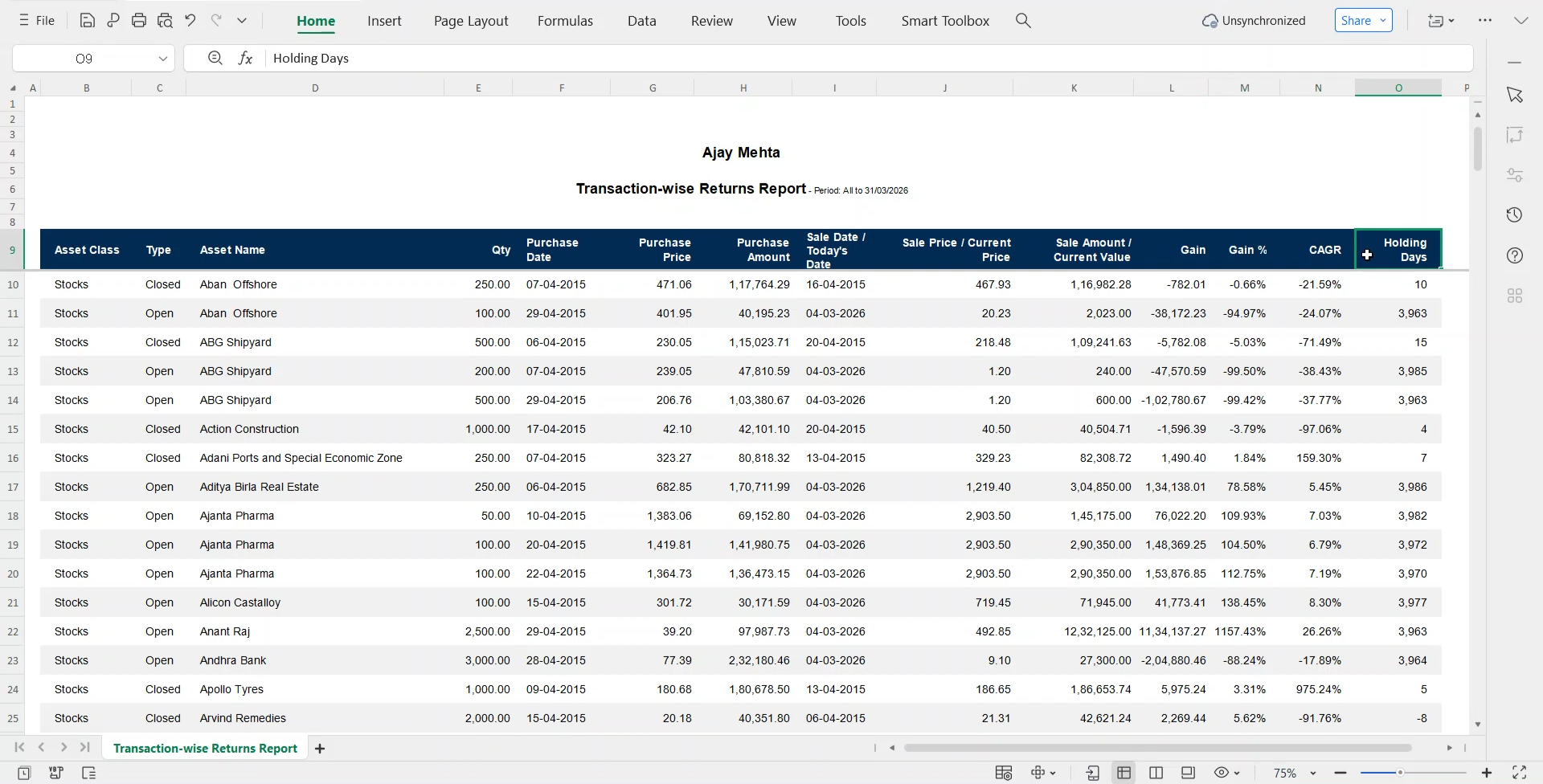
Review this report to track the true performance of every investment entry and exit. You’ll get a clear picture of what’s working in your strategy and where you can improve, supporting confident financial decisions backed by data.
Was this article helpful?
That’s Great!
Thank you for your feedback
Sorry! We couldn't be helpful
Thank you for your feedback
Feedback sent
We appreciate your effort and will try to fix the article