In this tutorial, you'll learn how to use the Multi Currency Group (MCG) feature in MProfit, allowing you to view your INR and US Dollar investments together.
Step 1: Navigate to the newly added MCG section. If you've created an international portfolio, the MCG section will appear automatically.
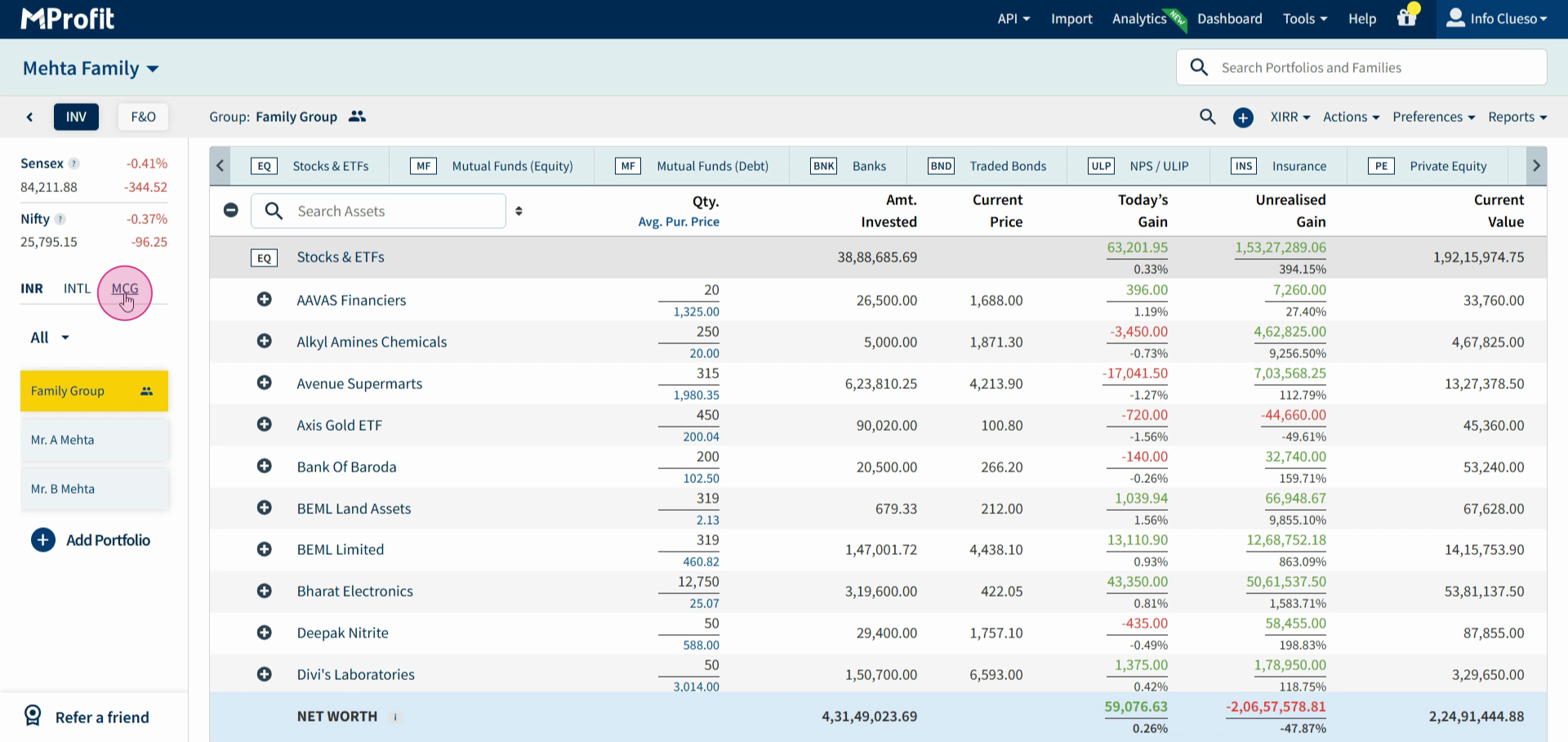
Step 2: Create a group and add both your INR and US Portfolios to it. For instance, if you're managing Mr. A. Mehta's INR and US investments, name the group "Mr. A Mehta". If you're managing multiple portfolios in INR and USD, create a family group by selecting the checkbox.
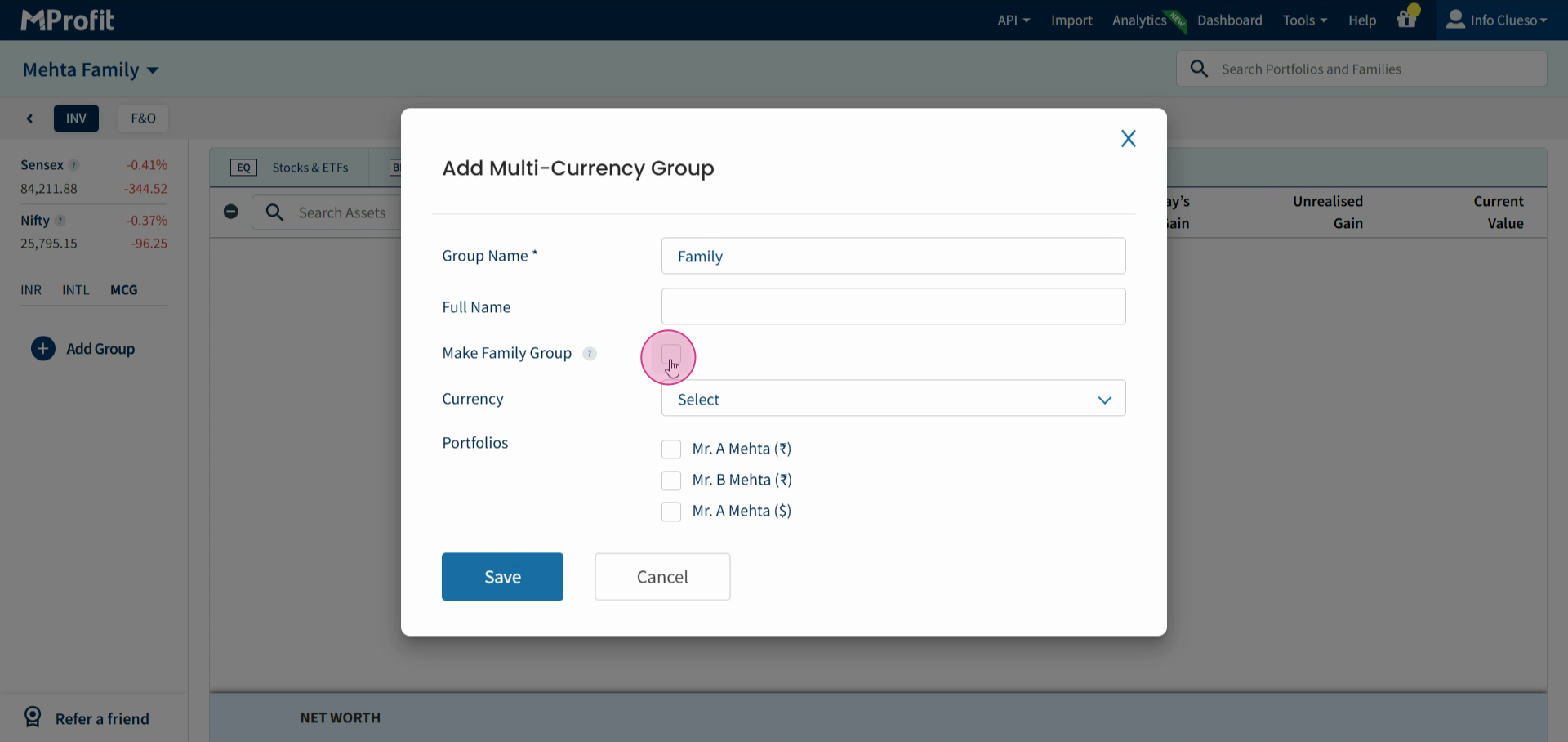
Step 3: Choose the currency for your group. Click on the currency dropdown menu.
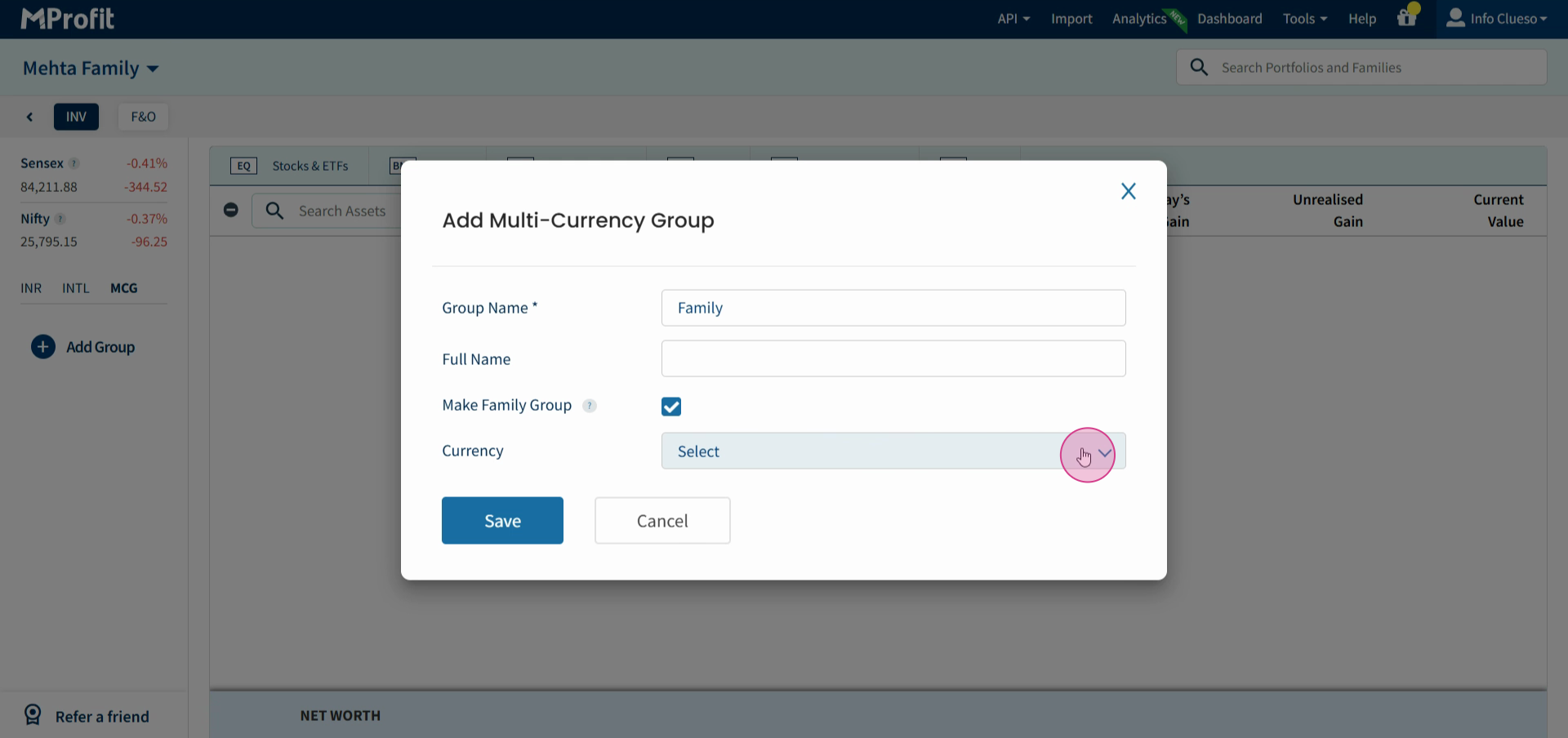
Step 4: Select the desired currency. If you select USD, the current value of your INR portfolio will convert to USD. If you select INR, the current value of your USD portfolios will convert to INR. Remember, only the current value converts.
This feature is available to all users who have the option to add international portfolios.
That's the end of this tutorial. Thanks for following along!
Was this article helpful?
That’s Great!
Thank you for your feedback
Sorry! We couldn't be helpful
Thank you for your feedback
Feedback sent
We appreciate your effort and will try to fix the article