PMS Strategy and Goal Portfolios in MProfit help you organize, track, and optimize your investments for specific objectives. This step-by-step guide walks you through setting up a portfolio, tagging transactions, managing cash flows, and monitoring results—just like in the product demo.
Setting Up a PMS Strategy or Goal Portfolio
Step 1: Load the portfolio dashboard and click Add Portfolio once the interface is fully loaded.
Enter a name for your new portfolio and turn on the Strategy and Goal portfolio toggle.
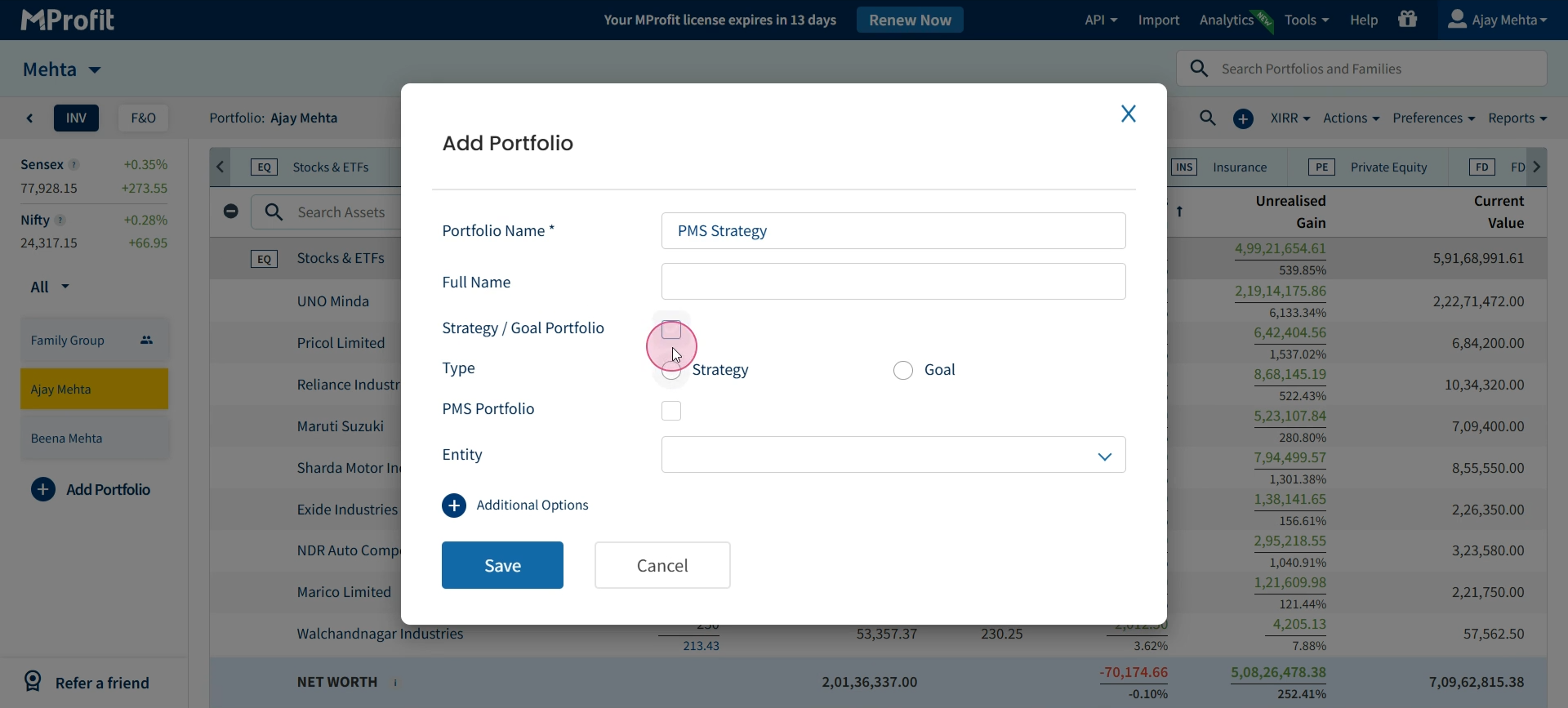
Step 2: Choose Strategy or Goal as the type—here, select Strategy.
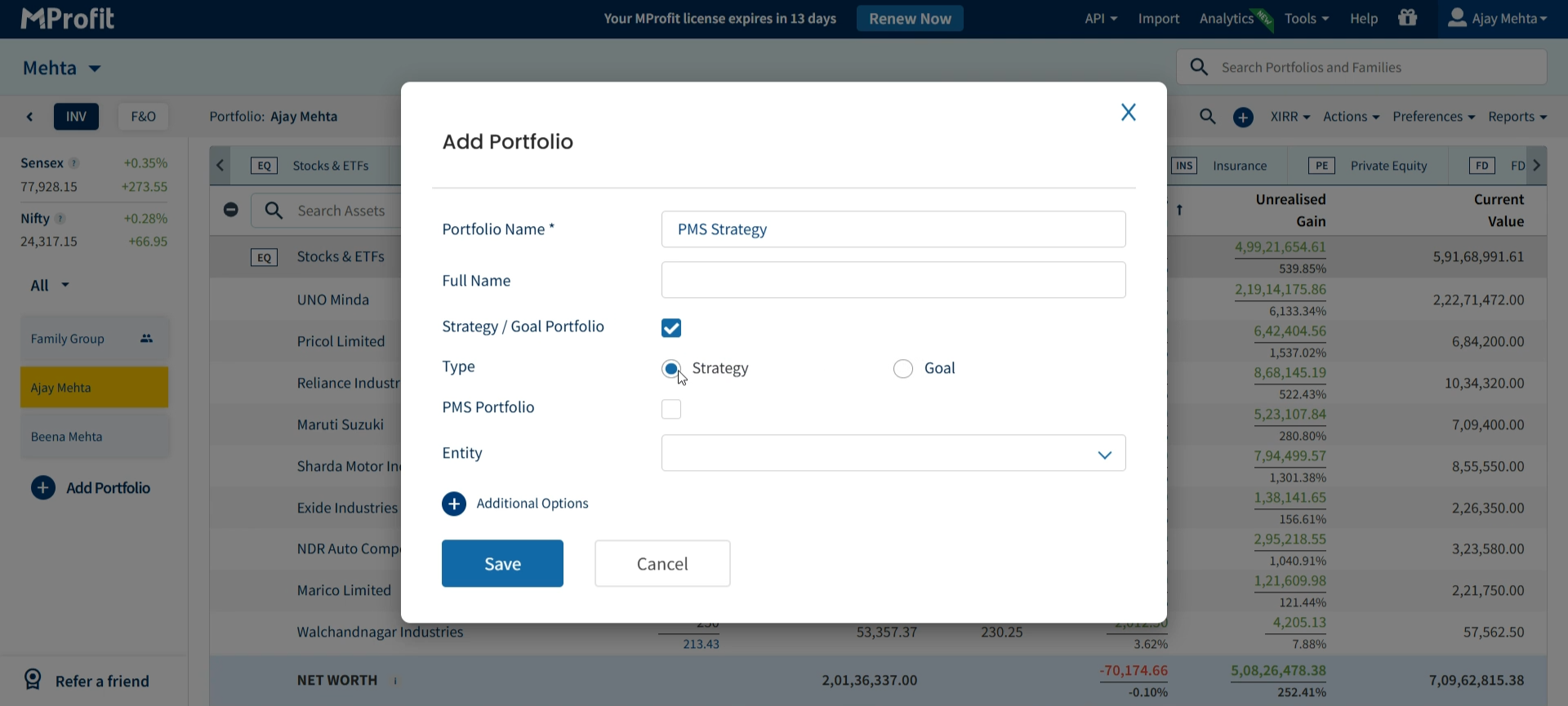
Step 3: In the PMS Portfolio section, switch Cash flow management to Yes if you want to track money in and out (as shown in this walkthrough).
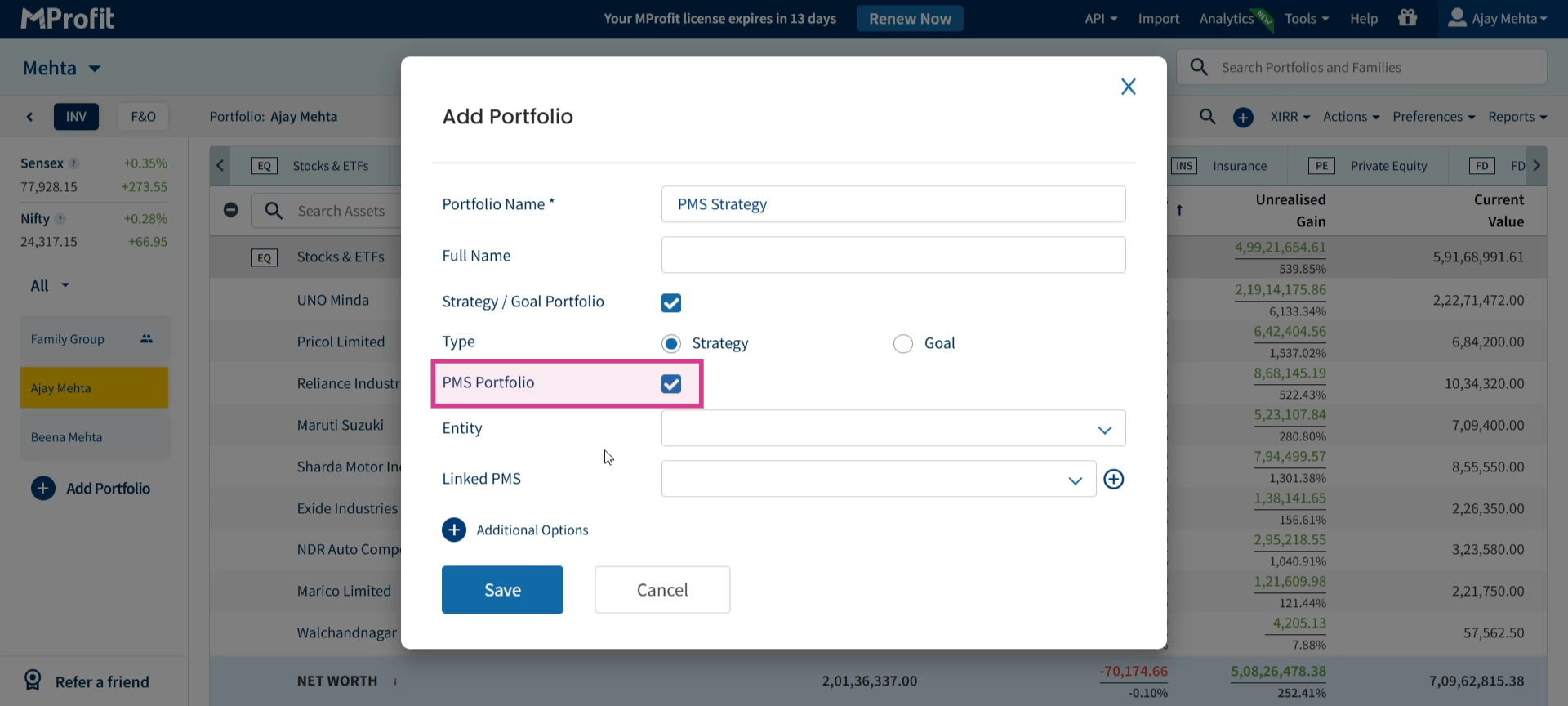
Step 4: Leave the entity tag blank to avoid double-counting transactions in reports. Use Linked PMS if you need to connect with a PMS.
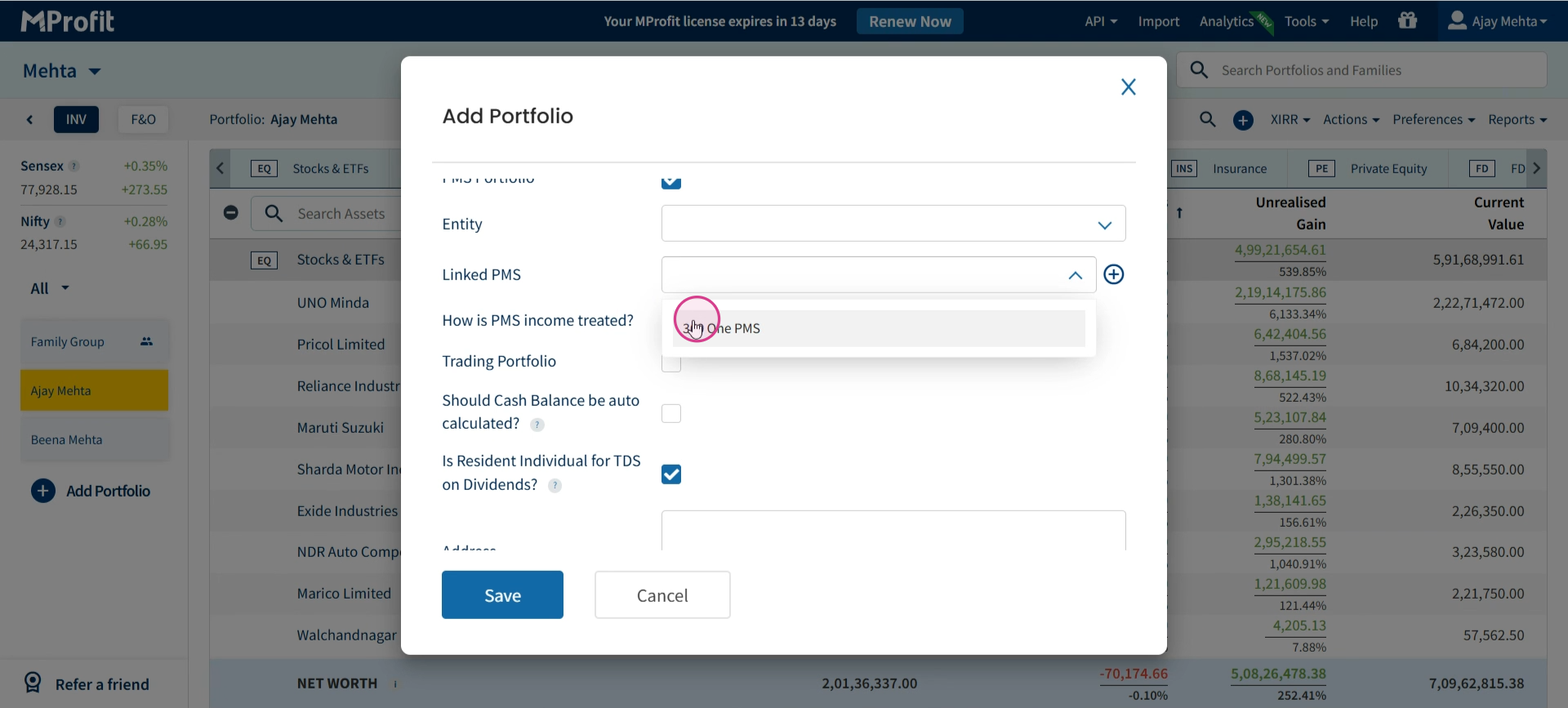
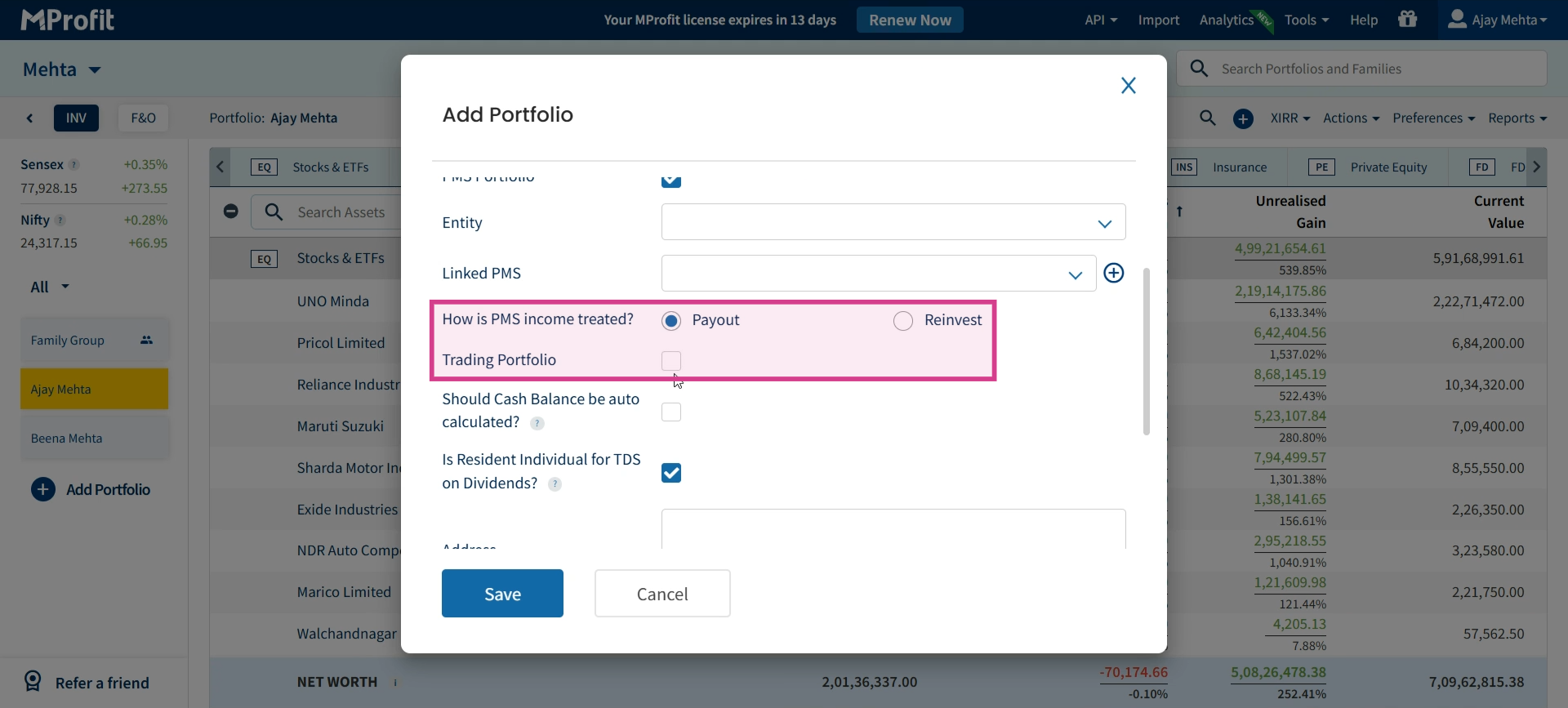
Step 5: Decide how to handle PMS income—select Payout or Reinvest. Toggle on the trading option if this is a trading portfolio.
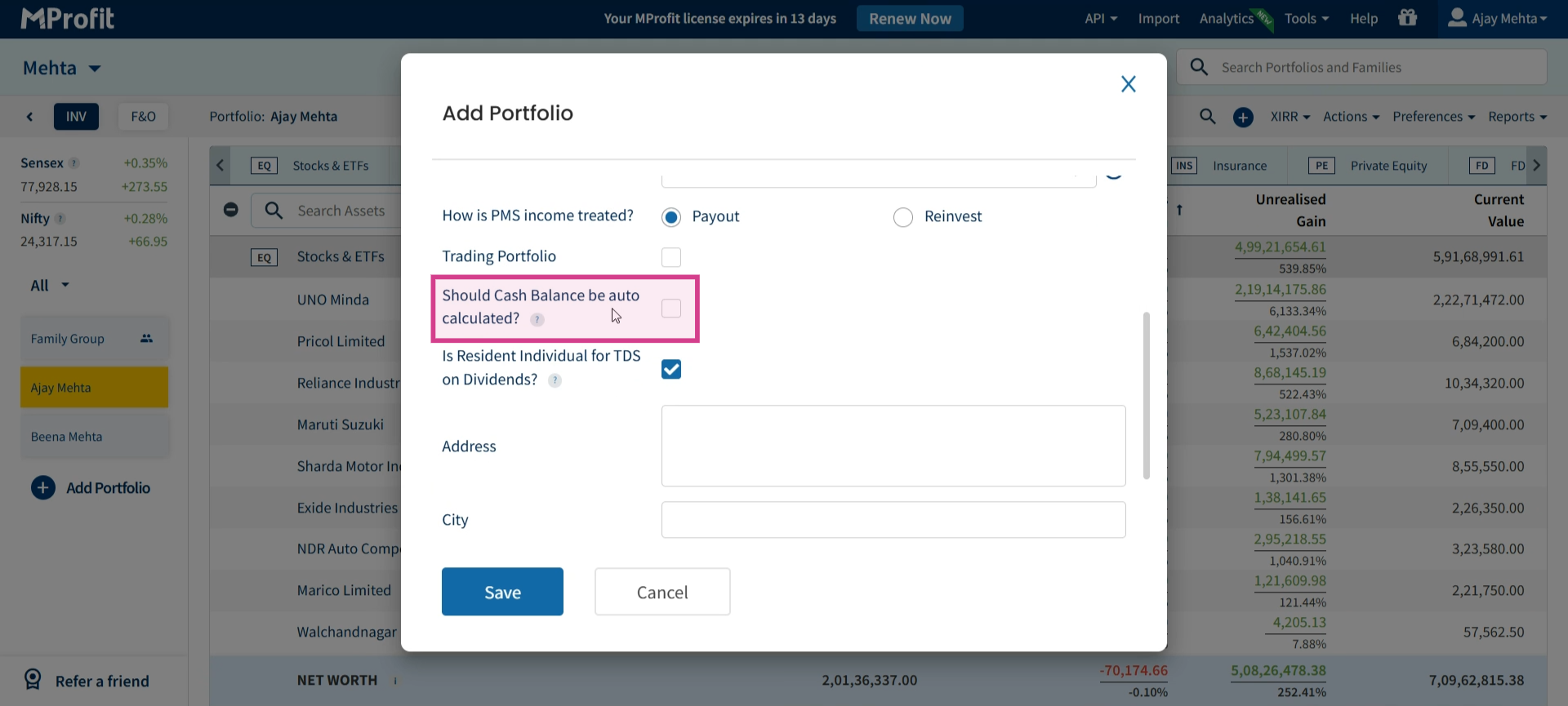
Step 6: Set Should Cash Balance Be Auto Calculated? to Yes so MProfit automatically updates cash as you record inflows or outflows.
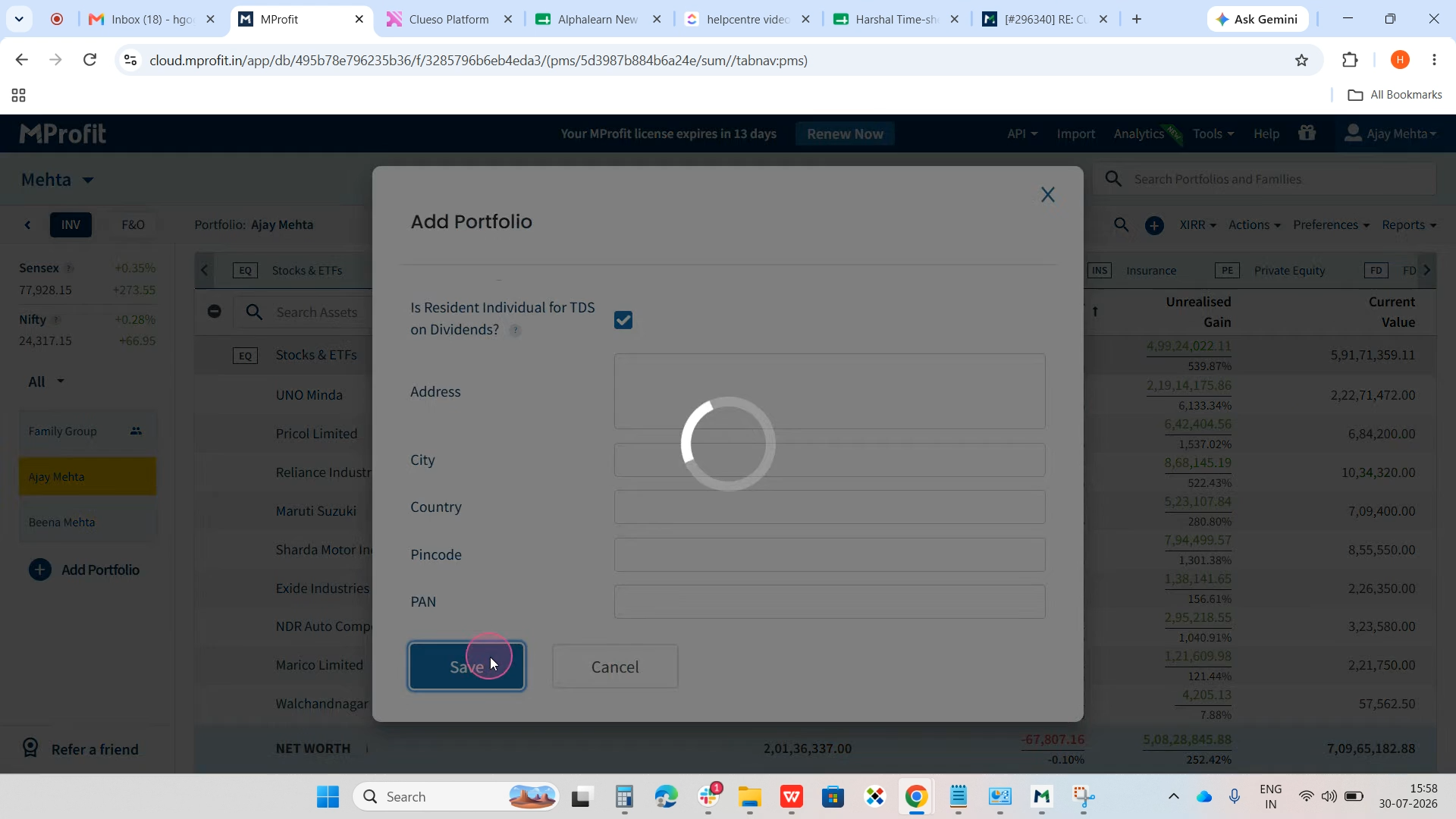
Step 7: Review your selections and click Save to create your portfolio.
Tagging Transactions to Your Portfolio
Step 1: Open your newly created portfolio.
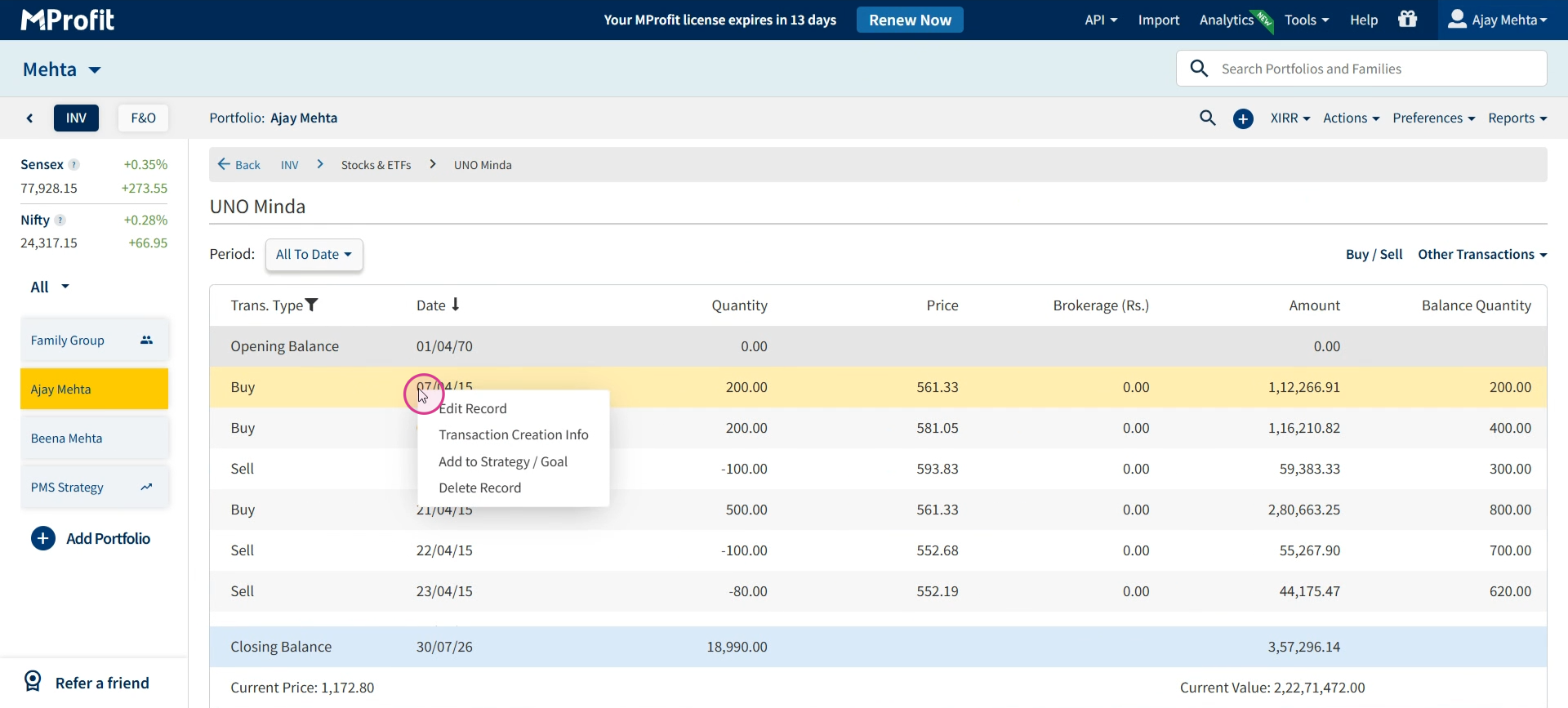
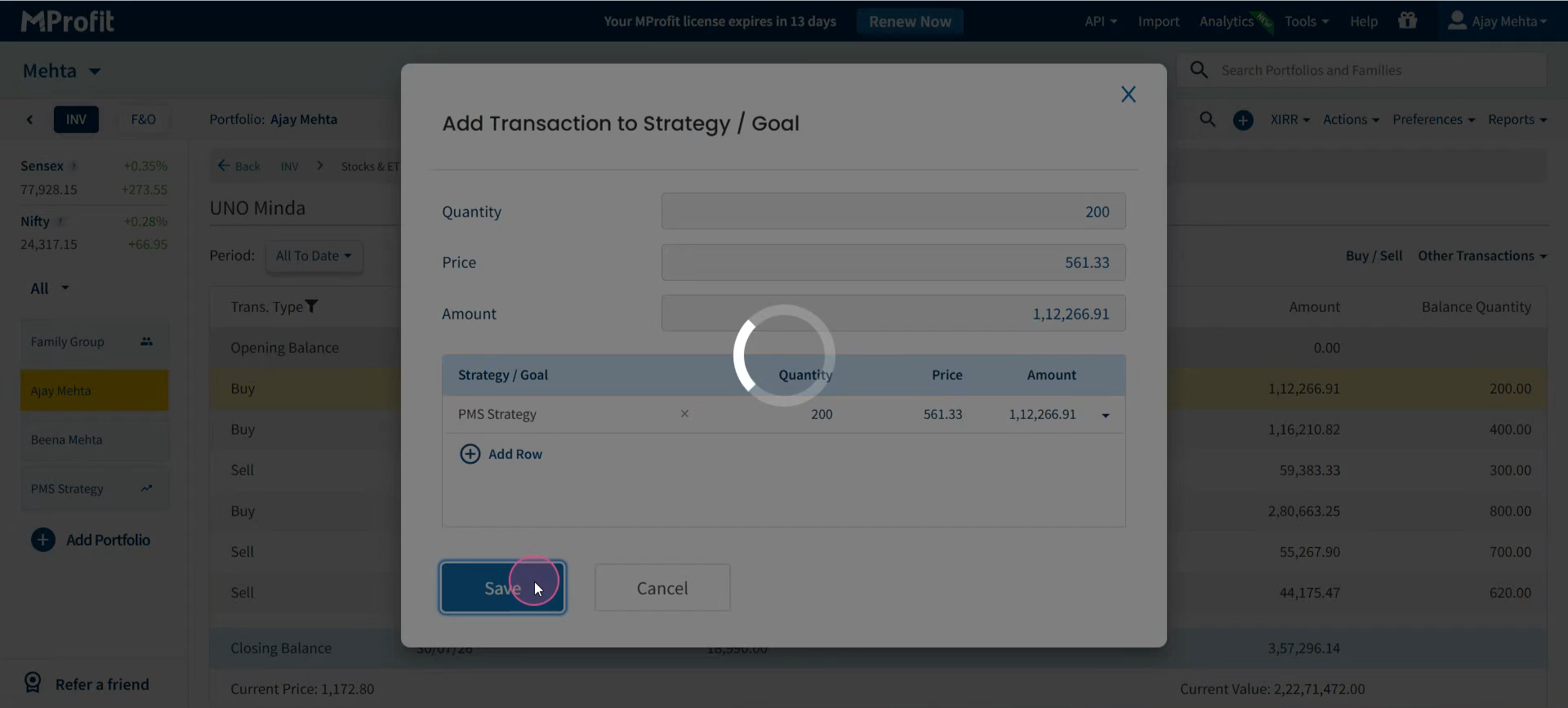
Step 2: Find the asset whose transaction you want to tag. Right-click that transaction and select Add to Strategy/Goal. Pick your portfolio from the list and hit Save. The tagged transaction will now track under this strategy portfolio for clear reporting.
Managing Cash Flows
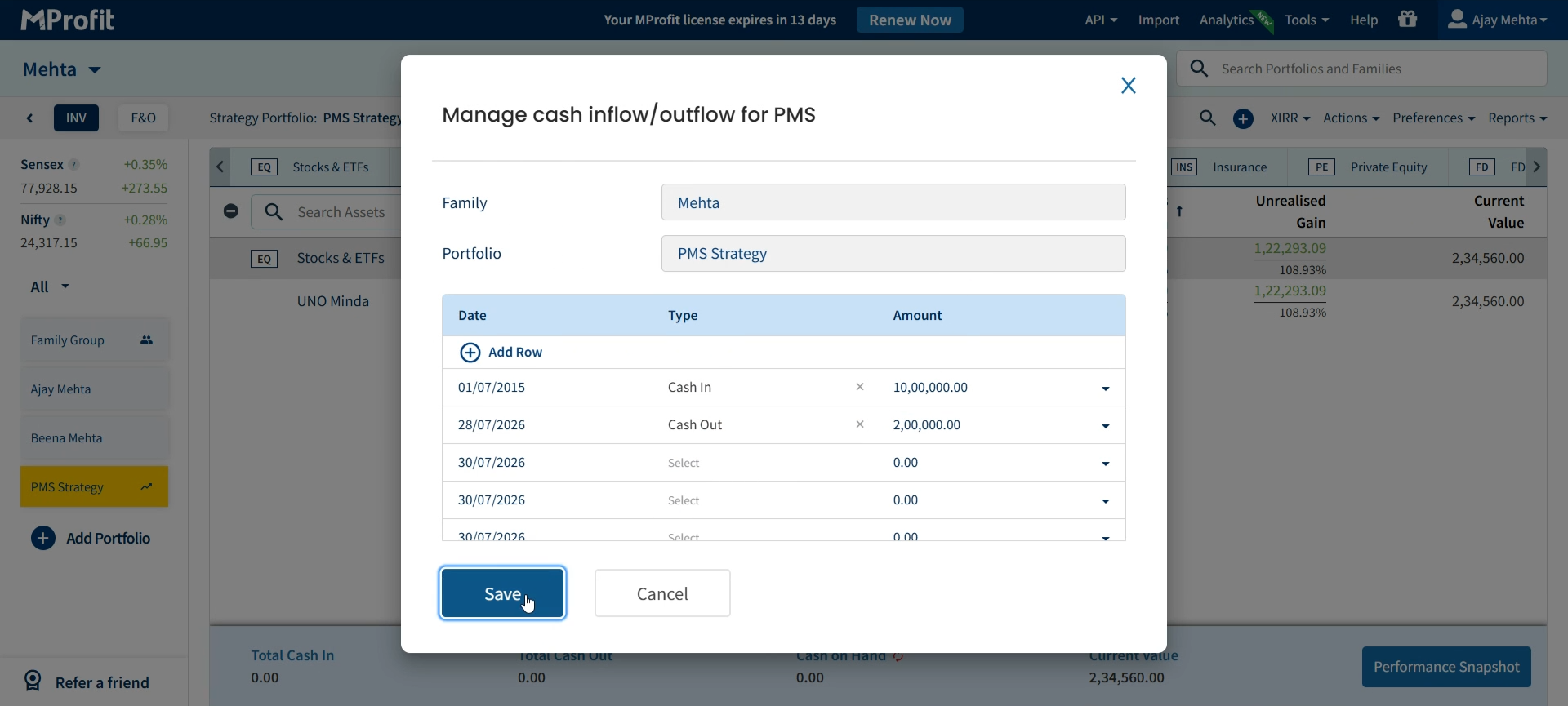
Step 1: In your portfolio, click the Plus (+) icon and choose Add Cash Inflows/Outflows to record a new transaction.
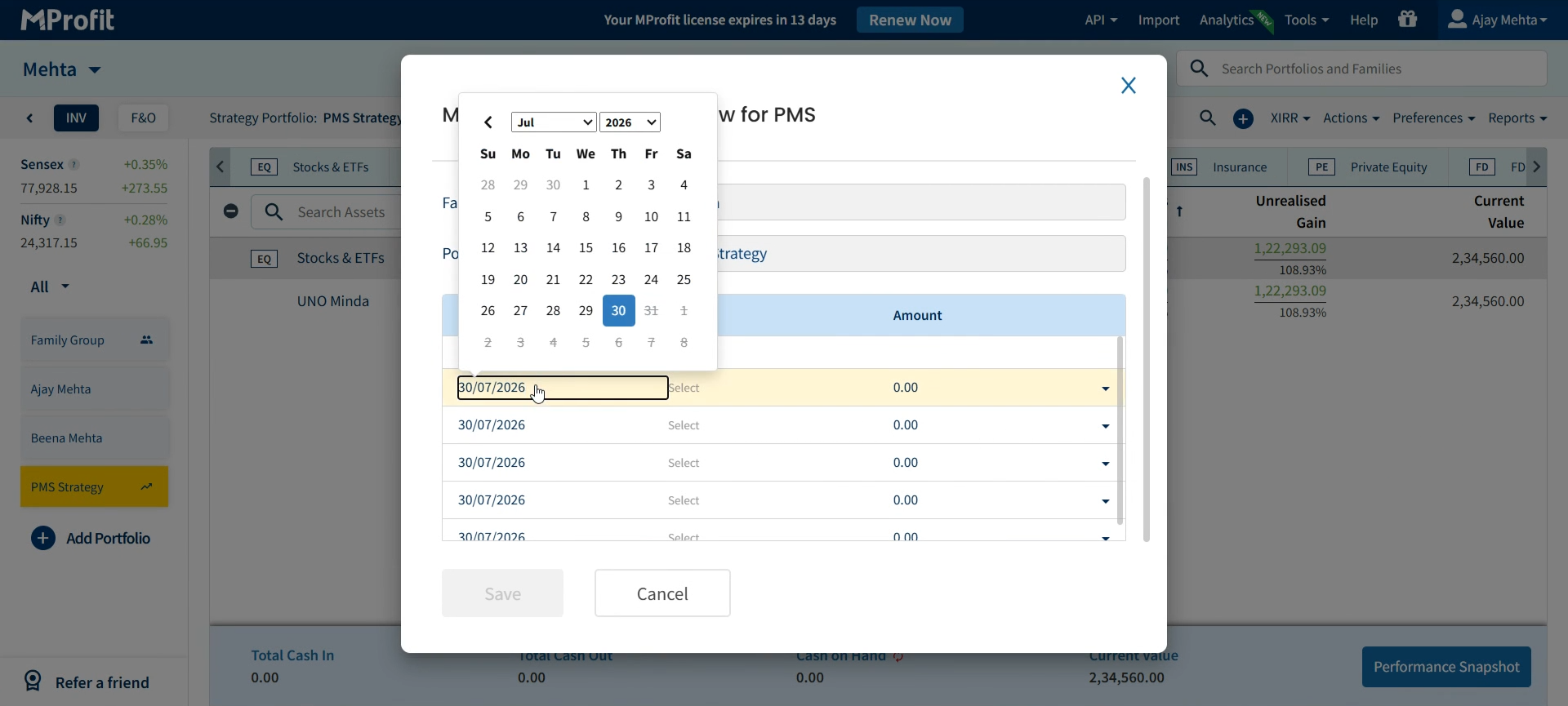
Step 2: Choose the transaction type—Cash In for deposits, Cash Out for withdrawals, or Fee for charges. Enter the relevant details and date. The fully loaded screen now shows all options are ready for input, as demonstrated below.
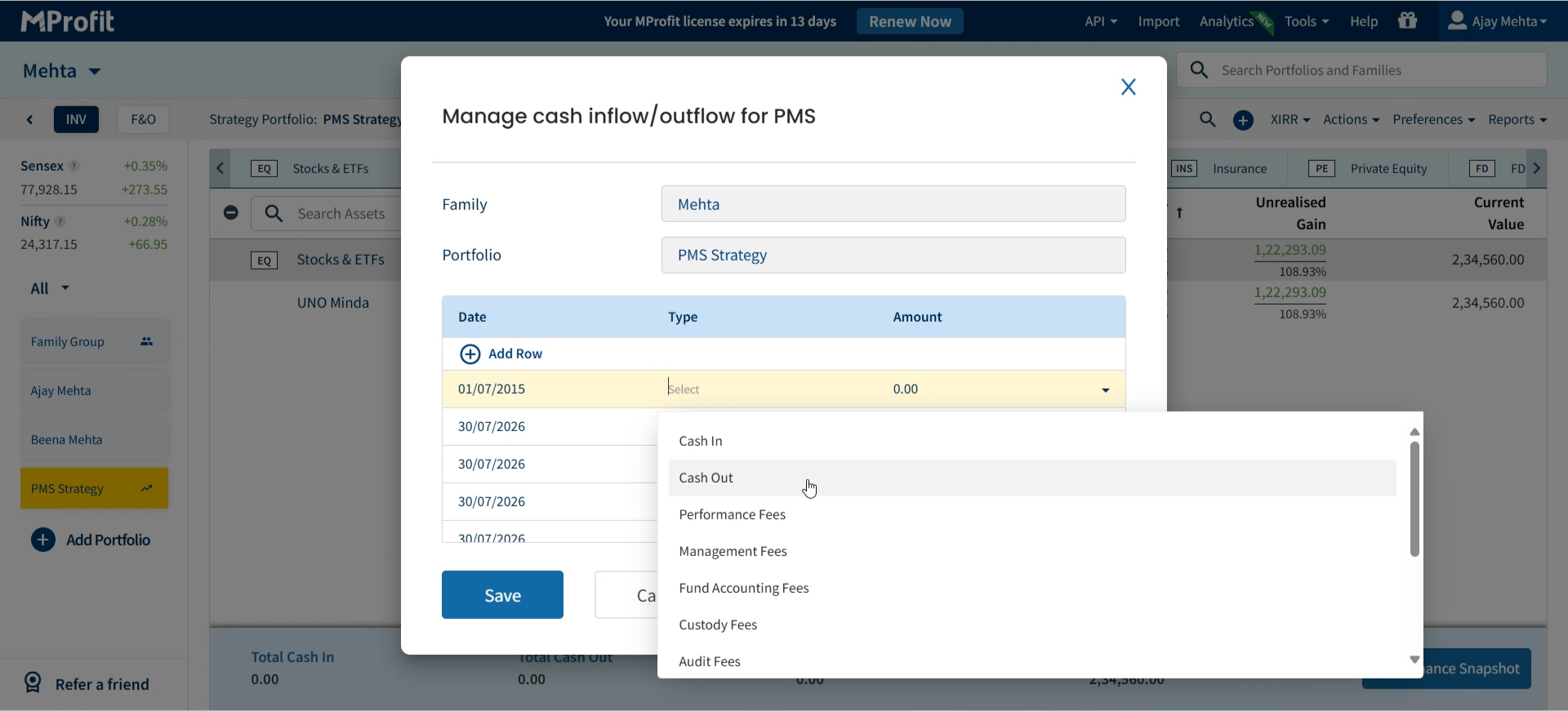
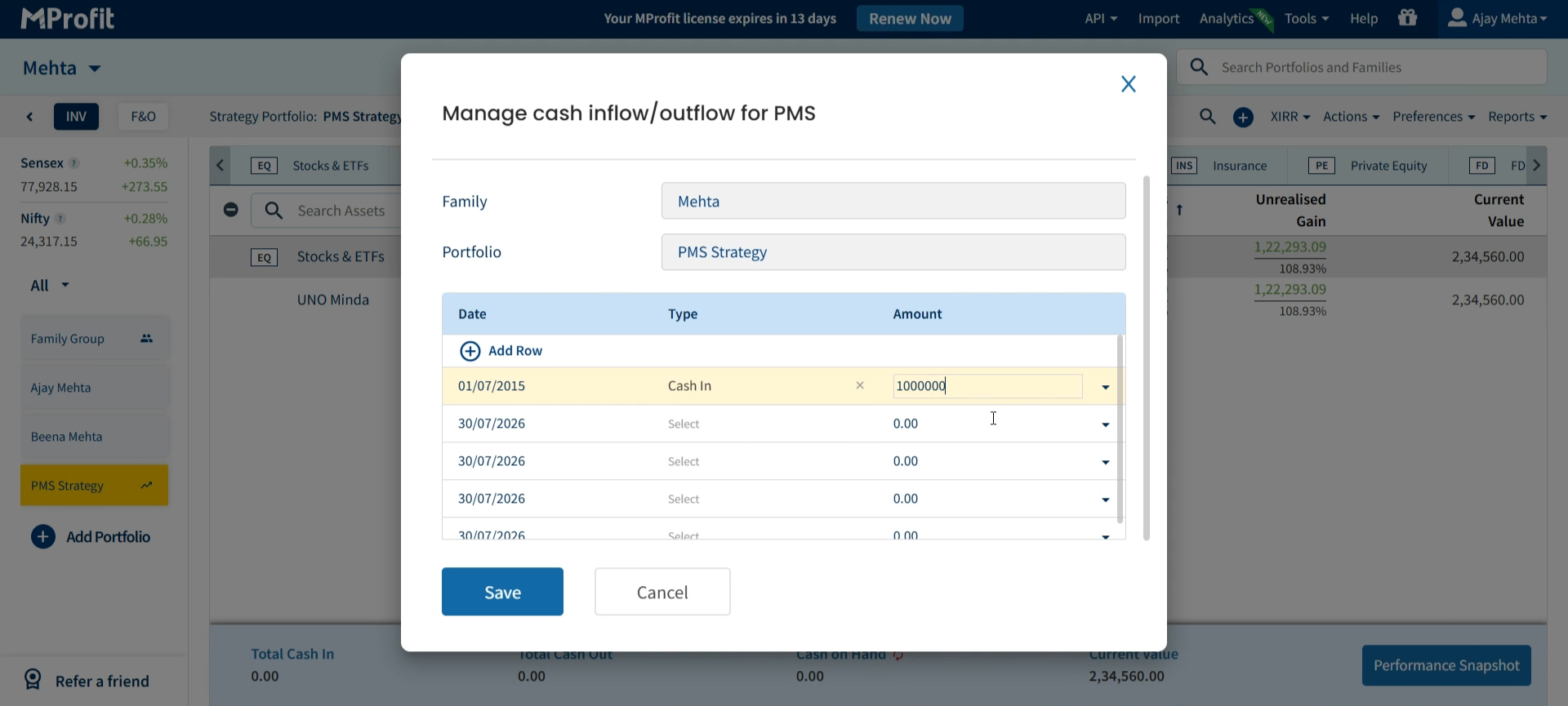
Step 3: For cash inflows, select Cash In and enter the amount; for outflows, pick Cash Out. Once you’ve checked all details, click Save to store the entry.
Monitoring Portfolio Performance
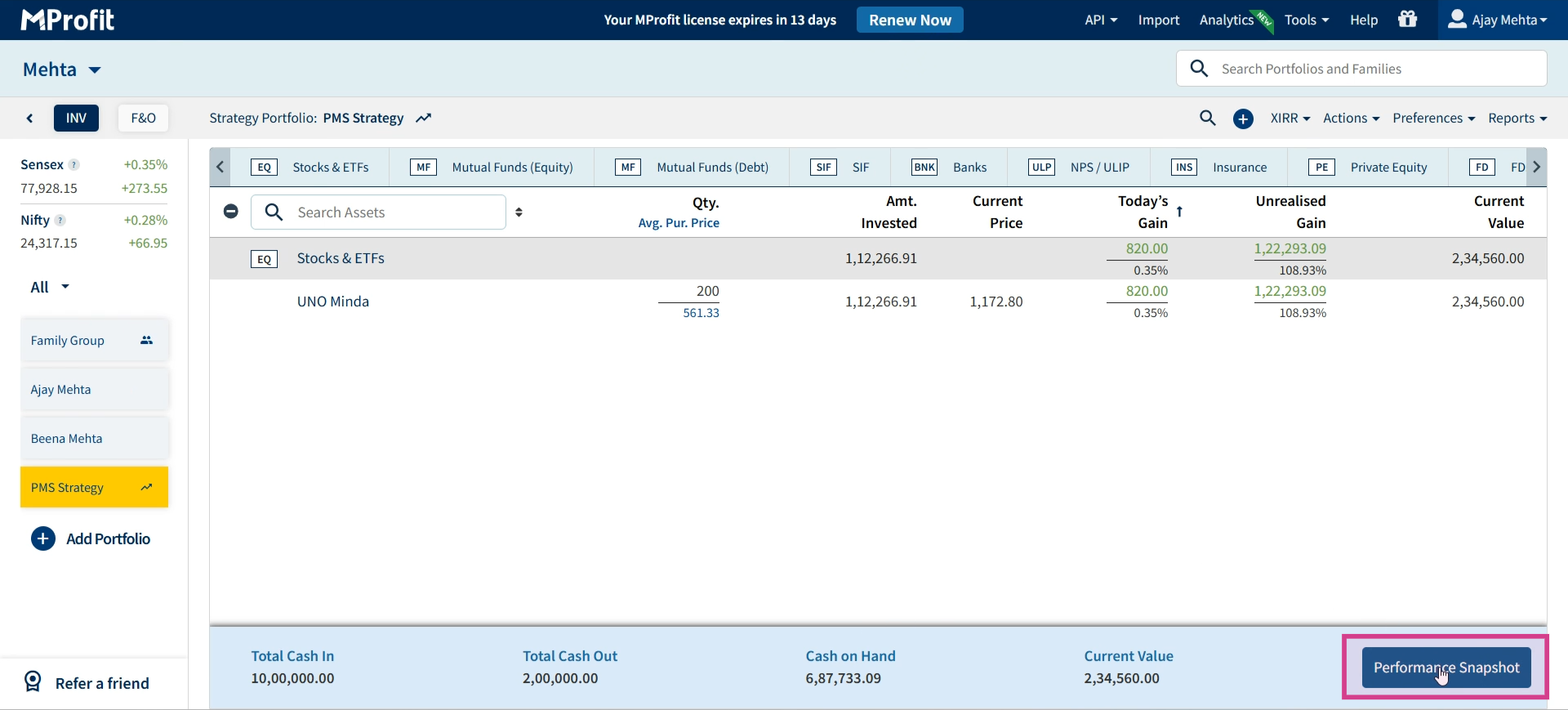
Step 1: On your portfolio dashboard, review the breakdown of Total Cash In, Total Cash Out, Cash on Hand, and Current Value. These stats update in real time with each entry.
Step 2: For a visual view of performance, open your performance summary’s graphical report and use the Print button to save a snapshot if needed.
You’ve set up a PMS Strategy or Goal Portfolio, tagged transactions, logged cash flows, and learned how to monitor your performance in MProfit. Check and update your portfolio regularly to keep your financial goals on track.
Was this article helpful?
That’s Great!
Thank you for your feedback
Sorry! We couldn't be helpful
Thank you for your feedback
Feedback sent
We appreciate your effort and will try to fix the article