This guide walks you through generating and downloading the Global Positions Report so you can track your investments and F&O positions in one place.
Step 1: Go to the Tools section.
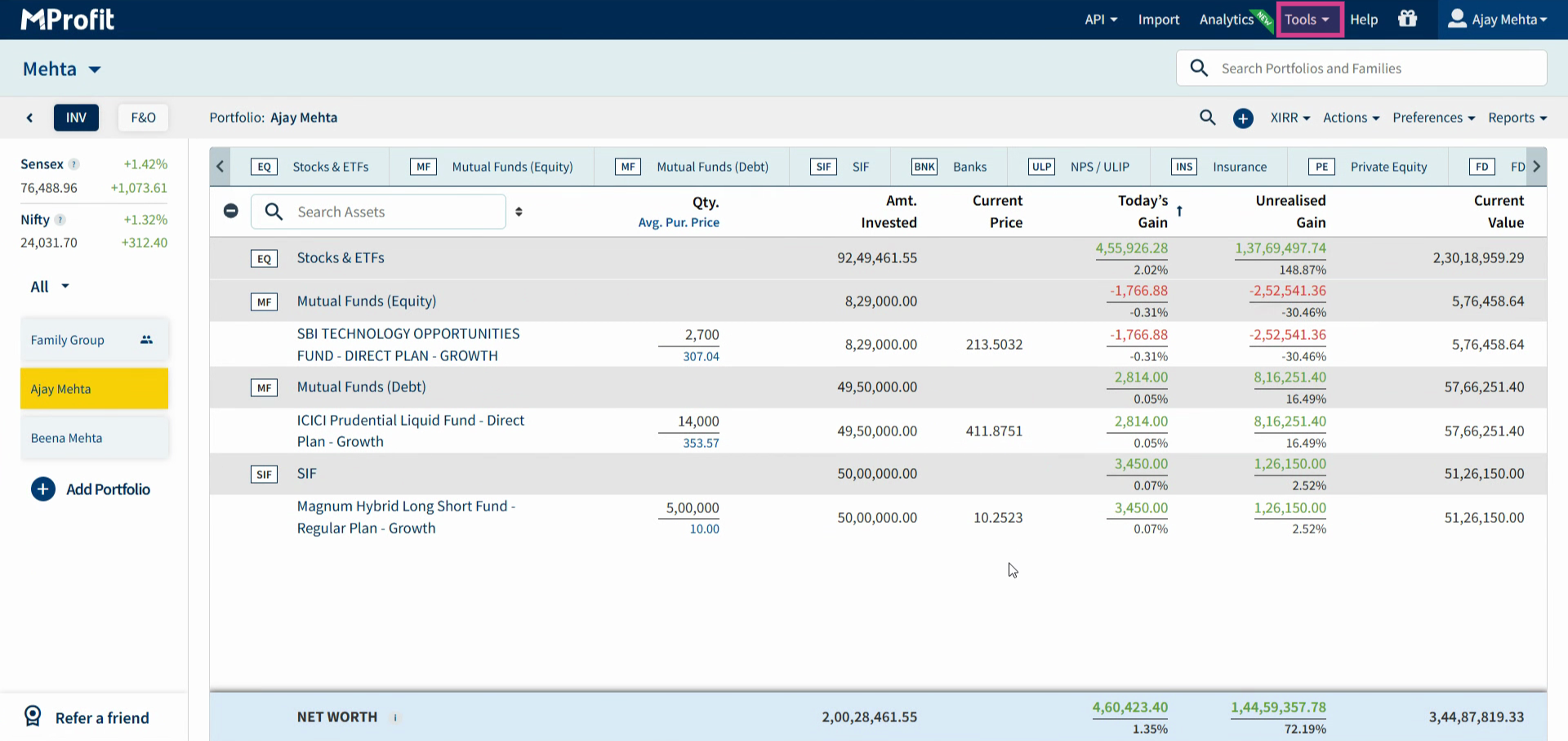
Step 2: Click Global Reports.
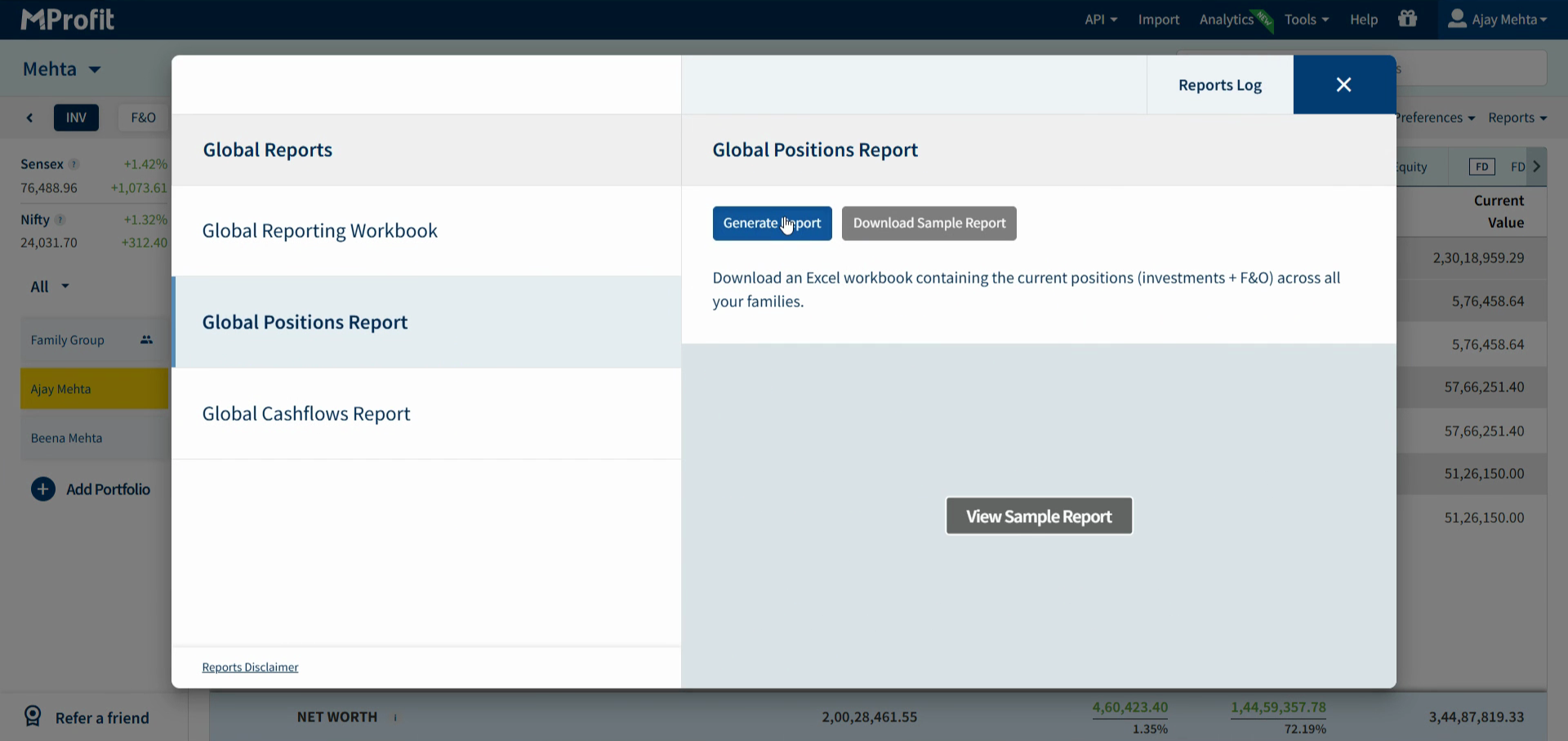
Step 3: Choose Global Positions Report and click Generate Report.
Step 4: In the preferences form, choose whether to include zero-value positions. Select Yes to show both sold and current holdings, or No to show only open positions.
Step 5: Decide if you want to display the full name or short name for investments. Adjust your settings as needed.
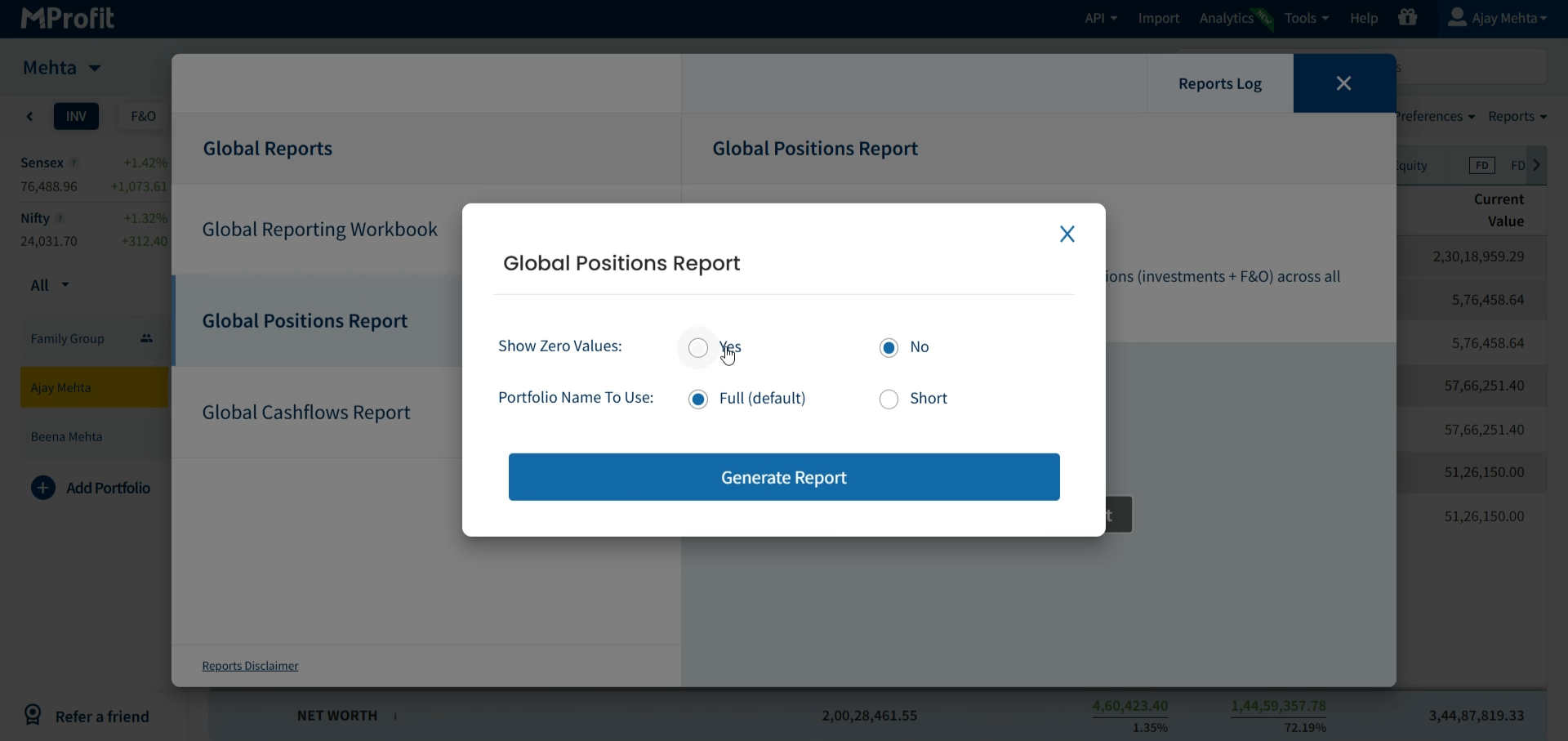
Step 6: Click Generate Report to process your settings.
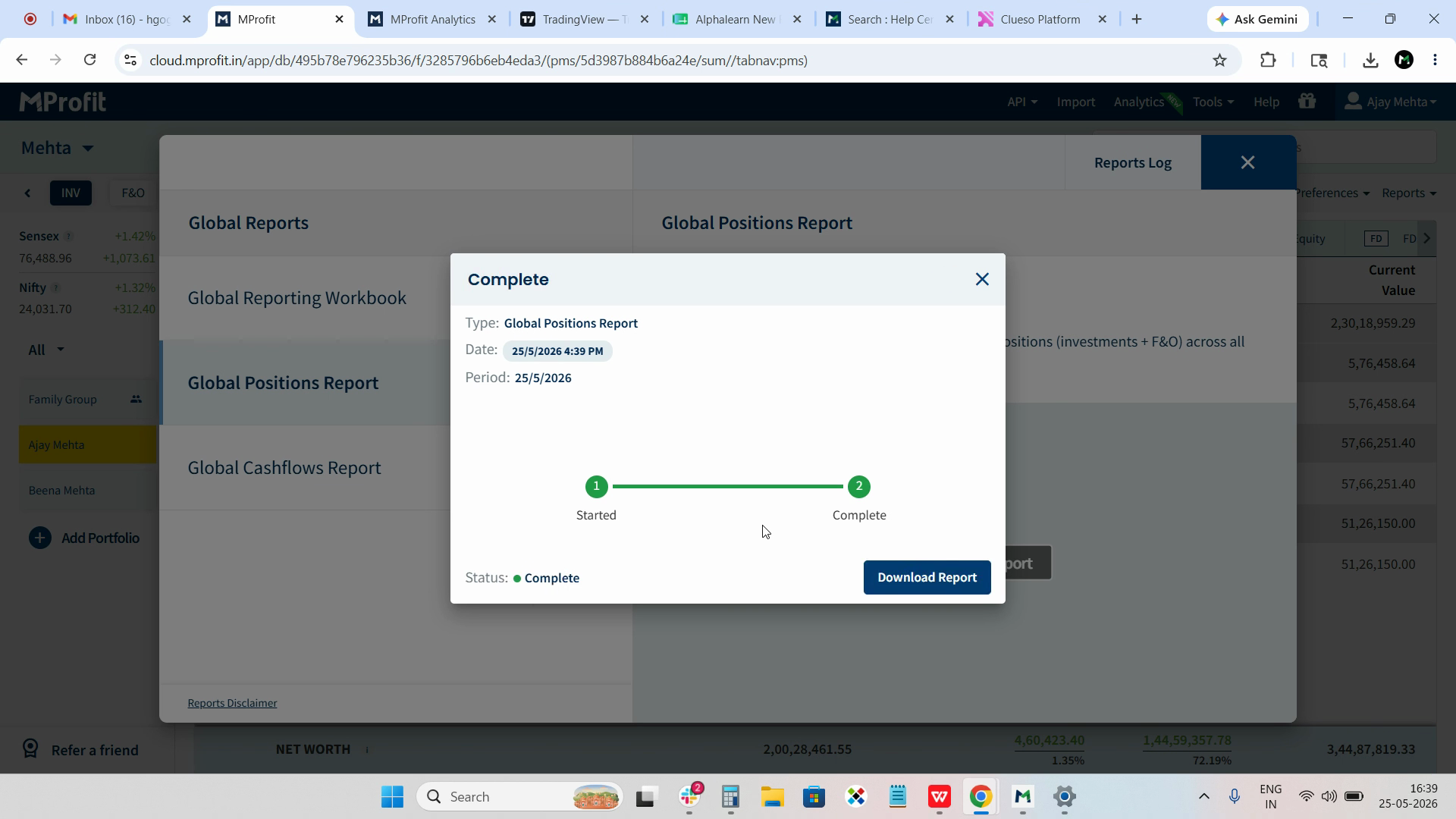
Step 7: When the report is ready, click Download Report.
The downloaded report contains key details like family name, portfolio name, asset class, quantity, purchase price, current price, invested amount, and F&O status.
Use the Global Positions Report to monitor both your investment and F&O positions—all in one place.
Was this article helpful?
That’s Great!
Thank you for your feedback
Sorry! We couldn't be helpful
Thank you for your feedback
Feedback sent
We appreciate your effort and will try to fix the article